




Keith.
Members
-
Joined
-
Last visited
Everything posted by Keith.
-
Just found this. LMAO. Would you mind if I edit it to fit the GMC Savana I have installed instead of the Speedo ?
- 6 comments
- 4 reviews
-
-
Nice texture bud, what I would do personally is paint the spaces between the tail lights and the reverse lights black, That way, the 'Police Interceptor' badge will show up better, and for some reason they just look better black. But It's your skin so it's your choice mate.
-
Hello all, Here's another skin I made tonight Hope you enjoy it, and thanks to all of you that have downloaded all my other skins
-
-
I know what you mean bud. I like doing the little out of the way dept's though instead of the big cities :)
- 2 comments
- 1 review
-
This was requested by Cartwrite So here it is Colerain Township police 06 Dodge Charger skin Here's the car http://gtapolicemods...do=file&id=1291 Not 100% sure how accurate it is due to lack of good pictures to go off But enjoy anyway :)
- 2 comments
- 1 review
-
I've just spent the last two hours looking for it, but I'm not having much luck :(
-
-
Here's another I made last night. South Euclid Ohio Police To fit a BXBugs CVPI Enjoy
- 3 comments
- 1 review
-
I spent a couple of hours on this one. It will fit any BXBugs123 CVPI Hope you like it Thanks
- 2 comments
- 1 review
-
-
Hello again, Just finished making this one to fit any BXBugs123 cvpi Enjoy
-
-
-
Hello all. Here's my Traill County North Dakota skin to fit any BXBugs123 cvpi Enjoy
- 9 comments
- 4 reviews
-
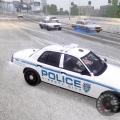 It's the mod bud. It beeps when it gets a 'hit' then puts a red marker over the target car. You can also set the target speeds in config settings. :)
- 66 comments
- 20 reviews
-
-
 Damn, them b*tches be hot. The ass on the blonde in pic 3 mmmmm. That's one for 'THAT' bank lol Excellent work Sam, well done mate 5/5
- 52 comments
- 14 reviews
-
-
-
-
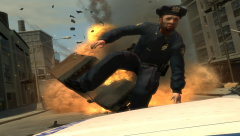 Cool guys don't look at explosions
 -
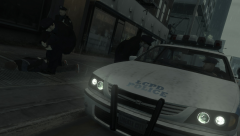 T bagged bro
 -
Is there a specific code in the vehicle paths that determines what side of the road the cars drive on ?. Admin. If this is in the wrong section, I apologise.


