


leeuwenvreter
Members
-
Joined
Everything posted by leeuwenvreter
-
I think the 1,5x traffic and 1,5x peds
-
Yes
-
yes i have this one https://nl.gta5-mods.com/misc/gta-5-gameconfig-300-cars
-
no
-
Dutch police cars Natural vision European roads LA billboards Community police station
-
yes i have a bunch of mods in my mods folder how can i set it higher? here are my specs btw Operating System Windows 10 Pro 64-bit CPU Intel Core i5 6500 @ 3.20GHz 29 °C Skylake 14nm Technology RAM 16.0GB Dual-Channel Unknown @ 1063MHz (15-15-15-36) Motherboard ASUSTeK COMPUTER INC. STRIX B250H GAMING (LGA1151) 122 °C (not real) Graphics 27G1G4 (1920x1080@144Hz) 4095MB NVIDIA GeForce GTX 1070 (Gigabyte) 40 °C Storage 931GB Samsung SSD 860 QVO 1TB (SATA (SSD)) 35 °C 931GB Western Digital WD Elements SE 25FE USB Device (USB (SATA) (SSD)) 35 °C Optical Drives No optical disk drives detected Audio CORSAIR VOID PRO Wireless Gaming Headset anything wrong with this causing the low game memory?
-
i fixed the 3rd screenshot with the map completedly not loading in i'm just with that problem from the first screen and the one before last (srry for the mess) but do you guys have a solution for this problem?
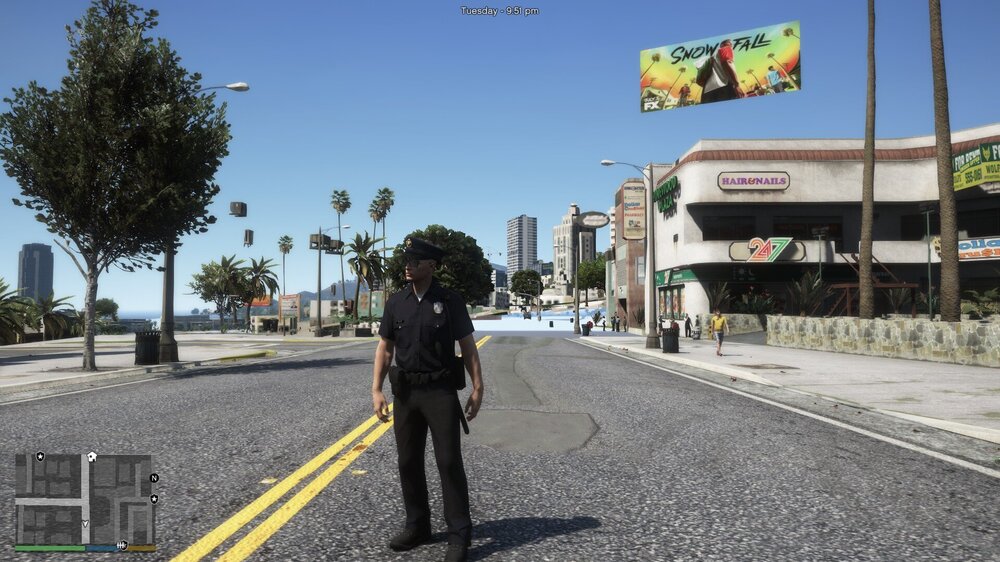
-
hey guys when i'm playing lspdfr the annoying thing is that i see the game loading in see video for example 1 sec later does any of you guys know a solution? now i the problem just became bigger
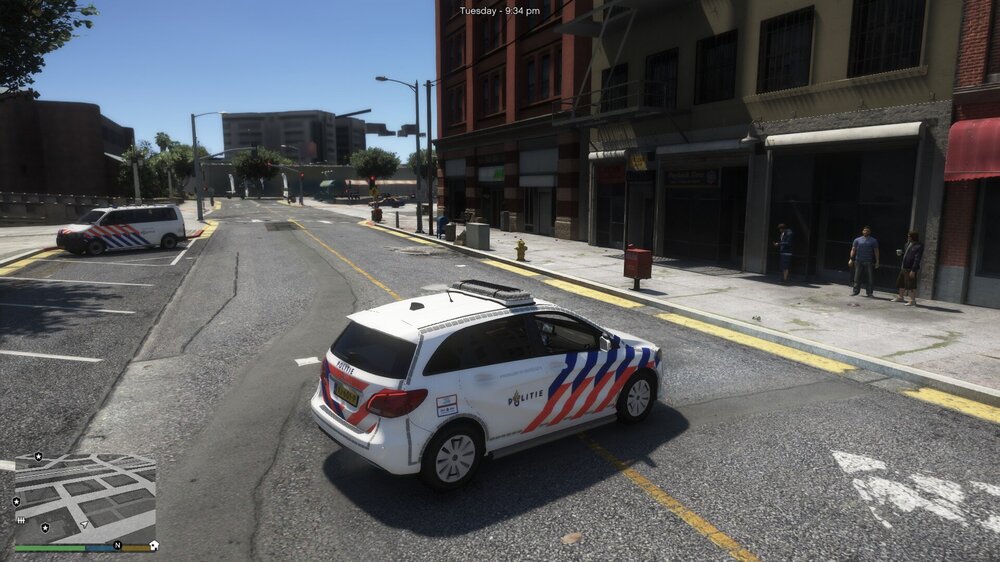
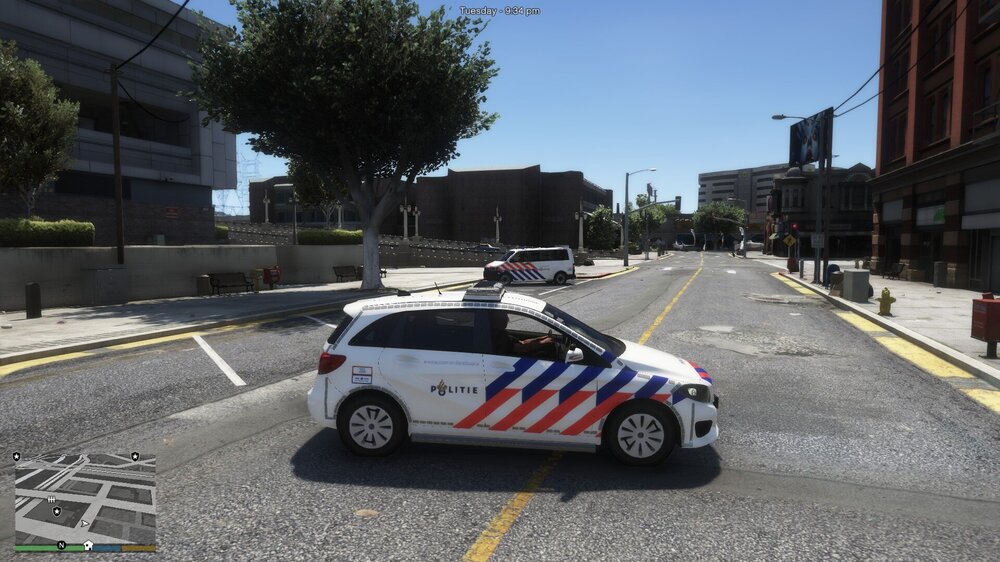
-
it worked! i don't know where the problem was hidden thx for the info
-
ok i will try when i get my other pc back
-
-
RagePluginHook_07022020_203843.log
-
nope still crashing (it happens when it says hooking game instance then it goes to the bottom left like normal then black screen and crash)
-
Ok thx i will try when im home
-
no only with rage hook thx for reply
-
my gta5 crashes when i startup rage plugin hook here is my log file [2-2-2020 17:41:12.034] Started new log on 2-2-2020 17:41:12.034 [2-2-2020 17:41:12.036] ==================================================================================================== [2-2-2020 17:41:12.031] Log path: C:\Program Files (x86)\Steam\steamapps\common\Grand Theft Auto V\RagePluginHook.log [2-2-2020 17:41:12.036] Log verbosity: Trivial [2-2-2020 17:41:12.038] Initializing input system [2-2-2020 17:41:12.047] Failed to create culture for: 132105. Name returned: 00020409 [2-2-2020 17:41:12.047] Initializing game console [2-2-2020 17:41:12.055] Console key has been set to F4 (key code: 115) [2-2-2020 17:41:12.119] Initializing console variable "ConsoleScrollAmount". [2-2-2020 17:41:12.119] Type: System.Int32, Reading section: "Miscellaneous", key: ConsoleScrollAmount [2-2-2020 17:41:12.122] Read value: <null> [2-2-2020 17:41:12.122] Initializing console variable "ConsoleKey". [2-2-2020 17:41:12.122] Type: System.Windows.Forms.Keys, Reading section: "Miscellaneous", key: ConsoleKey [2-2-2020 17:41:12.125] Read value: F4 [2-2-2020 17:41:12.125] Setting value of console variable "ConsoleKey" to stored value. [2-2-2020 17:41:12.125] Console key has been set to F4 (key code: 115) [2-2-2020 17:41:12.125] Initializing console variable "PluginTimeoutThreshold". [2-2-2020 17:41:12.125] Type: System.Int32, Reading section: "Miscellaneous", key: PluginTimeoutThreshold [2-2-2020 17:41:12.129] Read value: 30000 [2-2-2020 17:41:12.129] Setting value of console variable "PluginTimeoutThreshold" to stored value. [2-2-2020 17:41:12.129] Initializing console variable "AlwaysShowConsoleOutput". [2-2-2020 17:41:12.129] Type: System.Boolean, Reading section: "Miscellaneous", key: AlwaysShowConsoleOutput [2-2-2020 17:41:12.130] Read value: <null> [2-2-2020 17:41:12.130] Initializing console variable "ShowConsoleCommandInfoOnPluginLoad". [2-2-2020 17:41:12.130] Type: System.Boolean, Reading section: "Miscellaneous", key: ShowConsoleCommandInfoOnPluginLoad [2-2-2020 17:41:12.130] Read value: False [2-2-2020 17:41:12.130] Setting value of console variable "ShowConsoleCommandInfoOnPluginLoad" to stored value. [2-2-2020 17:41:12.130] Initializing console variable "ShowOnScreenWarnings". [2-2-2020 17:41:12.130] Type: System.Boolean, Reading section: "Miscellaneous", key: ShowOnScreenWarnings [2-2-2020 17:41:12.131] Read value: <null> [2-2-2020 17:41:12.131] Console initialized [2-2-2020 17:41:12.131] Initializing forms manager [2-2-2020 17:41:12.132] Cleaning temp folder [2-2-2020 17:41:12.133] Version: RAGE Plugin Hook v1.74.1261.16020 for Grand Theft Auto V [2-2-2020 17:41:12.141] ================ RAGE Plugin Hook ================ [2/2/2020 5:41:12 PM.145] Command line option "ignoreDifferentVideoCard-disableCustomLoadingScreen-disableCustomLoadingScreen" is specified twice. Please remove one. [2/2/2020 5:41:12 PM.145] Command line option "DX11" is specified twice. Please remove one. [2/2/2020 5:41:12 PM.145] Command line option "windowed" is specified twice. Please remove one. [2/2/2020 5:41:12 PM.148] Detected Windows 10 Professional (64-bit) (10.0.18363.0)! [2/2/2020 5:41:12 PM.149] Checking game support [2/2/2020 5:41:12 PM.282] Product name: Grand Theft Auto V [2/2/2020 5:41:12 PM.282] Product version: 1.0.1868.0 [2/2/2020 5:41:12 PM.282] Is steam version: True [2/2/2020 5:41:12 PM.283] Initializing DirectX [2/2/2020 5:41:12 PM.284] Initializing Direct3D [2/2/2020 5:41:12 PM.284] Getting game swap chain [2/2/2020 5:41:12 PM.311] Swap Chain created: 0x7FF6CBF524F8 [2/2/2020 5:41:12 PM.311] Swap Chain VTable: 0x0
-
my gta5 crashes when i startup rage plugin hook here is my log file [2-2-2020 17:41:12.034] Started new log on 2-2-2020 17:41:12.034 [2-2-2020 17:41:12.036] ==================================================================================================== [2-2-2020 17:41:12.031] Log path: C:\Program Files (x86)\Steam\steamapps\common\Grand Theft Auto V\RagePluginHook.log [2-2-2020 17:41:12.036] Log verbosity: Trivial [2-2-2020 17:41:12.038] Initializing input system [2-2-2020 17:41:12.047] Failed to create culture for: 132105. Name returned: 00020409 [2-2-2020 17:41:12.047] Initializing game console [2-2-2020 17:41:12.055] Console key has been set to F4 (key code: 115) [2-2-2020 17:41:12.119] Initializing console variable "ConsoleScrollAmount". [2-2-2020 17:41:12.119] Type: System.Int32, Reading section: "Miscellaneous", key: ConsoleScrollAmount [2-2-2020 17:41:12.122] Read value: <null> [2-2-2020 17:41:12.122] Initializing console variable "ConsoleKey". [2-2-2020 17:41:12.122] Type: System.Windows.Forms.Keys, Reading section: "Miscellaneous", key: ConsoleKey [2-2-2020 17:41:12.125] Read value: F4 [2-2-2020 17:41:12.125] Setting value of console variable "ConsoleKey" to stored value. [2-2-2020 17:41:12.125] Console key has been set to F4 (key code: 115) [2-2-2020 17:41:12.125] Initializing console variable "PluginTimeoutThreshold". [2-2-2020 17:41:12.125] Type: System.Int32, Reading section: "Miscellaneous", key: PluginTimeoutThreshold [2-2-2020 17:41:12.129] Read value: 30000 [2-2-2020 17:41:12.129] Setting value of console variable "PluginTimeoutThreshold" to stored value. [2-2-2020 17:41:12.129] Initializing console variable "AlwaysShowConsoleOutput". [2-2-2020 17:41:12.129] Type: System.Boolean, Reading section: "Miscellaneous", key: AlwaysShowConsoleOutput [2-2-2020 17:41:12.130] Read value: <null> [2-2-2020 17:41:12.130] Initializing console variable "ShowConsoleCommandInfoOnPluginLoad". [2-2-2020 17:41:12.130] Type: System.Boolean, Reading section: "Miscellaneous", key: ShowConsoleCommandInfoOnPluginLoad [2-2-2020 17:41:12.130] Read value: False [2-2-2020 17:41:12.130] Setting value of console variable "ShowConsoleCommandInfoOnPluginLoad" to stored value. [2-2-2020 17:41:12.130] Initializing console variable "ShowOnScreenWarnings". [2-2-2020 17:41:12.130] Type: System.Boolean, Reading section: "Miscellaneous", key: ShowOnScreenWarnings [2-2-2020 17:41:12.131] Read value: <null> [2-2-2020 17:41:12.131] Console initialized [2-2-2020 17:41:12.131] Initializing forms manager [2-2-2020 17:41:12.132] Cleaning temp folder [2-2-2020 17:41:12.133] Version: RAGE Plugin Hook v1.74.1261.16020 for Grand Theft Auto V [2-2-2020 17:41:12.141] ================ RAGE Plugin Hook ================ [2/2/2020 5:41:12 PM.145] Command line option "ignoreDifferentVideoCard-disableCustomLoadingScreen-disableCustomLoadingScreen" is specified twice. Please remove one. [2/2/2020 5:41:12 PM.145] Command line option "DX11" is specified twice. Please remove one. [2/2/2020 5:41:12 PM.145] Command line option "windowed" is specified twice. Please remove one. [2/2/2020 5:41:12 PM.148] Detected Windows 10 Professional (64-bit) (10.0.18363.0)! [2/2/2020 5:41:12 PM.149] Checking game support [2/2/2020 5:41:12 PM.282] Product name: Grand Theft Auto V [2/2/2020 5:41:12 PM.282] Product version: 1.0.1868.0 [2/2/2020 5:41:12 PM.282] Is steam version: True [2/2/2020 5:41:12 PM.283] Initializing DirectX [2/2/2020 5:41:12 PM.284] Initializing Direct3D [2/2/2020 5:41:12 PM.284] Getting game swap chain [2/2/2020 5:41:12 PM.311] Swap Chain created: 0x7FF6CBF524F8 [2/2/2020 5:41:12 PM.311] Swap Chain VTable: 0x0


