youngdami
Members
-
Joined
-
Last visited
Everything posted by youngdami
-
Well. im glad you can make it works, im not answered because im tried to log and newly i can.... No, i don think to be out there any replace to stop the ped at the moment... Im not so introducted on .net, at the moment i only have one plugin and ts work perfectly, make sure to install the requirementes to make .net func, cheers!
-
So, going for parts.... At this moment i understand if you press the STP interaction key one time this do the things to do if you press it twice, right? i mean, for example, stop a ped in the street or order a driver to get out of the vehicle
-
Hi, first of all, i cant understand in what moment compulite be part of the problem, maybe you can expline more about that... Second, when you say stop working you mean it doesnt show anymore?
-
 can u give us only the line which replace in the .meta file? cause the most of the people here have a custom .meta file
 -
-
-
 hmm, i install it like the readme says and nothing happend have this any relation to mods folder? in the readme says to put it only in the game folder
- 10 comments
- 3 reviews
-
-
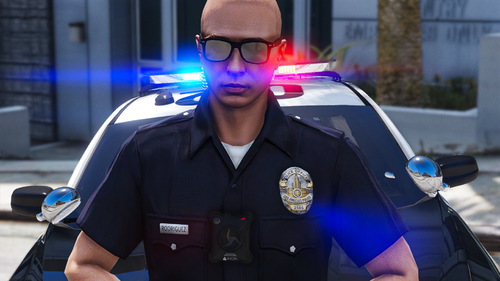 Idk if for the eup version or what but the textures and the badge are so bugged, and apparently the autor dont offer support here..
- 43 comments
- 2 reviews
-
-
-
 First of all, I am not the creator of the pack, and the way I see it to do it without deleting the entire mods folder is by having made a backup copy of the eup folder inside dlcpacks, if you didn't, I think you should uninstall eup and install it again
 -
Sorry, i mean keys.ini go there and take a look in "TRAFFICSTOP_INTERACT_Key=" if u set that to "None" there is the problem
-
Hello everyone and thanks in advance for the help, my problem is that I was installing the following pack: https://www.lcpdfr.com/downloads/gta5mods/character/33668-real-los-angeles-departments-mega-pack -eup-82 /? tab = comments # comment-282815 which is for EUP 8.2, the point is that although the ReadMe is a bit confusing, I managed to do it until I got to the LAPD BDU badge, which in theory goes in the mods \ folder update \ x64 \ dlcpacks \ eup \ dlc.rpf \ x64 \ eup_componentpeds.rpf \ mp_m_freemode_01_mp_m_smuggler_01, but once there is no .ytd to replace the texture, if someone can give me a great hand, thanks!

-
Maybe you use STP and changed to none on the key assigned for that in lspdfr.ini, but I doubt you would make a post if you did that consciously ..
-
You need to delete the mods folder, in case you make a back up you can replace. Or you can go to your dlclist and see if it is there and delete the line and the folder in dlcpacks.
-
 Good contribution rodriguez, thanks for that. I would like to clarify that the readme of the pack is a bit confusing since being .dds files are not installed by dragging and dropping, but must be opened file by file to replace them. ((Sorry for the English, I used the translator)) In addition to my comment, it seems to me that the location of the BDU badge is wrong since in the mp_m_freemode_01_mp_m_smuggler_01 folder the .ytd is not found, if you could help me with that I would appreciate it 🙂 @LSPDFR Officer Rodriguez
- 132 comments
- 7 reviews
-
Hello rodriguez! Nice work, you see a bug in the badge, I think this could be from the EUP 8.2, is there a way to download EUP 8.1 to see it correctly? anyway I see, you are working on version 8.2
- 43 comments
- 2 reviews
-
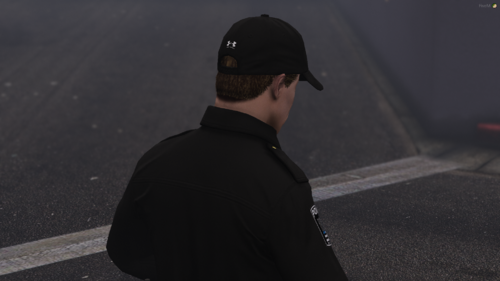 @Crypto Development nice work man, and how can i learn to do that? or i just need to rename the file and put it in the correct folder? Its nice and i want to use this on SP
- 15 comments
- 2 reviews
-
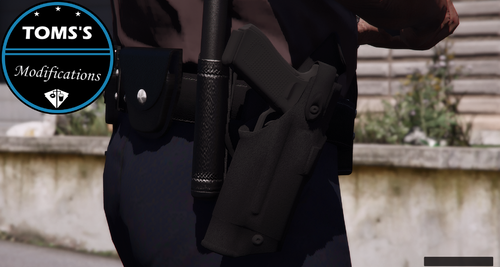
.thumb.png.5145bef857b0cf1ccd6a5823b8677de8.png) Thanks, and what I was referring to before is that it would be good for the next one if you can put the number of all the edited garments in EUP menu to make the outfits easier, greetings!
Sorry, i didn't quite understand what you might have told me, what i´m sayying is that the ID (number) is in the EUP menu in the pants section to choose it and put together an outfit
Nice, but next time you can at least put the garment number in EUP. I still can't guess what the pants are..right, ty for the help man
Thanks, and what I was referring to before is that it would be good for the next one if you can put the number of all the edited garments in EUP menu to make the outfits easier, greetings!
Sorry, i didn't quite understand what you might have told me, what i´m sayying is that the ID (number) is in the EUP menu in the pants section to choose it and put together an outfit
Nice, but next time you can at least put the garment number in EUP. I still can't guess what the pants are..right, ty for the help man





.thumb.png.5145bef857b0cf1ccd6a5823b8677de8.png)