Skip to content
View in the app

A better way to browse. Learn more.

LCPDFR.com

A full-screen app on your home screen with push notifications, badges and more.

To install this app on iOS and iPadOS
  1. Tap the Share icon in Safari
  2. Scroll the menu and tap Add to Home Screen.
  3. Tap Add in the top-right corner.
To install this app on Android
  1. Tap the 3-dot menu (⋮) in the top-right corner of the browser.
  2. Tap Add to Home screen or Install app.
  3. Confirm by tapping Install.

nautmelvin

Members
  • Joined

  • Last visited

Everything posted by nautmelvin

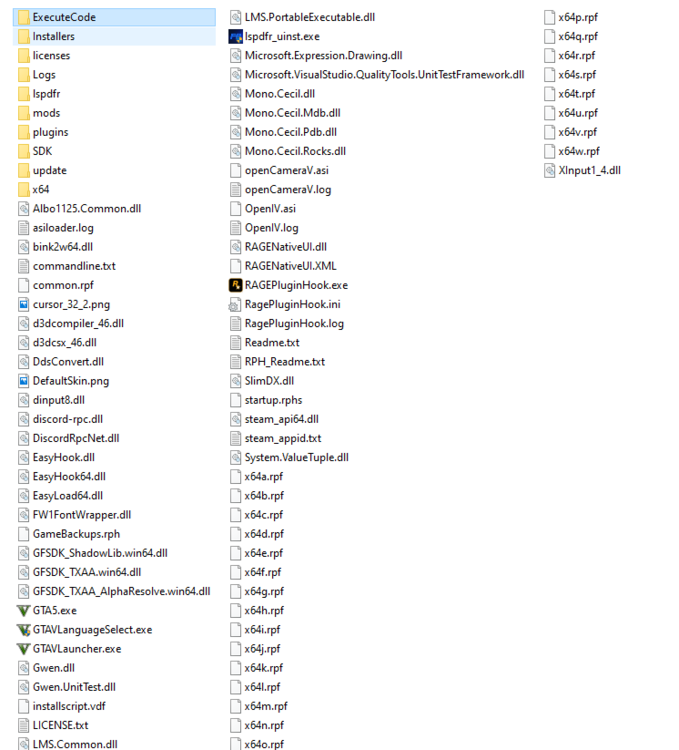
  1. As the title says whenever I launch I get stuck in that one screen that says "Loading storymode with RPH." I've tried multiple solutions such as setting delay to 30000 or 60000, forced window mode with direct x11, load plugin, load no plugins, run everything in administrator and vise versa, disable directx, turning off antivirus, etc. I am running rph v0.66.1241.15481 with gta5 v1.0.1604.1 steam while everything tries to gets updated but I am hoping there is a way to play this version while I wait for everything. I've posted the log already and screenshots of my gta 5 folder so hopefully this can be solved quickly. RagePluginHook.log
Account

Navigation

Search

Search

Configure browser push notifications

Chrome (Android)
  1. Tap the lock icon next to the address bar.
  2. Tap Permissions → Notifications.
  3. Adjust your preference.
Chrome (Desktop)
  1. Click the padlock icon in the address bar.
  2. Select Site settings.
  3. Find Notifications and adjust your preference.