JBCallout
Members
-
Joined
-
Last visited
Files posted by JBCallout
-
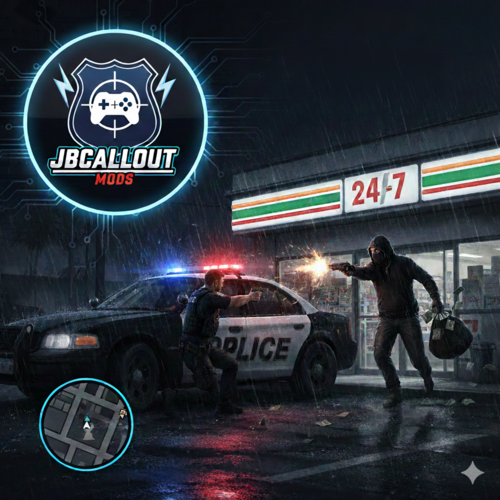
JBCallout – Dynamic Callout Pack for LSPDFR
JBCallout is an evolving callout pack for LSPDFR focused on dynamic, AI-driven police encounters with high replay value.
Instead of fixed scripts, every scenario is powered by internal behavior systems that react to player actions, distance, weapons, and situational pressure in real time.
JBCallout currently features multiple fully implemented callouts, including Store Robbery, Road Rage Driver and Street Fight, with additional scenarios actively in development.
🔥 Current Callouts
🏪 Store Robbery (Interior-Based)
Robberies take place inside real store interiors
Suspect and clerk spawn at realistic interior positions
Scenes feel alive and believable from the moment you arrive
High replay value – no two encounters play out the same
🥊 Street Fight (Dynamic Open-World Encounter)
A highly dynamic callout built around spontaneous street violence.
Fights break out organically in open-world locations – no scripted feel
Multiple suspects spawn early and behave independently
Integrated stress & reaction system: suspects escalate, flee, or freeze based on player behavior
Visual cues via SignalDirector make tension readable before violence erupts
Every encounter evolves differently – from verbal confrontation to full pursuit
Extremely high replay value – unpredictable outcomes every time
🚗 Aggressive Road Rage Driver (Dynamic Traffic Encounter)
A highly dynamic callout centered around escalating road rage incidents.
The suspect initially blends into normal traffic with no obvious threat
Aggression escalates dynamically based on player proximity, sirens, or police presence
Optional victim vehicle enables realistic road rage scenarios in live traffic
Integrated stress & reaction system: suspects may confront, flee, crash out, or pull a weapon
Realistic road rage driving behavior including brake checks, cutting off, and side-swiping
Encounters can evolve into vehicle pursuits, foot chases, or armed confrontations
Extremely high replay value with unpredictable escalation paths every time
🧠 Dynamic Suspect AI
JBCallout introduces a custom dynamic suspect AI system shared across all current and future callouts.
Suspects react dynamically to:
Officer distance
Weapon state
Aiming & sprinting
Calm vs. aggressive approach
Emotional states evolve during the encounter:
Calm
Nervous
Aggressive
Panicking
Behavior changes naturally based on player actions, timing, and pressure.
📊 Stress & Courage Based Behavior
An internal Stress & Courage system controls suspect decisions:
Stress rises and falls dynamically instead of using fixed triggers
Different suspect types behave differently:
Nervous Junkie (panics easily)
Average Criminal
Professional (controlled, aggressive under pressure)
Random escalation can occur even during calm negotiations
No HUD indicators – stress is communicated through movement, reactions, and behavior
🗣️ Advanced Negotiation System
A core system used across all JBCallout scenarios.
Multi-stage negotiations
(command → warning → final ultimatum)
Dynamic success chances based on player behavior:
Weapon drawn
Aiming
Sprinting
Calm approach
Outcomes are never guaranteed
Negotiations may succeed, fail, or escalate organically
🚔 Dynamic Outcomes
Each callout can end in multiple ways:
Peaceful surrender
Foot pursuit
Vehicle escape
Results depend on randomized logic combined with player decisions, ensuring strong replayability.
📡 Signal-Based Behavior System (NEW)
JBCallout uses an internal signal-based AI system to translate AI states into visible behavior:
Subtle weapon movements
Backing away under pressure
Sudden aggression
Panic escalation
The system is fully modular, allowing new behaviors to be added without modifying existing callouts.
🌍 Full Multi-Language Support
Full support for English and German
Custom languages can be added via INI files
All callout messages use a centralized localization system
AI feedback, negotiations, and update notifications are fully localized
🔔 Automatic Update System
In-game update notifications
Changelog displayed once per version
Update behavior configurable via INI
Fully multi-language update messages
🛠️ Stability & Quality
Fixed multiple entity spawn edge cases
Automatic self-healing for invalid ped models
Robust state machine for callout flow
Clean separation between callout logic and AI systems
Extensive debug logging for modders
Performance-safe AI update intervals
📌 Requirements
GTA V (PC)
LSPDFR (latest version)
RagePluginHook
🚧 Development Status
JBCallout is actively developed.
Features may change based on community feedback.
A public Discord server is available for:
Bug reports
Feedback & suggestions
Development previews
General discussion
Development / Roadmap:
https://trello.com/b/8xm6uwhj/jbcallout
Discord:
https://discord.gg/4bAXrz263q- 9,585 Downloads
- 16 Comments
Updated