Skip to content
View in the app

A better way to browse. Learn more.

LCPDFR.com

A full-screen app on your home screen with push notifications, badges and more.

To install this app on iOS and iPadOS
  1. Tap the Share icon in Safari
  2. Scroll the menu and tap Add to Home Screen.
  3. Tap Add in the top-right corner.
To install this app on Android
  1. Tap the 3-dot menu (⋮) in the top-right corner of the browser.
  2. Tap Add to Home screen or Install app.
  3. Confirm by tapping Install.

IWillHelpUsWin

Members
  • Joined

  • Last visited

  1. For those following this file, I apologize for not updating anything like I said I would. I've been busy in real life and haven't been motivated enough to make new vests or correct some "blur" issues on the badges. I'm still in limbo on solving that problem. Thanks, IWillHelpUsWin ❤️
  2.    IWillHelpUsWin reacted to a comment on a file: BMW r1200rt Metro-State
  3.    IWillHelpUsWin reacted to a comment on a file: CHP/SAHP Tactical Vest 2
  4. I missing the "mp_m_freemode_01_mp_m_vinewood" file :O?
  5. No idea why it is comic sans. That skin is also a work in progress.
  6. I renamed it CASP as I've been working on the replica Chevy truck texture for CASP. I felt that the CASP Ranger eup pack needed its own vest so I made one. Furthermore, CASP Ranger is an iconic police force in California. I also had no SASP vehicle skins loaded into my game. :) I renamed it CASP as I've been working on the replica Chevy truck texture for CASP. I felt that the CASP Ranger eup pack needed its own vest so I made one. Furthermore, CASP Ranger is an iconic police force in California. I also had no SASP vehicle skins loaded into my game. 🙂
    • 1,254 downloads
    • Version 1.0.0
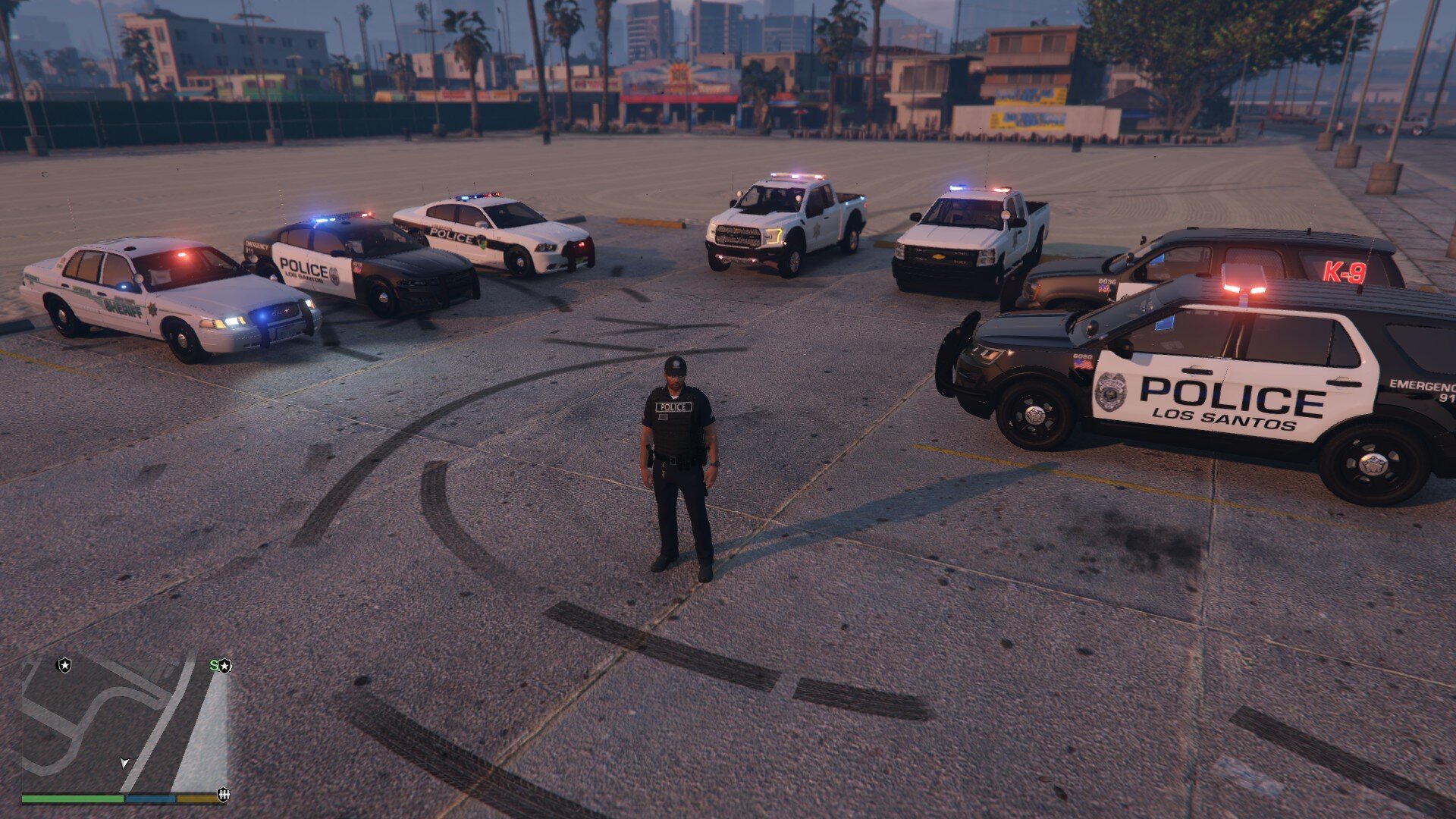
    This is my first attempt at creating custom police vests for LSPDFR. I wanted something that wasn't too bland like the vanilla game. Instructions are in the ReadMe file provided in the file download. This is still a work in progress as I'm trying to figure out texture quality on two of the badges. I'm happy with the way these came out and wanted to share this with the community. Thanks! - IWillHelpUsWin-

Account

Navigation

Search

Search

Configure browser push notifications

Chrome (Android)
  1. Tap the lock icon next to the address bar.
  2. Tap Permissions → Notifications.
  3. Adjust your preference.
Chrome (Desktop)
  1. Click the padlock icon in the address bar.
  2. Select Site settings.
  3. Find Notifications and adjust your preference.