


JanL9
Members
-
Joined
-
Last visited
Everything posted by JanL9
-
Yes. They´re installed.
-
Er. Okay. So I installed the Plugins in the right folders. But how you said here the screens:
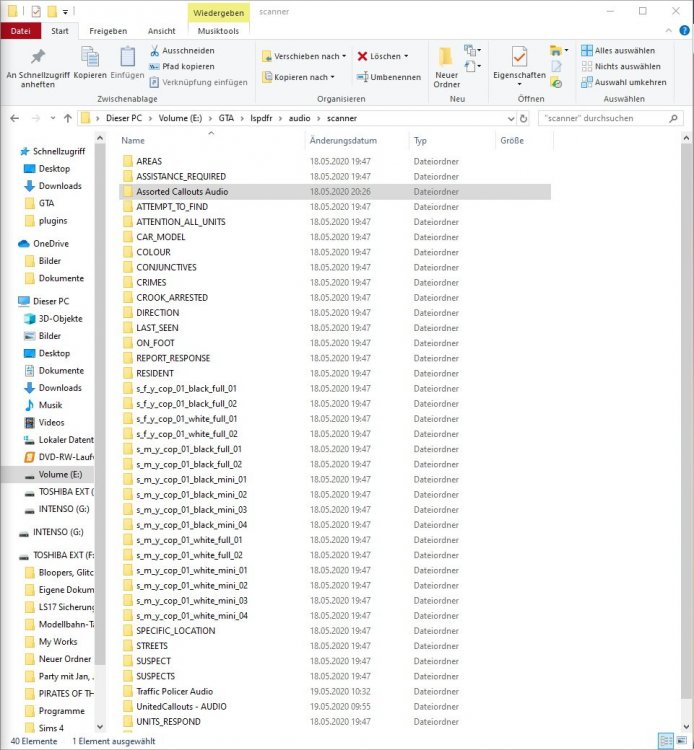
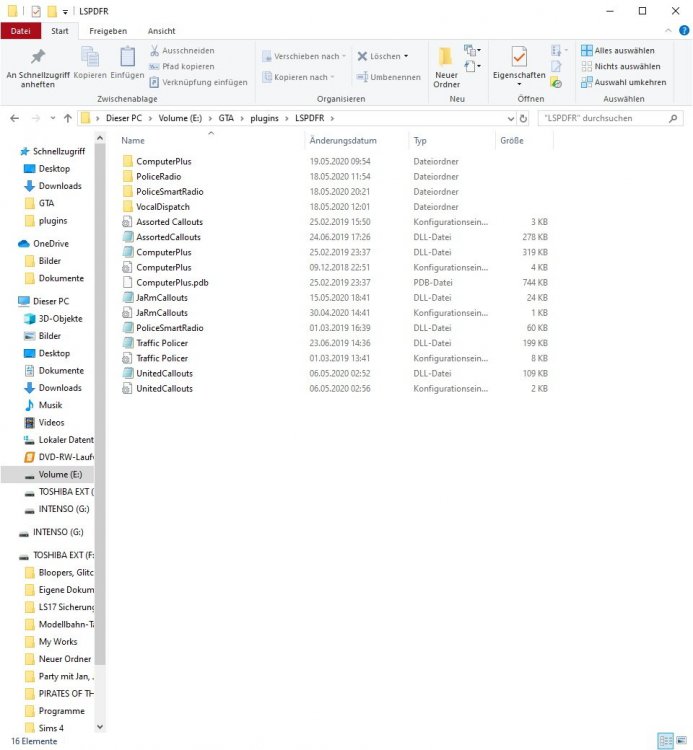
-
Hi. I´ve installed LSPDFR with Traffic Policer and AssortedCallouts. I took the Trouble Shooter to check for errors and there are two errors: Error in your Traffic Policer/AssortedCallouts installation. The following text says to follow the installation instructions for Traffic Policer/AssortedCallouts. I´ve looked the Videos and follows the instructions. But there are the same Errors in the TroubleShooter. When I took "Automatically Fix this Error" it says: Unable to obtain folder permissions. Please close all other applications before trying again. There are no applications open that have anything to do with it. Even a restart does not fix this message. Here are the log file for traffic policers and assorted callouts. LSPDFRTroubleshooterByAlbo125.log
-
Moin. Ich komme gerade bei einem Einsatz nicht weiter. Call: Vehicle Explosion Respond Code 3 Investigate the area to find the vehicle. Habe das Auto gefunden und mit dem Fahrer gesprochen. Nebenbei hab ich das Kennzeichen überprüft und den Ausweis des Fahrers. Wegen anderer Vergehen und weil das Auto auf eine andere Person gemeldet ist, habe ich den Fahrer fest genommen. Jetzt muss ich allerdings noch irgendwas mit dem Auto machen, aber was?

