ClimbAhead360
Members
-
Joined
-
Last visited
Everything posted by ClimbAhead360
-
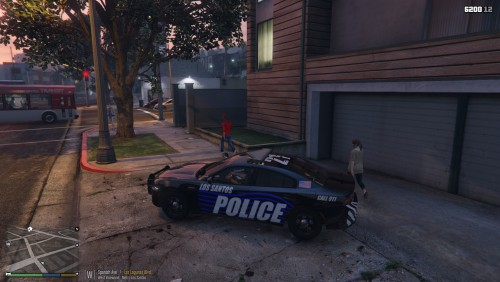 Textures for all statewide agencies (including Department of Interior Protection and Security). Please check out the youtube link below to preview all textures. Above pictures are only a sample of included textures. All textures are original and fictional design. All models were appropriately cited below and in the "Read Me Credits" .txt file included in the download. This file does not include models. However, in the "Read Me Credits" .txt, links to the vehicles I used are linked in the file. Please ask or give credit if using these textures for streaming or other media. Use OpenIV to replace the livery files in the vehicles .ytd files. Some vehicles have multiple liveries. Must have a trainer to switch out liveries. Please message me directly with concerns or feed back. Enjoy!