Skip to content
View in the app

A better way to browse. Learn more.

LCPDFR.com

A full-screen app on your home screen with push notifications, badges and more.

To install this app on iOS and iPadOS
  1. Tap the Share icon in Safari
  2. Scroll the menu and tap Add to Home Screen.
  3. Tap Add in the top-right corner.
To install this app on Android
  1. Tap the 3-dot menu (⋮) in the top-right corner of the browser.
  2. Tap Add to Home screen or Install app.
  3. Confirm by tapping Install.

Brisk Modifications

Members
  • Joined

  • Last visited

    • 2,006 downloads
    • Version 1.0.0
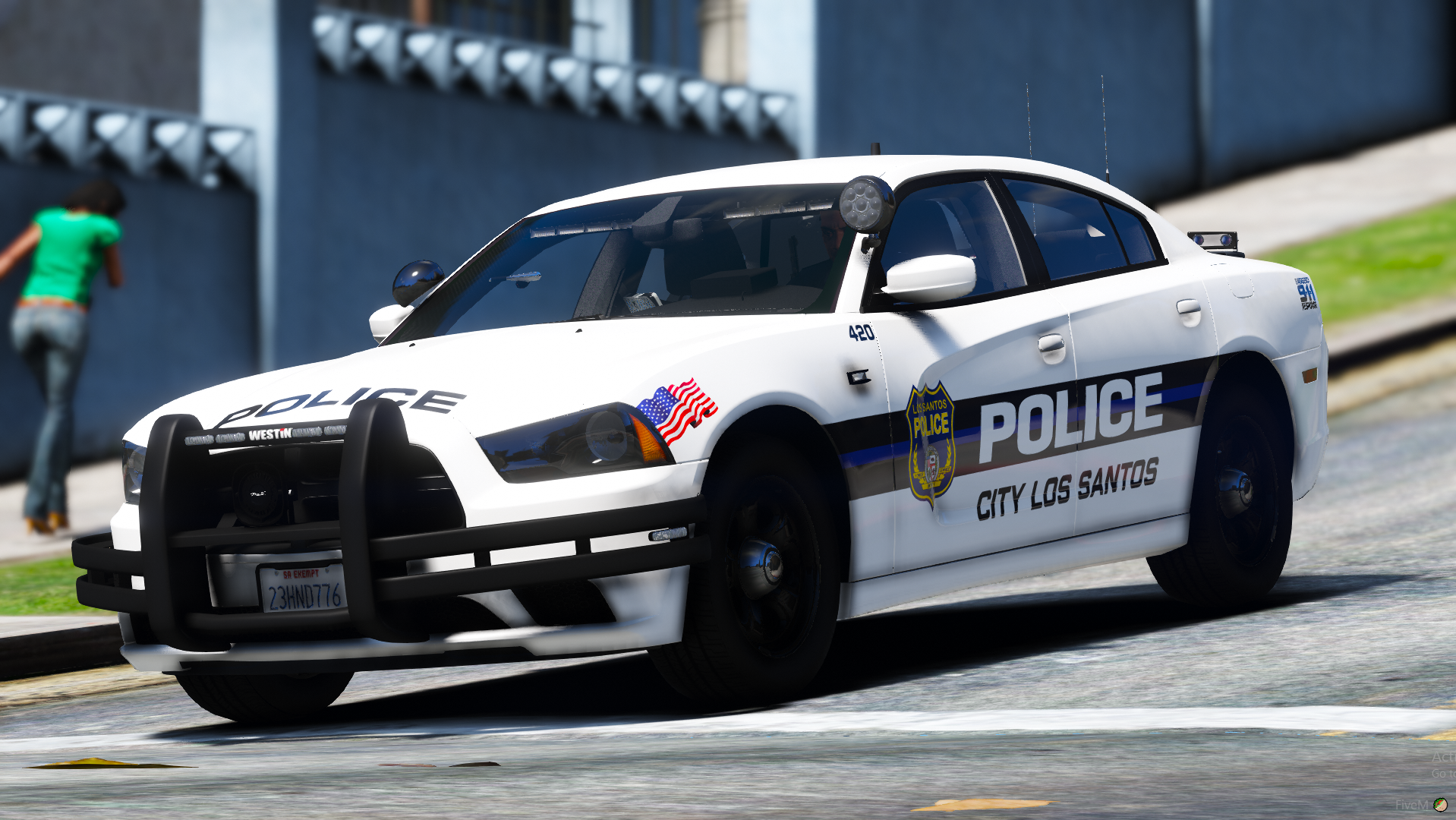
    Extras 1) Push Bar 2) Wrap Around 3) Front ALPRs 4) Rear ALPRs 5) Steady Burns Lighting Preview https://i.gyazo.com/1e76a2ed5650ca44f2cb48fb75396e3f.mp4 https://i.gyazo.com/f862d291afe7b9dc1f409560bd7edd00.mp4 Template is added as an extra download. This is an outdated vehicle made for a private server. Enjoy! Join the Brisk Modifications discord! https://discord.gg/CZBPPgzSmq
    • 412 downloads
    • Version 1.0.0
    A very simple unmarked vehicle, possibly a take home vehicle. You should join my discord for more awesome releases! https://discord.gg/CZBPPgsSmq
  1. Brisk Modifications changed their profile photo
  2. So, I just installed ScriptHookV and now all of the AI cops are stuck in one spot... does anyone know a fix for this?
  3. Hello, I am installing LSPDFR and I get an error when launching it says i need Microsoft visual c++ redistributable 2010. However when it links me to the download on the Microsoft website, it says that it not available anymore. Can I get a correct and updated link please.
  4. I have done this 7 times. Legit i also have gta on epic, im going to install it on there and not use steam. If this works, ill just use it on epic.
  5. THat is when the game is open and i try to launch RPH.
  6. New log started on 10/24/2021 3:20:07 PM 15:20:07.661: Compatibility level: 0 15:20:07.662: Checking game support 15:20:07.663: Version is supported 15:20:08.174: Initializing backup 15:20:08.184: No backup created 15:20:08.845: Preparing settings dialog 15:20:08.903: Ini path: C:\Program Files (x86)\Steam\steamapps\common\Grand Theft Auto V\RagePluginHook.ini 15:20:08.904: Reading settings 15:20:08.907: Reading startup.rphs 15:20:08.908: Parsing plugins 15:20:08.908: Plugins: Parsing "C:\Program Files (x86)\Steam\steamapps\common\Grand Theft Auto V\Plugins\LSPD First Response.dll" 15:20:09.083: Plugins: Added plugin LSPD First Response 0.4.9 by G17 Media from "C:\Program Files (x86)\Steam\steamapps\common\Grand Theft Auto V\Plugins\LSPD First Response.dll" 15:20:09.112: Settings dialog setup done
  7. Hello! When i try to launch LSPDFR though the RPH.exe, the mod does not work. The RPH launcher also just stays like this while my game loads.
  8. I have done that, and the game opens, however a big error remains on my screen and the mod does not load. Also keep in mind I just installed the mod. So i have not gone though the setup at the control pannel thing/settings.
  9. Hello So I know that RPH is having issues and their website is down and that is why code is showing up when you try to launch lspdfr. And I do see that red banner on the top of the support page here on lcpdfr. However im confused on how to use the RPH in the download... Im clicking on the ragepluginrook.exe in my gta5 directory and im still getting code on load-up... is it just me or do i need to wait for their website?
  10. Hey ya'lll, Im having the same issue and also figured out its because the website is down. Does anyone know when it will be back up?

Account

Navigation

Search

Search

Configure browser push notifications

Chrome (Android)
  1. Tap the lock icon next to the address bar.
  2. Tap Permissions → Notifications.
  3. Adjust your preference.
Chrome (Desktop)
  1. Click the padlock icon in the address bar.
  2. Select Site settings.
  3. Find Notifications and adjust your preference.