
Reno19
Members
-
Joined
-
Last visited
Everything posted by Reno19
-
-
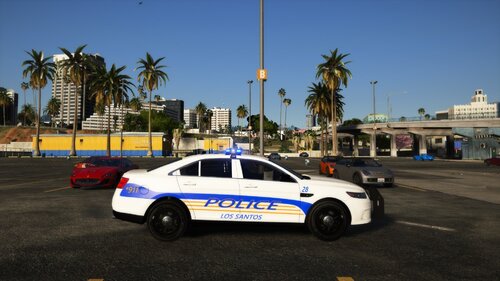 One of my first ever skins I created. I thought I did a good job and I wanted to post it. I am planning on making more Florida skins in the future with 2k and 4k variants. https://www.lcpdfr.com/downloads/gta5mods/vehiclemodels/19013-bcso-pack-rx2700/
 -
after a while of playing with it I got my license hooked im good now.
-
I purchased a license for Zmodeler3 and I cant even verify my account so I can actually use my license. No matter what I do nothing will work. I cant even login to the forums and everytime I paste my license key into Zmodeler3 it says it failed. The websites UI sucks and is so confusing. Every time I do the "Online Verification" nothing works. Im really frustrated, its so difficult to just get a license working.
-
Thank You
-
Hello, My two favorite plugins, Stop The Ped and Ultimate Backup are unsupported in this new version of LSPDFR. Without them it makes the game way less immersive, and I was wondering if there are any good substitute plugins similar to these. Or if not is there a way to revert versions of LSPDFR to a version where these are supported?
-
Im creating a DBS inspired skin pack