



xXWetBlanketXx
Members
-
Joined
-
Last visited
Everything posted by xXWetBlanketXx
-
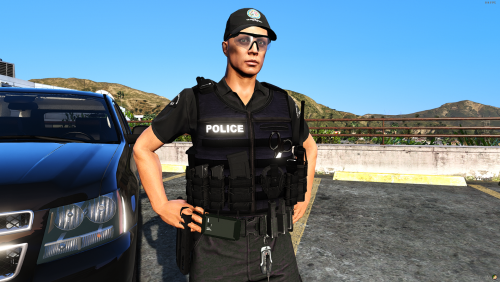 The installation location for this vest for singleplayer is as follows: (With Open IV) GTA V > mods > update > x64 > dlcpacks > eup > dlc.rpf > x64 > eup_componentpeds.rpf > mp_m_freemode_01_mp_m_january2016 Hope this helps, be sure to make a backup of the original model. (Drag to desk top or folder). - I am not responsible for any damage to game, this is the location that worked for me. -
- 12 comments
- 2 reviews
-
-

- 7
-
-
Having the exact same issue, seems to be quite odd.
-
(1).thumb.PNG.5297c4991e8abd60b1a217fd5afd4dda.PNG) I installed it under (C:\Program Files (x86)\Steam\steamapps\common\Grand Theft Auto V\mods\update\x64\dlcpacks\eup\dlc.rpf\x64\eup_componentpeds_p.rpf\mp_m_freemode_01_mp_m_january2016) Note: Make sure to backup the files from this folder as to not destroy your game files. Some of the textures (Senior Constable, Leading Senior Constable, Sergeant) did not work for me, don't know if anyone else is having that issue? Thanks for the great mod, lots of fun!
I installed it under (C:\Program Files (x86)\Steam\steamapps\common\Grand Theft Auto V\mods\update\x64\dlcpacks\eup\dlc.rpf\x64\eup_componentpeds_p.rpf\mp_m_freemode_01_mp_m_january2016) Note: Make sure to backup the files from this folder as to not destroy your game files. Some of the textures (Senior Constable, Leading Senior Constable, Sergeant) did not work for me, don't know if anyone else is having that issue? Thanks for the great mod, lots of fun!- 7 comments
- 2 reviews
-
-
- 1
-

(1).thumb.PNG.5297c4991e8abd60b1a217fd5afd4dda.PNG)