Skip to content
View in the app

A better way to browse. Learn more.

LCPDFR.com

A full-screen app on your home screen with push notifications, badges and more.

To install this app on iOS and iPadOS
  1. Tap the Share icon in Safari
  2. Scroll the menu and tap Add to Home Screen.
  3. Tap Add in the top-right corner.
To install this app on Android
  1. Tap the 3-dot menu (⋮) in the top-right corner of the browser.
  2. Tap Add to Home screen or Install app.
  3. Confirm by tapping Install.

mgmohiddin

Members
  • Joined

  • Last visited

Everything posted by mgmohiddin

  1. I am going to be making LSPDFR Chases with rockstar editor and this is my first one. It isnt lspdfr but its a police chase. My next episode will be LSPDFR Enjoy
  2. THANK you bro, yes i want to be able to set up in away that i can live stream with no lag. i can record with no lag but not stream
  3. Hi guys im actually new to the forums so aloha and im spreading my content online to attract an audience and would love for everyone to check my channel and enjoy my videos. MGMohiddin Youtube Channel Enjoy in progress
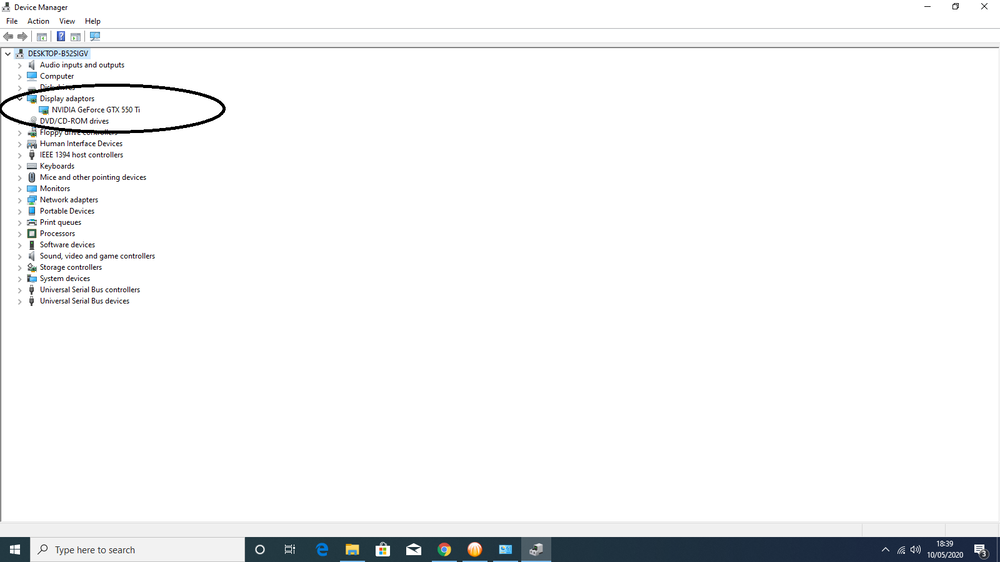
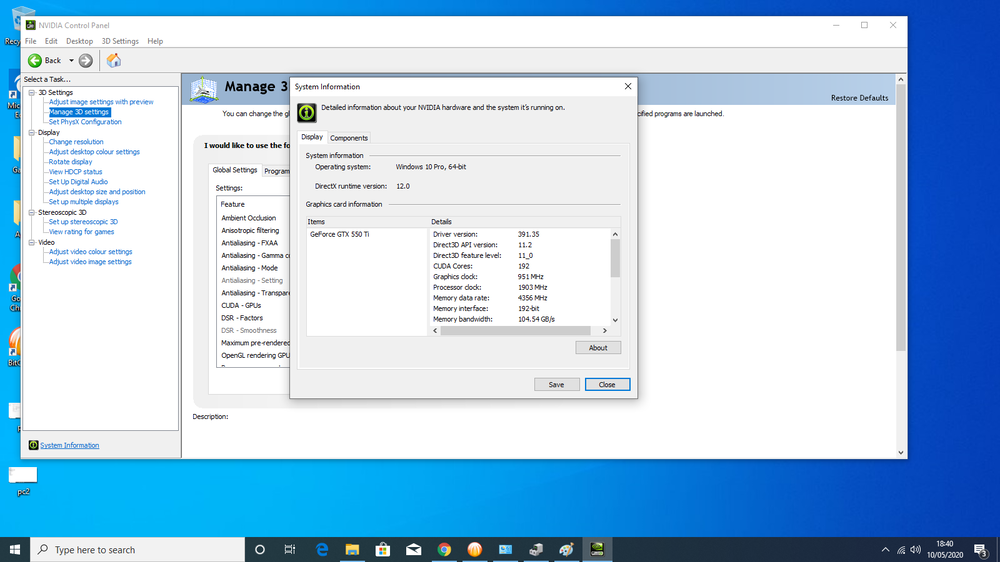
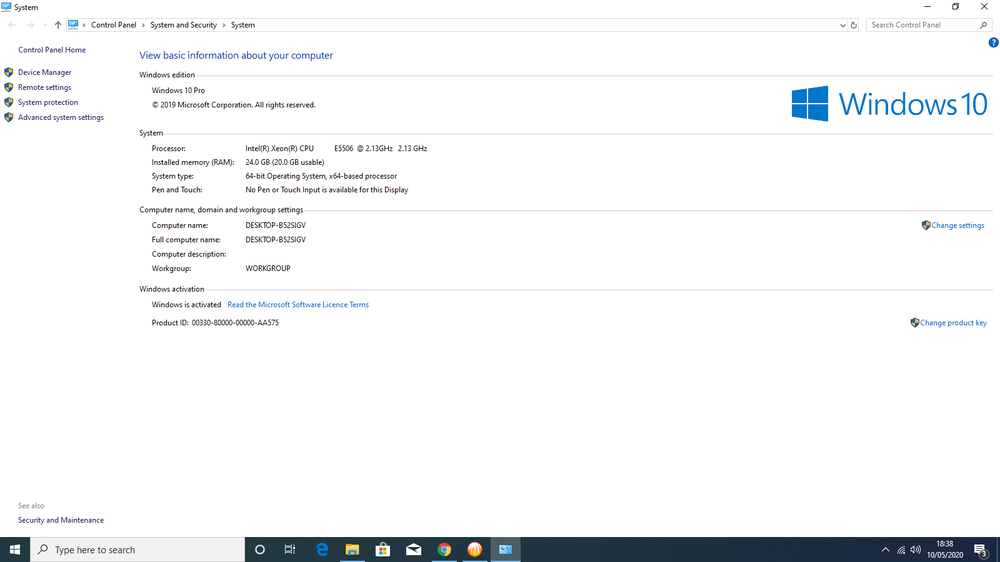
  4. i bought a machine today with the following specs iv attached the files withthe specs
Account

Navigation

Search

Search

Configure browser push notifications

Chrome (Android)
  1. Tap the lock icon next to the address bar.
  2. Tap Permissions → Notifications.
  3. Adjust your preference.
Chrome (Desktop)
  1. Click the padlock icon in the address bar.
  2. Select Site settings.
  3. Find Notifications and adjust your preference.