Skip to content
View in the app

A better way to browse. Learn more.

LCPDFR.com

A full-screen app on your home screen with push notifications, badges and more.

To install this app on iOS and iPadOS
  1. Tap the Share icon in Safari
  2. Scroll the menu and tap Add to Home Screen.
  3. Tap Add in the top-right corner.
To install this app on Android
  1. Tap the 3-dot menu (⋮) in the top-right corner of the browser.
  2. Tap Add to Home screen or Install app.
  3. Confirm by tapping Install.

RyAmbiton

Members
  • Joined

  • Last visited

Everything posted by RyAmbiton

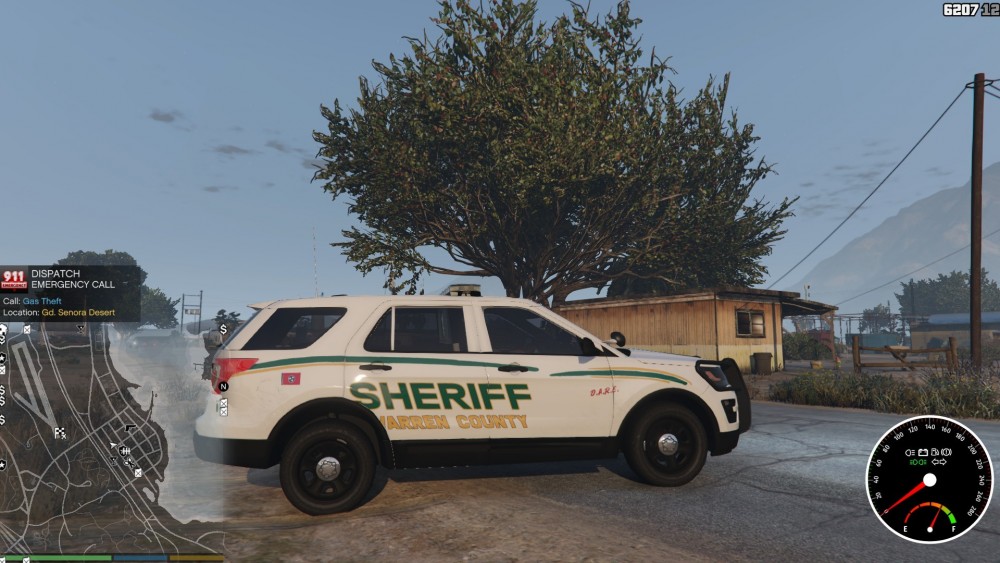
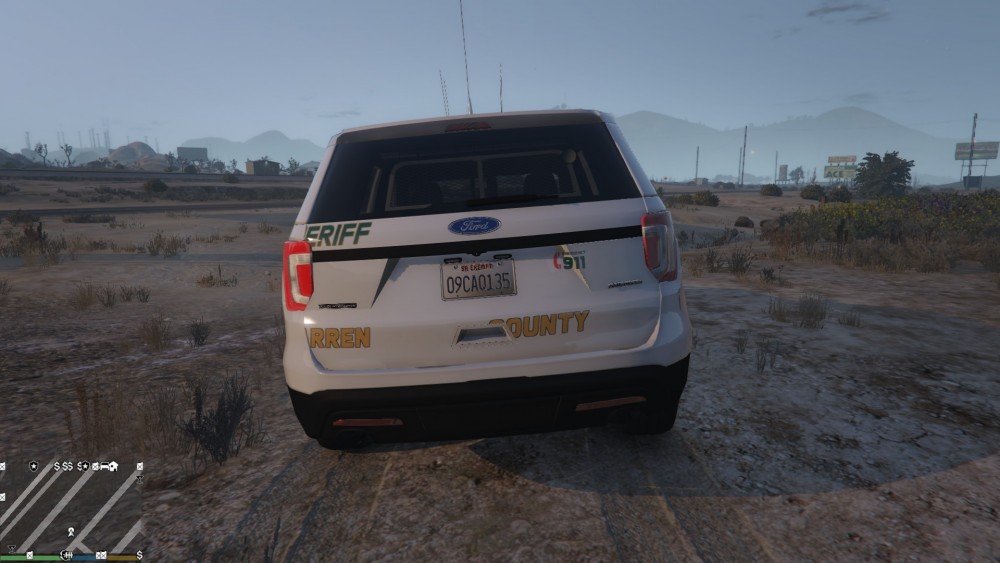
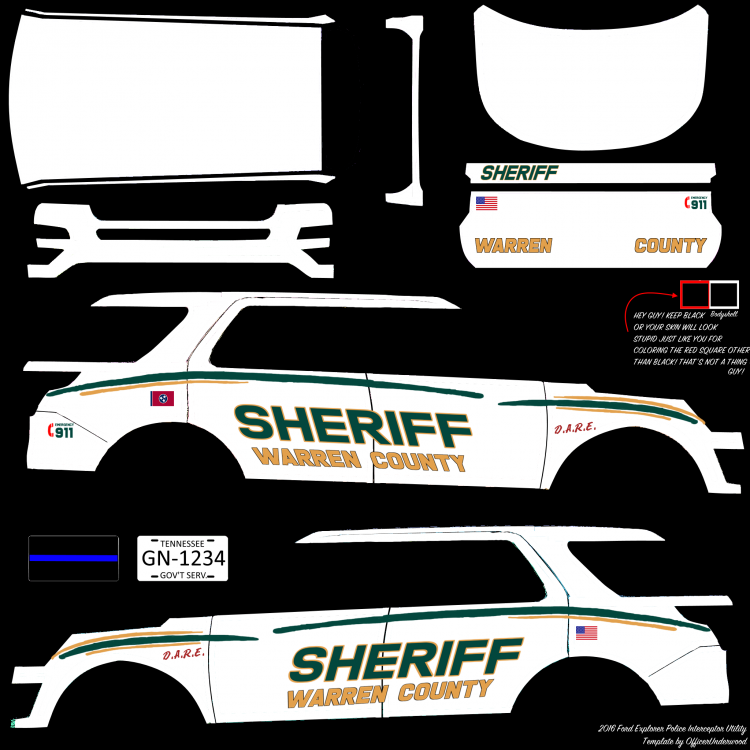
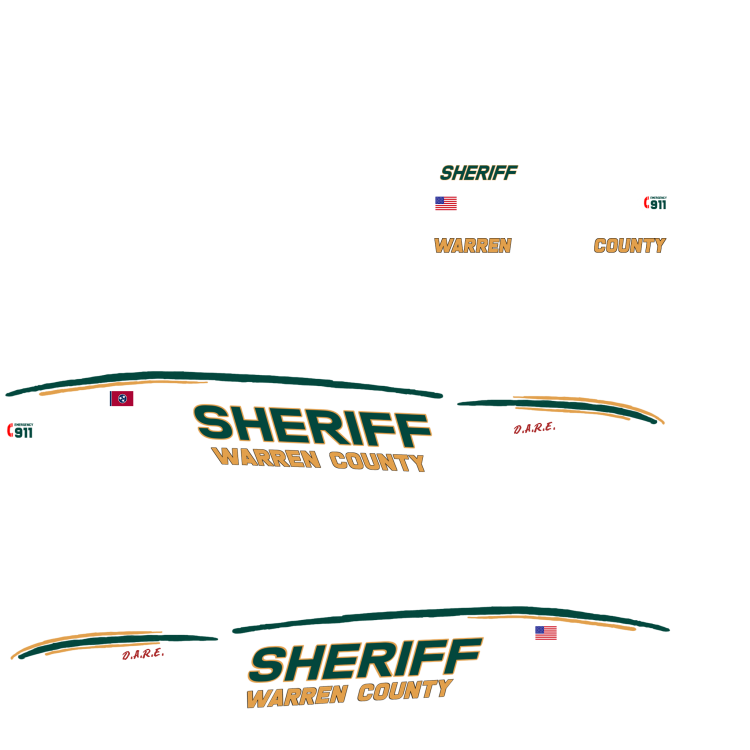
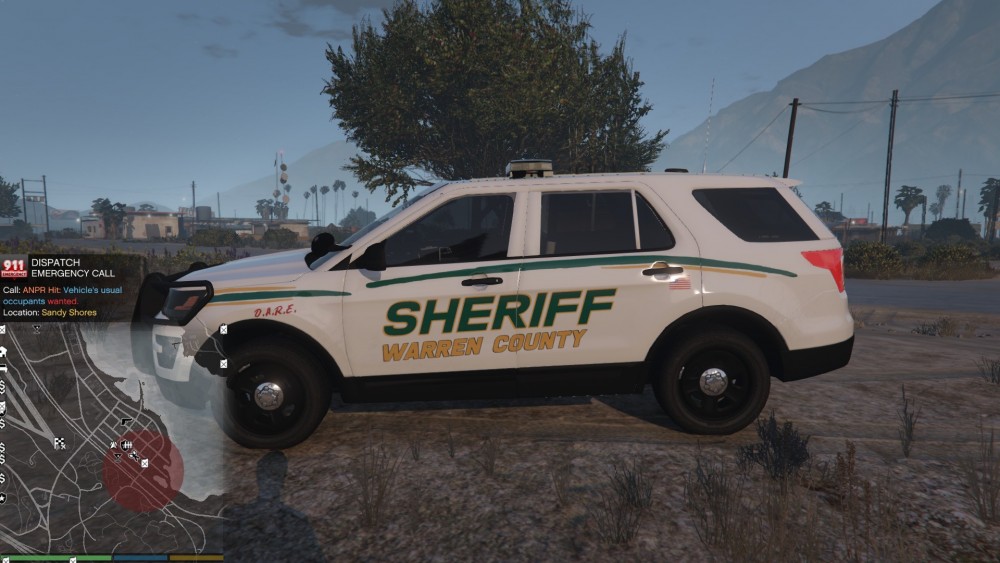
  1. Alight so i finally made my own custom skin for a vehicle and and followed the template perfect and watched a video step by step but as you can see in the photos, the decals dont line up in game like that do in the template. Any idea what im doing wrong?
  2. I have installed LSPDFR and ELS and both are working but when i add in custom police vehicles, all the lights just stay on at all times when spawned in? Anyone got a fix for this?

Account

Navigation

Search

Search

Configure browser push notifications

Chrome (Android)
  1. Tap the lock icon next to the address bar.
  2. Tap Permissions → Notifications.
  3. Adjust your preference.
Chrome (Desktop)
  1. Click the padlock icon in the address bar.
  2. Select Site settings.
  3. Find Notifications and adjust your preference.