


AngryMelon2
Members
-
Joined
-
Last visited
Everything posted by AngryMelon2
-
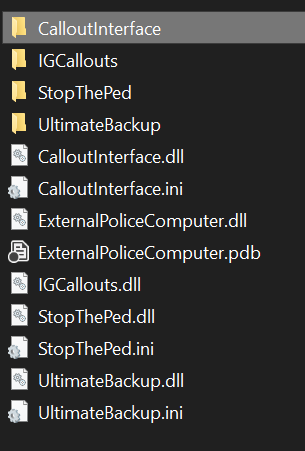
Hello, I've been encountering some issues getting LSPDFR setup. Attached is my most recent log file, as well as my list of plugins. I tried disabling the mods folder and it still crashes. With the plugins disabled it runs fine. RagePluginHook_03012024_172059.log
-
Yes it work's until it has to pull one of the scripts with mod folder dependency. I've tried going through each one individually but I cant seem to single anything out.
-
Hello I have been trying to load my game for some time. I'ved tried reinstalling my mods folder. Redoing my plugins. Updating my ragenative ui. Verifying game data. So forth. The game with my mods folder alone loads fine. The game also works if I dont load GTA at all. LSPDFR does work if I have my mod folder disabled + dont load any other rage scripts but crashes after about 5 minutes. Rage plugins: Spotlight Scene Manager EUP Crouch LSPDFR Plugins CompuLite Grammer Police Stop The Ped UltimateBackup Belic Callouts Deadly Weapons HWY Callouts Mycallouts Super callouts Mods folder installs EUP - Both LO + RS pnwsigns GTA V remastered (Map) Forests of San Andreas (North and South) And some vechicles RagePluginHook.log This is also the error at the bottom of my log.
-
Idk what's going on. I tried reading the crash report but I cant figure it out ScriptHookV.log
