thelonewanderer
Members
-
Joined
-
Last visited
Everything posted by thelonewanderer
-
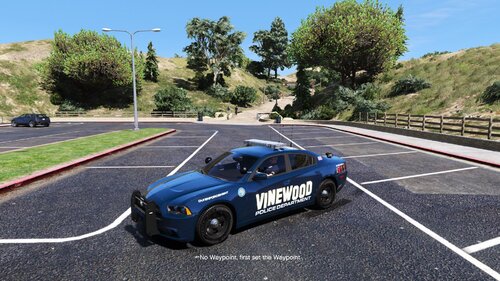 This is a fictional pack I created for the Vinewood PD sector of LSPD. These skins are used with Maurice97's Blaine County Sheriff Pack. I DID NOT CREATE THE VEHICLES IN THIS PACK I AM NOT CLAIMING ANY CREDIT FOR THE VEHICLE CREATION. ALL the credit for the creation of the vehicles goes to @Maurice97 You can download HIS vehicle pack here: If you have any questions or comments please leave them for me in the comment section. Hope you enjoy!
 -
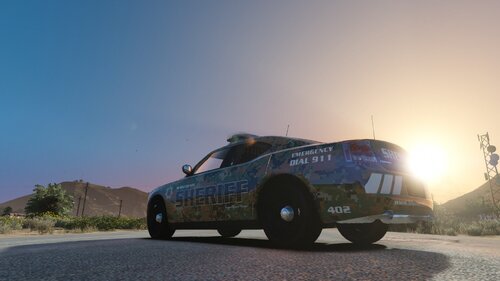 I have created a fictional "Support Our Troops" BCSO skin for a 2010 Dodge Charger. I am currently using the skin on Samthegreat123's Dodge Charger. His pack is linked below: Please leave any questions or issues in the comment section, and I will address them as quickly as possible. Thank you!
 -
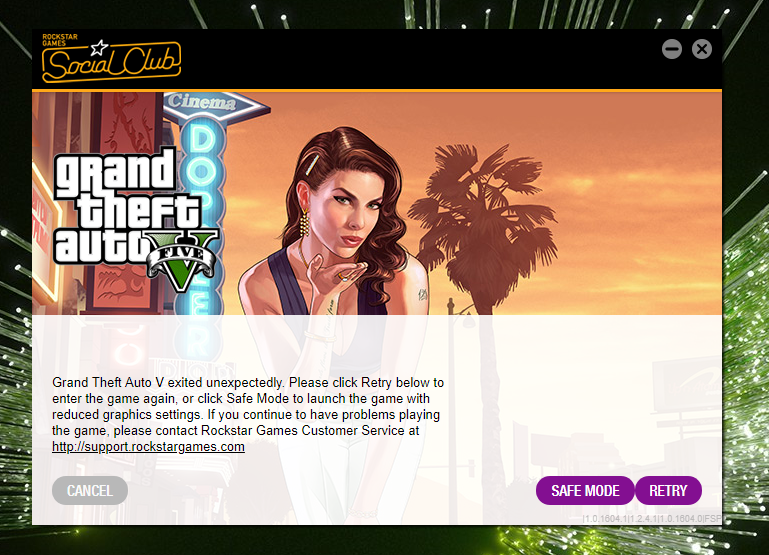
I recently got back into GTA and LSPDFR, but it has stopped working for me. I recently (last night) had to uninstall and reinstall a fresh copy. The only mods I have installed are LSPDFR 0.4.2, the latest RageHook, ScriptHook, and Simple Trainer. Nothing else. It crashes before anything happens and I have gotten this error message. I have tried many different fixes, spent hours on YouTube, and posted to other places with no such luck. Could someone please help! I need my LSPDFR fix!