



Truglo SM
-
Joined
-
Last visited
Everything posted by Truglo SM
-
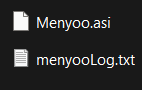
I found the problem! After a long time of moving one file and trying to launch the game, I figured out that the file in the screenshot was the culprit. I never would have thought that a trainer could cause such an anomaly. Maybe it's because I simply needed to download a possible update? I'll have to check the latest version of the trainer. So, the problem is solved!
-
So, I was forced to reinstall the game because I'd exhausted all available solutions to the "phantom" GTA 5.exe process issue. And guess what? I discovered that the game folder is now called "Grand Theft Auto 5 Legacy"! Before, my game folder didn't have the "Legacy" prefix! I'm getting the feeling that this could be solved by simply renaming the folder! I'm currently actively moving all files, scripts, and plugins to the new "Legacy" directory and actively fighting crashes, but I'm already making progress! The game at least launches and the intro window appears! I'll definitely come back when all the issues are resolved!
-
Absolutely right. I deleted the GTA5.exe file to fix the issue, but it didn't help. The game folder has full access, and the firewall is completely disabled (I don't use antivirus software at all, lol). I'll try your command-line solution now and give you feedback. I also noticed an anomaly: when I first launch GTA5, my computer switches from the discrete graphics card (an RTX 4060 for laptops) to the integrated Intel graphics card.
-
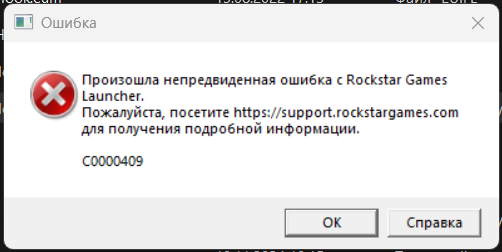
Hi everyone. After a long break (over six months), I decided to return to GTA 5 (Legacy). I updated Scripthook and LSPDFR (by the way, it's impossible to download anything from the LSPDFR website in Russia without a VPN, lol). First of all, I encountered three errors, or rather, one, but more on that later. If I launch the game through RGL, I get error C0000409 (Appendix 1). After launching a specific GTA 5.exe file, I got three errors at once, namely, the inability to access: - GFSDK_ShadowLib.win64.dll - GFSDK_TXAA_AlphaResolve.win64.dll - bink2w64.dll The funniest thing was that these files were present in the game's root folder. After consulting with the neural network, he suggested I move these files to system32 and sysWoW64. The errors disappeared, but the game still won't launch. Next, two GTA5.exe processes appear in Task Manager, and only one of them is legitimate (since it has the GTA 5 icon, while the other doesn't). This will also be attached (Appendix 2). It should be noted that the process with the GTA 5 icon initially starts actively consuming memory, indicating that the game is launching correctly (captured in Appendix 2). However, after the second process appears, memory consumption for both drops to 20-40K. After some time, both processes close with an error (Appendix 1). I've been struggling with this for about two days now, but there's no solution yet. I'd appreciate any feedback or questions.

-
Photos from Lieutenant Kate Gray's Duty (more on Patreon)
-
 Arrest after chase
-
 SWAT team performs the operation "Relapse"
-
 Night chase
-
 Evening shift
-
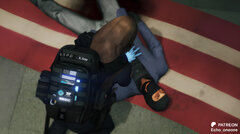 CPR and new paramedic bag on duty
-
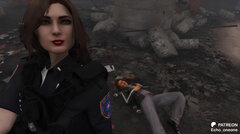 Don't mess with LSPD
-
 Night operations
-
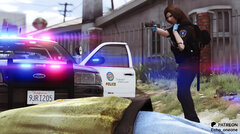 "1-A-12, suspect's down!"
-
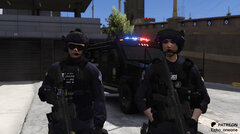 SWAT team on duty
-
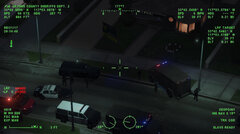 Air unit in action
-
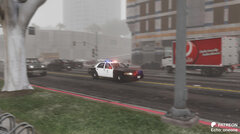 Responding code 3
-
.png.3e59aeb3ea5682f83abc8bf22c2ea872.png) Join to us now!
Join to us now!
-
 Shotsfire!
-
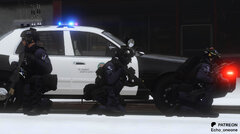 SWAT team in action
-
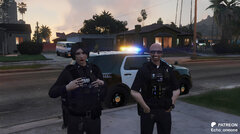 Evening callouts
-
 Crown Victoria
-
 Fascinating beacons
-
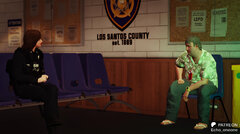 "I'm sorry, officer, I have nothing to explain."
-
 Lieutenant uniform
-
 Air support unit waiting for orders
-
-
From the album: Lieutenant of Los Santos Police Department Kate Gray
-
From the album: Lieutenant of Los Santos Police Department Kate Gray
-
From the album: Lieutenant of Los Santos Police Department Kate Gray
-
From the album: Lieutenant of Los Santos Police Department Kate Gray
-
From the album: Lieutenant of Los Santos Police Department Kate Gray
-
From the album: Lieutenant of Los Santos Police Department Kate Gray
-
From the album: Lieutenant of Los Santos Police Department Kate Gray
-
From the album: Lieutenant of Los Santos Police Department Kate Gray
-
x86: https://aka.ms/vs/17/release/vc_redist.x86.exe x64: https://aka.ms/vs/17/release/vc_redist.x64.exe
-
the problem is solved by installing vs redist and reinstalling the latest version of els files. these errors still appear if you run gta 5.exe from the desktop, but if you run the hook plugin - the game starts. I'm playing right now, so the problem is solved. if you allow, I can leave links to the necessary libraries in the next post
-
The code execution cannot continue because the system did not detect "file name". To fix this problem, try reinstalling the program All three errors have the same text except for the file names
-
Hello everyone. I encountered this problem after another mediocre update from r*. I checked the integrity of the files several times - no success. I renamed mods to _mods - the same thing. Rage plugin hook when launching the game through it also crashes the game when opening, however these errors do not appear, but most likely it also crashes because of these files
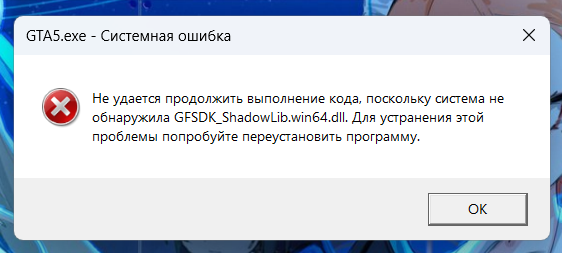
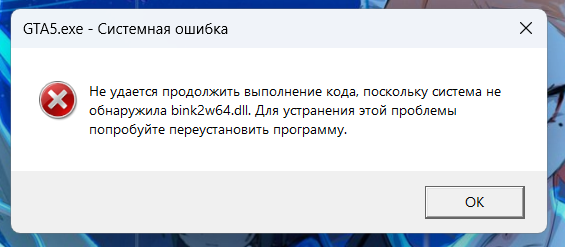
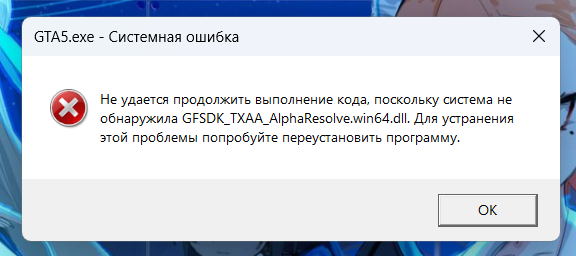
-
I don't remember exactly, but I use VisualV and Radiance
-
From the album: Lieutenant of Los Santos Police Department Kate Gray
-
From the album: Lieutenant of Los Santos Police Department Kate Gray
-
From the album: Lieutenant of Los Santos Police Department Kate Gray
-
From the album: Lieutenant of Los Santos Police Department Kate Gray
-
From the album: Lieutenant of Los Santos Police Department Kate Gray
-
From the album: Lieutenant of Los Santos Police Department Kate Gray
-
From the album: Lieutenant of Los Santos Police Department Kate Gray


.png.3e59aeb3ea5682f83abc8bf22c2ea872.png)


