


DuffMan343
Members
-
Joined
-
Last visited
Everything posted by DuffMan343
-
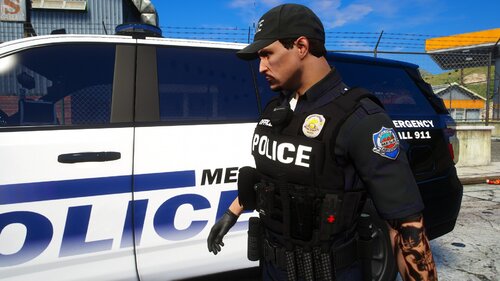 Who makes that vest?
 -
 😬
😬 -
-
.thumb.jpg.182dedb1a55dea252c1853d35d4d1e3c.jpg) If you could shoot me a link to the updated version, or post it somewhere, that would be awesome. This pack looks great but I can't seem to find the one on mod universe.
If you could shoot me a link to the updated version, or post it somewhere, that would be awesome. This pack looks great but I can't seem to find the one on mod universe.- 256 comments
- 29 reviews
-
This time simultaneously bc I used the .exe setup, but when I did it manually it was RPH first then lspdfr. I've had the same problem on both.
-
Well that's the problem, there are none. Nothing is coming up as broken it just, doesn't work? Like code wise, everything is fine. Nothing has crashed, nothing is off.
-
Not actually fully crashing, but lspdfr won't work, can't go in police stations, use q computer, make traffic stops, etc. Lspdfr+ plugin says I need the most recent version of lspdfr which I have. Other plugins say I need a 4.38 version which doesn't exist. At this point I'm tired of reinstalling lspdfr and all my plugins every two days. Please help.
-
Don't know of anyone who could do it remotely, but this guy has a really good step-by-step guide. https://youtu.be/uNQred297nw
-
Don't really know what to call it, but occasionally, either mid game or on start-up, lspdfr ceases to function. Nothing actually "crashes" per say, but I can no longer go into police stations, start traffic stops, or open the vanilla "q" lspdfr computer. I've completely uninstalled and reinstalled lspdfr, gta v, and all my plugins, and I continue to have this problem. I've also went through and played every single time I've downloaded a plugin, and couldn't pinpoint any particular plugin that would cause this. I'm not too familiar with computers but have followed the install instructions to a T and have even followed firstthirtyminutes' 0.4 install guide. Any help would be greatly appreciated, thanks in advance!


.thumb.jpg.182dedb1a55dea252c1853d35d4d1e3c.jpg)