
.G.
Members
-
Joined
-
Last visited
Everything posted by .G.
-
 hmm really? works fine for me..as it shows in the screen shot, and just tested it
- 56 comments
- 9 reviews
-
 Lol all good 😆
 -
Just a fyi, its a dodge ram not a ford f150 😆
-
-
 you can make it as a addon if u want, i have a tutorial on how to do that, or you can just change the file names to witch ever vehicle you want to replace it with... My next pack is gonna be a big one so i want to make it as a DLC
- 21 comments
- 2 reviews
-
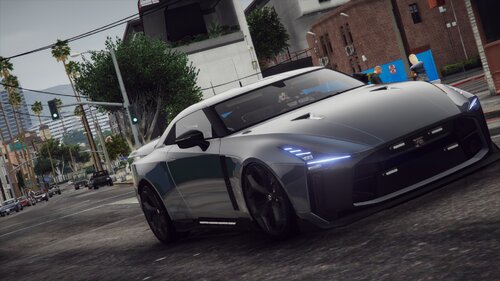 you can always use a different slot, make it as a addon, or add on engine mods etc 🤷♂️
 -
-
-
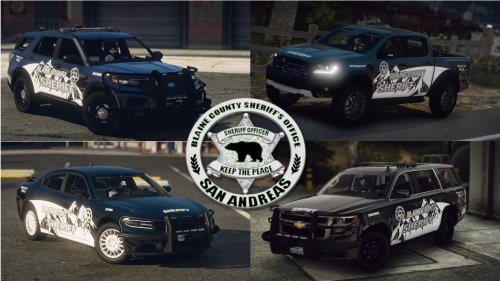 change the window tint to stock or change it in your vehicle meta.... Replace the diffuse tint values with this for no tint: <diffuseTint value="0x00FFFFFF" />
- 38 comments
- 1 review
-
reason i said no first person videos lol,i was kinda disappointed, but it is what it is. sadly it never came with metas so i had to do minor work for seating and what not. but thanks if it was non els then yes but els no
-
Thanks! No as it has a spoiler that moves when you accelerate and brake 😆
-
Whats up all, I was bored and made this, Enjoy... Some will like it other's will not... Oh well Dont expect any first person videos with this... My bad As always.... Credits in the README and so on.... Promo video at:
-
 once i figure out how to make a dlc/ addon's all my future releases will be those 🙂
- 58 comments
- 4 reviews
-
looks awesome man!! glad you love it, it seems alot of people love the ram 🙂 awesome pictures i do have the templates, but these were meant to be for ranger patrols lol. but im willing to re upload them including the templates if people would like it? thanks man, glad you like it 🙂 it could be a possibility
- 56 comments
- 9 reviews
-
-
The ram no unfortunately as it didnt have any metas for it, the tahoe should, if not let me know Thanks lol had to take a break as my computer and all my files got corrupted, was so mad 😂, got some more work coming out soon Hope you enjoy them hash 😎 I know right, i love it aswell
- 56 comments
- 9 reviews
-
-

-

- 2
-
-
Whats up all, 2 vehicle pack, Park rangers.. Hope ya'll enjoy Credits are in the README Please for the love of GOD read the README!! for any issues.... PS dont mind the tahoe71, i forgot to erase that in the read me 🤣 dont feel like updating just for that part Promo vid at: https://youtu.be/Y4w2G784MZ8
- 56 comments
- 9 reviews
-
-
-
- 30
-
-
-
Hey, yeah i plan on releasing a pack with those vehicle's included, i had a whole bcso vehicle pack ( 10 vehicles) and all the files on my computer got corrupted,so i took a break for a couple of months, so i have started on them again, stay tuned, should be out by end of month, as for the caprice i dont have a base for it and i dont have the money to buy the base at this time
- 58 comments
- 4 reviews
-
-
- 1
-
-
You can change the names, but depends on what vehicle your changing. If you find the vehicle flips on turns you can change the handling line in the vehicle meta
- 38 comments
- 1 review
-
Ok, there not extras as its a els car, and ive learnt alot more since this pack was released, appreciate ur input tho, I honestly dont remember the lighting pattern on it 😂
- 38 comments
- 1 review
-
-
-
-
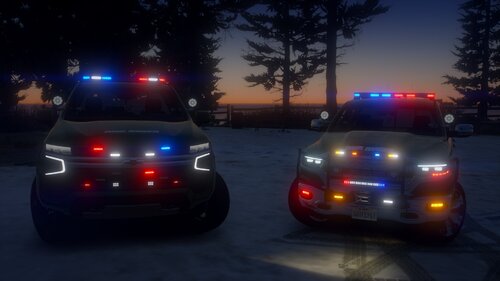
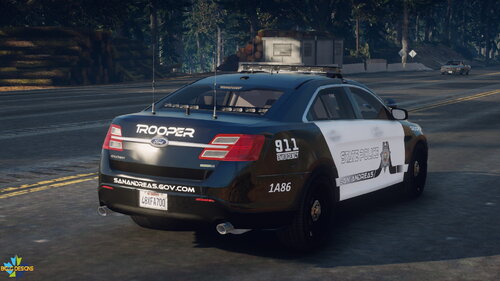 because the traffic advisors are turned off for stage 3 . change it in the els file if u want it active. both f150 have blue and red and white in the front, there isnt any color in the tail light as i didnt put any there ok
- 30 comments
- 4 reviews