SAD1Y
Members
-
Joined
-
Last visited
Everything posted by SAD1Y
-
Can you help me?
-
. usai?
-
Please..)
-
Yes.
-
No xd
-
Try to update RagePluginHook.
-
Okay i found it.
-
Sorry but where it?
-
Hey, i installed PLD 4.0.0 and it crashes on startup, how i can fix it?
-
My windows language is on Russian, i tried to change to American Englesh but it now worked. Now i set win to Ru and changed it in .ini to ru-RU
-
(Sorry for bad Englesh) Hey guys, i installed Vocal Dispatch and it not worked. I tried Change language Reinstall plugin Change Language in .ini Thanks for help. Oh yes RPH log:
-
(Sorry for bad Englesh) Hey guys, i installed Vocal Dispatch and it not worked. I tried Change language Reinstall plugin Change Language in .ini Thanks for help. Oh yes RPH log:
-
(Sorry for bad Englesh 🙂 ) Thanks, i viewed topic about it and updated it)After i accept any callout i got crash to desctop RPH Log here:What is the bug? Is that when you start the Rage Plugin Hook, does the game start with Steam?You bought Gta or download from torrent? 😀You have licensed game?I dont know) I too have this problemHey. Your version of GTA V not supported by RPH, just wait for update or backup your game.Now all ok. Problem was in old version of RagenativeUi.Yes. RagePluginHook_10122019_150320.log(Sorry for bad Englesh) Hey guys. I got problerm, after install any plugin i got crash it can be on loading screen or when i go on duty. RPH log and Plugins\lspdfr folder screenshot:
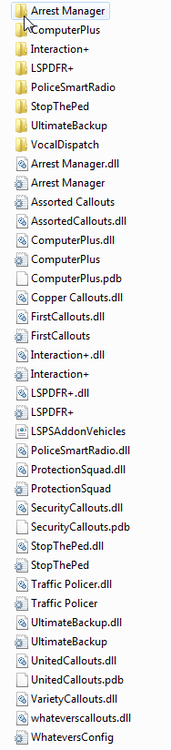 Hey. response code 2 - included flashing lights without a siren. also for this you can install ELS (from this site)Have you installed ScriptHookV?