Jayma1322
Members
-
Joined
-
Last visited
Everything posted by Jayma1322
-
 Hi, This plugin is unmaintained, so if it has actually broken nothing will be done about it unfortunately. However, just based off this screenshot, I don't believe this is a problem with BetterPresence, and rather your LSPD:FR installation is not correct. Good luck!
- 37 comments
- 5 reviews
-
sorry for the late response, i havent checked here in ages the following logos/badges are available: "lspd", "lssd", "fib", "noose", "sahp", "bcso", "lsfd", "nysp", "sapr", "sasp", "iaa", "doa"
- 37 comments
- 5 reviews
-
-

- 1
-
-
Didn't see this comment until now, but timer does work! You may have to change the TimeOffset value in the .ini file to match your timezone, or set it to 24 and then trial and error the number down to the proper config for you.
- 37 comments
- 5 reviews
-
-
- 1
-
-
If your status displays, for example, 2 hours when you just open the game, put "2" as the time offset and the time should be correct. If there are any issues with this or you still need help, please contact me on Discord at jimmerr1 and I will assist you further.
- 37 comments
- 5 reviews
-
It adds rich presence to your Discord profile, which includes data on what you're actually doing in game. You can see in the second image on the post.
- 37 comments
- 5 reviews
-
Traffic stops are already implemented! I was secretly working on a version that integrates with GrammarPolice, but I never got around to finishing it. Maybe next update? 😉
- 37 comments
- 5 reviews
-
-
- 1
-
-
Thanks! For your first question, I can make it do that in the next update. Apologies, but it isn't a feature as of yet. And for your second question, unfortunately you cannot change the images. The images for each department were uploaded to Discord by myself. If I find a way to make something like that work, I will. For any further questions or support, DM me on Discord at jimy#0428.
- 37 comments
- 5 reviews
-
-

- 1
-
-
Hi! I'm working on a fix to the timer, as it seems to be an issue everyone is experiencing right now. The call feature was planned, but I never got around to implementing it. Next update, I will add that. Thank you for the suggestions!
- 37 comments
- 5 reviews
-
-

- 1
-
-
-
To change this, don't patrol as LSPD. You can change what agency you go on duty as at the police station.
- 37 comments
- 5 reviews
-
-
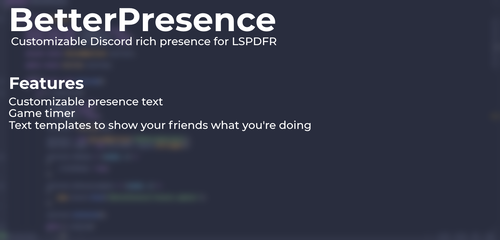
BetterPresence BetterPresence is a LSPDFR mod that links your Discord rich presence to your game, so your friends can see how you're doing! BetterPresence features customizable presence text, with templates to insert your game's data to make a nicer looking presence. As of December 2024, BetterPresence is no longer maintained. We're now open source! Check out the GitHub here. Installation instructions: 1. Drag the files from the .zip file into your Grand Theft Auto V folder. 2. Edit your lspdfr.ini file (Grand Theft Auto V -> LSPDFR > LSPDFR.ini), and set Networking.DisableDiscordRichPresence to true. 3. All done! Start your game and go on duty for your rich presence to activate.
- 37 comments
- 5 reviews
-
-
-
-
- 12
-
-
-
So I was trying to re-download LSPD:FR after I had issues with GTA and thats another story. I bookmarked all of the mods I used so I wouldn't have to go and scope them out again, and I (stupidly) clicked Open all (46) meaning I had just spammed the site, and my IP is now blacklisted from the site, currently using a VPN. Is there any way I can get this removed as it's a bit of a hassle to boot up my VPN whenever I want to use the site, thanks! edit: just started working again for no reason really, was probably just a temp ip ban sorta thing