


.png.a4fb3b27bb21736e859639b2eb4b96da.png)
Rosoro
Members
-
Joined
-
Last visited
Everything posted by Rosoro
-
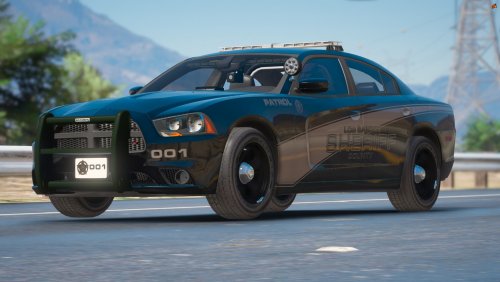 Hello, This skin took about 45 minutes so it is not perfect so if you have and suggestions feel free to send them in the comments and I will get back to you and update it. I would also like your guy's feedback so if you would like me to make this a pack feel free to give this a good rating. My discord : https://discord.gg/vy3bz35
 -
.thumb.png.3a9cbb82c49a5d3f0d35bf4d1d9e5601.png) Yeah I was confused about that I got you @elliotgrinch Key word based on
Yeah I was confused about that I got you @elliotgrinch Key word based on -
These were not made by me I found these cars on https://www.gta5-mods.com/ and got the 15Charger from the DLX community decided to re-skin them. Hope you like them!
-
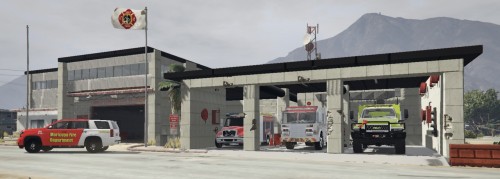 This is a car that I found then re skinned for an arizona based server.
.thumb.png.53883d1c3eb41530b9340e224a42fda4.png)
.thumb.png.3a9cbb82c49a5d3f0d35bf4d1d9e5601.png)

