


Joshy859
Members
-
Joined
-
Last visited
Everything posted by Joshy859
-
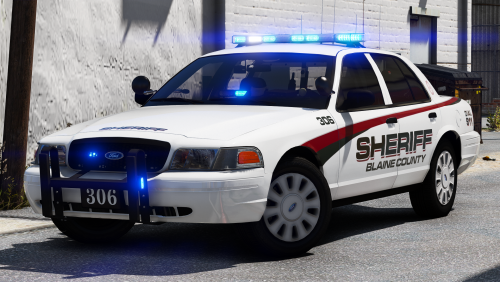 This Pack is fantastic, all of the vehicles have great lighting setups and the textures are clean looking. The only problem I have with it is the 2014 charger wheels stick out a little bit past the fenders. Besides that it's great, I hope to try new cars from you!
- 43 comments
- 16 reviews
-
So, I have figured out how to fix the double sirens when requesting an ambulance of fire truck. The vehicle needs to be ELS compatible, I put an ELS ambulance in and the sirens work great now with no distant double siren sounds. I have not figured out how to stop traffic backup call police AI from blaring the siren yet. I'll update if I figure it out. If you are looking for an ELS ambulance to fix the double siren problem, here's the one I used:
-
Hello Everyone, I am having a rather annoying problem, When I get called for traffic stop backup the AI police car on scene has it's siren blaring until the call has ended. Along with this the AI ambulances and firetrucks have the modified siren playing over the base game siren when they respond to a call. Now I do have ELS installed and have tried the "ElsActiveOnAi = false" but it seems that when that is set to false, the light bars have solid LEDs (for AI). If any one has any suggestions to how this can be resolved, I would appreciate it very much. Joshy859
-
Hi @t0y, I love this pack, the light are gorgeous and the cars looks amazing. But there is one problem, the wheels on the 2014 charger (marked and unmarked/slick top) poke out past the fenders a tiny bit. I don't know if it's something I have done wrong or if it's the model itself. Is there anyway to fix this as it looks silly?
- 43 comments
- 16 reviews

