iithesalaw
Members
-
Joined
-
Last visited
Everything posted by iithesalaw
-
-
@Ahmed4696
-
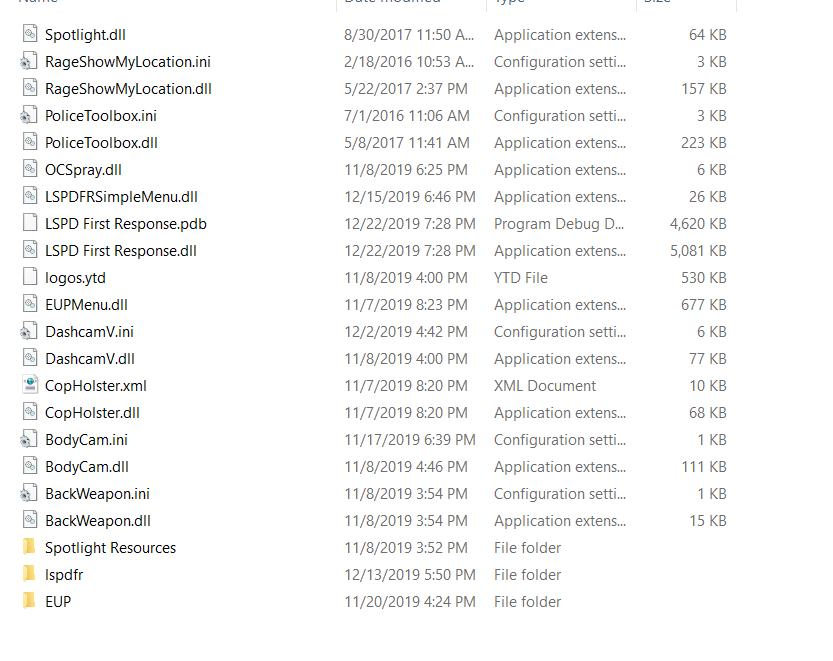
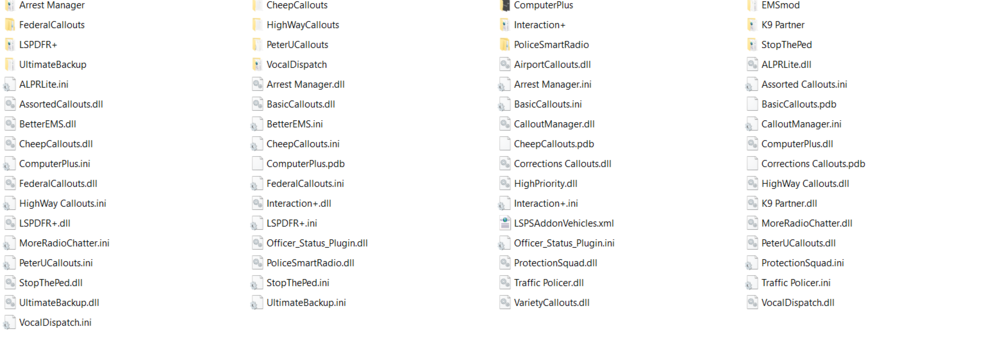
Computer plus is causing your problem update it, remove it, or contact the mod maker.
-
SYS Info: OS: Windows 10 Home Windows Version: 10.0.18362 Build 18362 Processor: Intel(R) Core(TM) i7-7700HQ CPU @ 2.80GHz, 2801 Mhz, 4 Core(s), 8 Logical Processor(s) System Type: x64 Model: Predator G3-571 Installed Physical Memory (RAM): 16.0 GB GTA Info: GTAV Version: v1.0.1868.0 Retail Rage Version: v1.74.1261.16020 Public LSPDFR Version: 0.4.5 (Build 7286) Console: https://drive.google.com/file/d/1yb_UraMMagTN86l4gPiBrnn6Ke0MoQCW/view?usp=sharing Description of Problem: When I load LSPDFR and go on duty GTA will freeze and then RPH will block the plugin for freezing. I have tried going to actual police stations and in the locker selecting "Go on Duty" It still crashes. I have tried in the RPH console running "ForceDuty" and I produce the same result. Please help!
-
Stay on the plugin hook screen