


.jpg.d31a657b39b2e3a716b49d6348ea1e67.jpg)
OfficerMurphy
Members
-
Joined
-
Last visited
Everything posted by OfficerMurphy
-
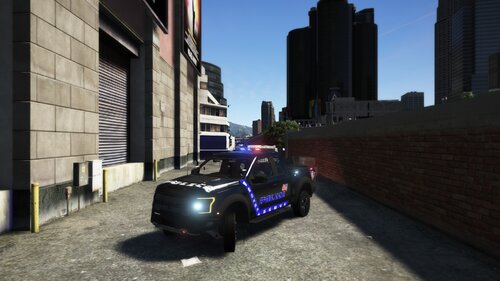 Short Intro: This is a 4K texture i made last year but never had the time to really upload it to LSPDFR.com I hope the community enjoys it! Description: This texture was based of Zach Plays 2017 F150 Raptor ELS template and was made by scratch by me after edited the template that was given in the vehicle, as said in the "Short Intro" section above it is a 4k vehicle as title states on LSPDFR.com This vehicle texture is FICTIONAL and was based upon an idea i jus had scrambling up in my head. Link for vehicle at LSPDFR.com https://www.lcpdfr.com/downloads/gta5mods/vehiclemodels/14920-2017-ford-f150-raptor-els-compatible/ Install: Launch OpenIV Go to (GTAV) --> (mods) --> (x64e.rpf) --> (levels) --> (gta5) --> (vehicles.rpf) Find the police vehicle that you "REPLACED" find both your_vehicle_name.ytd and your_vehicle_name+hi.ytd and open them both by clicking on one of the two ytd files and a texture editor should come up, replace and save the file over the raptor_sign_1 and your done. Credits: Truck ⦁ 2017 Ford F150 Raptor - Zach Plays ⦁ Soundoff Facia - Zach Plays ⦁ Federal Signal Laditude - DannyBoy1909 ⦁ RX2700CC - Kygo ⦁ Center Consol and laptop - SheriffVanDyke ⦁ Partition - Tomcat ⦁ Camera - HDgamersPC ⦁ Par46 Spotlight - EVI Texture ⦁ OfficerMurphy - For the texture Please DO-NOT distrubute any files to any other site without permission as this file was ONLY uploaded to LSPDFR.com.
 -
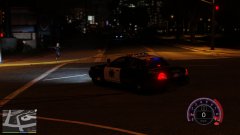
From the album: My GTA V Gameplay
-
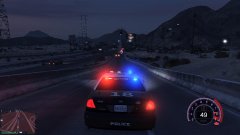
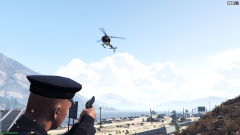
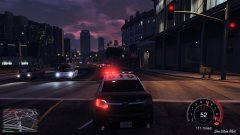
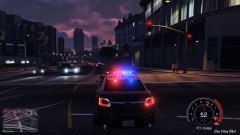
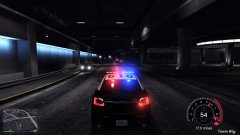
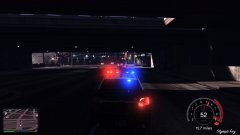
Screen shots of my gameplay experiences screen shots are from my Facebook at this link below https://www.facebook.com/stephen.murphy445/media_set?set=a.171470549878632.1073741834.100010470631059&type=3 ALL CARS, OR MODS, ETC.. ADDED TO THE GAME ARE NOT MINE, HOWEVER I DO NOT TAKE ANY CREDIT FOR ANY OF THEM.
-
20160730105103_1.jpg
-
 12984047-227658804259806-1802588057482451367-o.jpg
-
 GTA5 2016-04-09 09-03-54.png
-
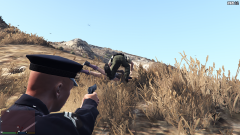 GTA5 2016-04-09 09-03-42.png
-
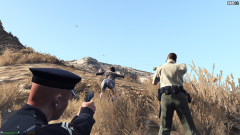 GTA5 2016-04-09 09-03-32.png
-
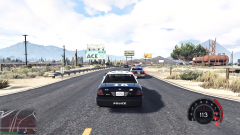 GTA5 2016-04-09 09-01-35.png
-
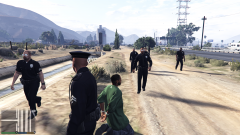 GTA5 2016-04-09 08-48-21.png
-
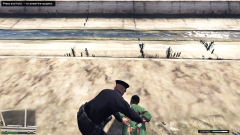 GTA5 2016-04-09 08-48-09.png
-
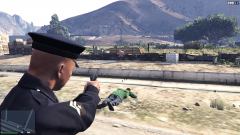 GTA5 2016-04-09 08-48-00.png
-
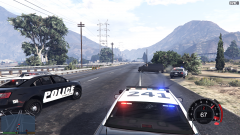 57092c2c84300-GTA52016-04-0908-47-19.png
-
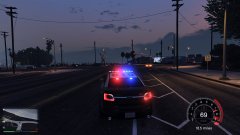 20160331205218_1.jpg
-
 20160331205039_2.jpg
-
 20160331205039_1.jpg
-
 20160331205033_1.jpg
-
 20160331204914_1.jpg
-
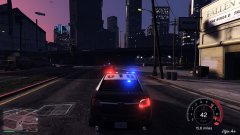 20160331204910_1.jpg
-
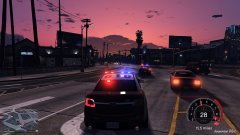 20160331204903_1.jpg
-
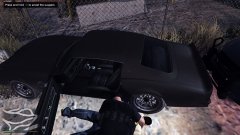 20160331204254_1.jpg
-
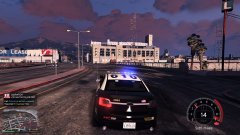 20160331203520_1.jpg
-
 20160331203457_1.jpg
-
-
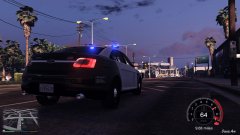
 Sorry i've been busy with real life shit lately but screen caps?
 -
what you saw probably in my screenshots for my textures is what they are like right now for me, my example of what they should look like are below this, im using this Dodge Charger, im using Radiance v1.6 and VisualV v1.0.230
-
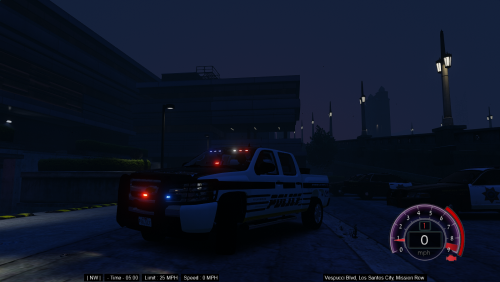
thanks again and will do, and hmm.. im using that too but the truck is the only thing that doesn't pop like its very weird
-
I'm using the NSF gauge 2.5.5 u can get the one I'm using here! :D https://www.gta5-mods.com/scripts/nfsgauge-rpm-gear-speedometer what ENB/visual mod are you using i can't seem to get my lights bright like how you have in your visual and thanks for the feed back! :D
-
UPDATE: THIS TEXTURE CAN BE USED FOR THE ELS VERSION OF THE SILVERADO MODEL BY BLACK JESUS, I WILL LINK THE ELS VERISON OF THE TRUCK AND ELS AS WELL BELOW :) Happy Modding / Gaming :) This is the 2nd Version of the texture i made for the 08' Chevy Silverado by Blackjesus1 "Sorry for the bad lighting on the truck during night time, i am having a visual problem and I'm still troubleshooting to figure out whats going on with some to all lighting during night time" THESE LIVERIES WERE ONLY RELEASED ON LCPDFR.COM ****Constructive Criticism is "ALLOWED" here**** It help's me a lot with my work for improvements or general fixes... ===INSTALL INSTRUCTIONS=== **NOTE** -->GTA V v757.4 has 2 spots at the moment which the fbi2 should be replaced in...<-- **NOTE** **USE OPENIV** Navigate to this directory: C:\Program Files (x86)\Steam\steamapps\common\Grand Theft Auto V\mods\update\x64\dlcpacks\patchday2ng\dlc.rpf\x64\levels\gta5\vehicles.rpf\ And... Navigate also Navigate to this directory as well: C:\Program Files (x86)\Steam\steamapps\common\Grand Theft Auto V\mods\x64e.rpf\levels\gta5\vehicles.rpf\ For the car: **And please read his read me, it will help in the long run ** For my liveries: While viewing OpenIV navigate to x64e then the patchday2ng vice versa/for noobs it doesn't matter which directory you go to first :), then find the fbi2 model you should have replaced already, quickest way to do this is by hitting the "F" key on you keyboard while OpenIV is the currently active window/program/or application on your computer Before you do anything make sure you hit that nice "Edit Mode" at the top of OpenIV, located near the path address bar as well as having administrative rights or you WILL NOT, i repeat WILL NOT be able to replace anything! Open the fbi2.ytd with OpenIV and find 4 textures that are named or called silver_sign_1, silver_sign_2, silver_sign_3, silver_sign_4, note that these are the default textures, meaning there the original textures NOT made by me (OfficerMurphy from LCPDFR.com Select silver_sign_1,2,3 and 4 individually and "Replace" all 4 of them with my liveries and click "Save" at the bottom of the OpenIV texture editor, and you can close OpenIV and run the game! NON-ELS Verison by Black Jesus: [OLD] Notes from me (OfficerMurphy from LCPDFR.com) Any questions for myself from the community please Personal Message me, I will get to them when i get the chance, i have a very tight real life schedule! ****Constructive Criticism is "ALLOWED" here**** It help's me a lot with my work for improvements or general fixes... THESE LIVERIES WERE ONLY RELEASED ON LCPDFR.COM { NOTE: there is a newer version of GTA V which is v1011.1 if you did not know! :) } UPDATE: THIS TEXTURE CAN BE USED FOR THE ELS VERSION OF THE SILVERADO MODEL BY BLACK JESUS, I WILL LINK THE ELS VERISON OF THE TRUCK AND ELS AS WELL BELOW :) Happy Modding / Gaming :) ELS v1.05 by Lt. Caine: ELS Version by Black Jesus: [NEW]
-
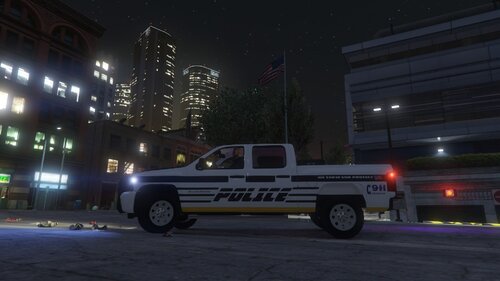 thanks for the feed back on that lol, i WILL definitely look into that on an update for this livery
- 2 comments
- 1 review
-
"Sorry for the bad lighting on the truck during night time, i am having a visual problem and I'm still troubleshooting to figure out whats going on with some to all lighting during night time" THESE LIVERIES WERE ONLY RELEASED ON LCPDFR.COM ****Constructive Criticism is "ALLOWED" here**** It help's me a lot with my work for improvements or general fixes... ===INSTALL INSTRUCTIONS=== **NOTE** -->GTA V v678 has 2 spots at the moment which the fbi2 should be replaced in...<-- **NOTE** **USE OPENIV** Navigate to this directory: C:\Program Files (x86)\Steam\steamapps\common\Grand Theft Auto V\mods\update\x64\dlcpacks\patchday2ng\dlc.rpf\x64\levels\gta5\vehicles.rpf\ And... Navigate also Navigate to this directory as well: C:\Program Files (x86)\Steam\steamapps\common\Grand Theft Auto V\mods\x64e.rpf\levels\gta5\vehicles.rpf\ For the car: http://www.lcpdfr.com/files/file/11199-slicktop-chevy-silverado-1500-crew-cab/ **And please read his read me, it will help in the long run ** For my liveries: While viewing OpenIV navigate to x64e then the patchday2ng vice versa/for noobs it doesn't matter which directory you go to first :), then find the fbi2 model you should have replaced already, quickest way to do this is by hitting the "F" key on you keyboard while OpenIV is the currently active window/program/or application on your computer Before you do anything make sure you hit that nice "Edit Mode" at the top of OpenIV, located near the path address bar as well as having administrative rights or you WILL NOT, i repeat WILL NOT be able to replace anything! Open the fbi2.ytd with OpenIV and find 4 textures that are named or called silver_sign_1, silver_sign_2, silver_sign_3, silver_sign_4, note that these are the default textures, meaning there the original textures NOT made by me (OfficerMurphy from LCPDFR.com Select silver_sign_1,2,3 and 4 individually and "Replace" all 4 of them with my liveries and click "Save" at the bottom of the OpenIV texture editor, and you can close OpenIV and run the game! Notes from me (OfficerMurphy from LCPDFR.com) Any questions for myself from the community please Personal Message me, I will get to them when i get the chance, i have a very tight real life schedule! ****Constructive Criticism is "ALLOWED" here**** It help's me a lot with my work for improvements or general fixes... THESE LIVERIES WERE ONLY RELEASED ON LCPDFR.COM
- 2 comments
- 1 review
-
 I'm currently installing but i would like to confirm that their is a nice Readme.txt in the file :)
- 122 comments
- 29 reviews
-
From the album: My GTA V Gameplay
-
From the album: My GTA V Gameplay
-
From the album: My GTA V Gameplay
-
From the album: My GTA V Gameplay
-
From the album: My GTA V Gameplay
-
From the album: My GTA V Gameplay
-
From the album: My GTA V Gameplay
-
From the album: My GTA V Gameplay
-
From the album: My GTA V Gameplay
-
From the album: My GTA V Gameplay
-
From the album: My GTA V Gameplay
-
From the album: My GTA V Gameplay
-
From the album: My GTA V Gameplay
-
From the album: My GTA V Gameplay
.jpg.d31a657b39b2e3a716b49d6348ea1e67.thumb.jpg.fdf73dae8dee7be20093a9830d207377.jpg)
