AidanJones
Members
-
Joined
-
Last visited
Everything posted by AidanJones
-
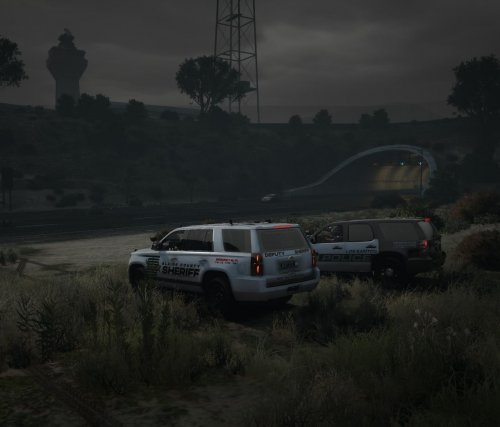 Hello! This is my BCSO Livery pack I created for SGNRP a few months ago! It was originally created for Ripple's 2021 Legacy Pack, but it should work on the majority of his vehicle packs, and may work on other developers' packs as well. The pack includes liveries for the 2010 Dodge Charger, 2014 Dodge Charger, 2018 Dodge Charger, 2021 Dodge Durango, 2011 Ford Crown Victoria Police Interceptor, 2016 Ford Taurus, 2016 Ford Explorer, 2020 Ford Explorer, and 2019 Chevrolet Tahoe. This pack is unfinished, and I do not intend to finish it in the future. The community it was made exclusively for only used if for a month before it, along with the department itself, was decommissioned. Thank you for taking the time to read and view my first post! I plan on creating more assets for the community in the coming months, so stay tuned.