bevarnow
Members
-
Joined
-
Last visited
Everything posted by bevarnow
-
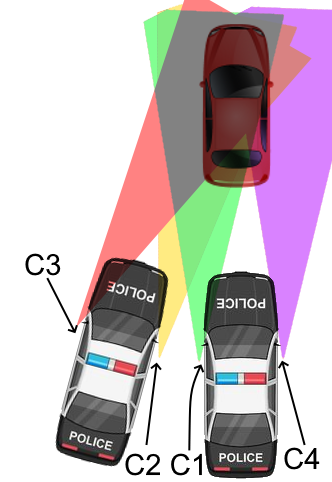
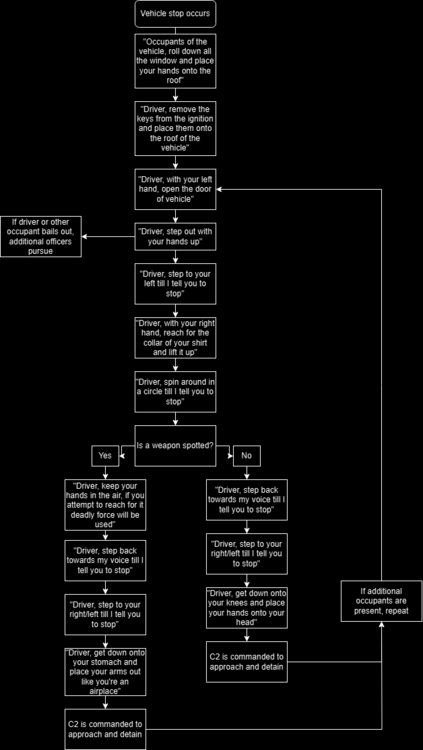
Just seeing this as I don't really browse the forums much, but thought I'd say something. A lot of the points here are good, but there are a few things I would change or do differently. In addition I want to talk about the way that I have been shown to do high-risk stops and how I have since trained people in FiveM to do it. As stated, I'm a FiveM player. So a lot of what I'm saying may only mainly apply to real life and FiveM, not necessarily FiveM. To start, you'll see me refer to felony traffic stops as high-risk stops. This is just what we call them from where I'm from and what I'm used to. Both have the same meaning, just different names. "...where officers must stop a suspect's vehicle who is already known to be a possible threat" Not necessarily, it doesn't have to be that they are a known potential threat. I may pull over a vehicle that came back stolen, but other than that I may have no other information on the case, I will conduct a high-risk stop. Not because they are a known potential threat, because they are a potential threat. "High Stress Levels" Nothing wrong with this, this is a great point. I feel as if it was not brought up a lot during trainings in FiveM. High-risk stops are very stressful situations with a lot of different variables. At any point the stop can go wrong, so it is important to stay at least collected during the stop. "...call for back up and wait for back up to arrive" and "Exit the patrol car as fast and safe as possible and wait for backup. Once out, draw your weapon and take cover behind the opened driver door or behind the patrol car" This is something I would heavily recommend not doing unless you absolutely have to. If I have identified a vehicle that needs to have a high-risk stop conducted on it, I'm letting dispatch know the same information listed and waiting till I have at least two other officers with me (three in total) and only then would I turn on my lights. I also understand that you may want to conduct the high-risk before they exit/enter a certain area, but I would only do that as a last case scenario. And if I have to do something like and wait for other officers to arrive, I am flooding that vehicle with light and moving away from my vehicle to a new position of cover. Theres a concept known as the metal coffin, where the longer you spend around/near your car, the more likely you are to get hurt. And say you follow the advice given to take cover behind the vehicle door or behind the vehicle, all a shooter from within the car has to do is aim at the vehicle and they'll hit something eventually. If I can make myself a smaller target, I will do so. "Abandoned areas..." I understanding avoiding areas with high gang population. But why abandoned areas? If I was conducting a high-risk, I would prefer them to pull into a more desolated or abandoned area. It reduces the risk of collateral damage to the general public. It allows officers to do more to potentially prevent an escape. It also helps to not have the public breathing down your neck when conducting it. "Each suspect is to be searched and arrested before another suspect is commanded out of the vehicle." Yes and no. However with how I train high-risk, we don't do it like this. If other officers are on scene, once an arresting officer brings back a suspect, another officer will step into that position to continue with the stop while the person is being searched, detained, and questioned. --- I train high-risk in a method I call "preferred positions". Many times when you're on a high-risk stop in FiveM, you'll hear people calling out, "I have commands", "I have lethal", "I have the arrest" and such. You'll also tend to see officers stacking up behind up each other. Preferred positions eliminates this by having every person already have an assigned role by the position you're in. So if you're the passenger of the second patrol vehicle, you're the arresting officer be default. Driver of the first vehicle is the commanding officer of the stop by default. Full descriptions below. The commands given to the occupants should follow something like the following: It is important to remember to give clear and concise commands, but not ones that are too specific. Commands like "Do a 360°" or "Take 4 steps to your left" may confuse the suspect or other officers on scene. We find this method to work better and is smoother. However, it is important that high-risk stops are high stress situations. If you were to arrive onto a scene and the commanding officer is not doing the high-risk in the same as you know it or were trained, just follow along. The worst thing you can do in a situation like that is to stop and say, "Hey, lets actually do it like". Unless the way the commanding officer is detrimental to officer safety, just let the stop evolve and deal with it afterwards. If anyone has any questions, please let me know. I'll be happy to answer.
-
-
-
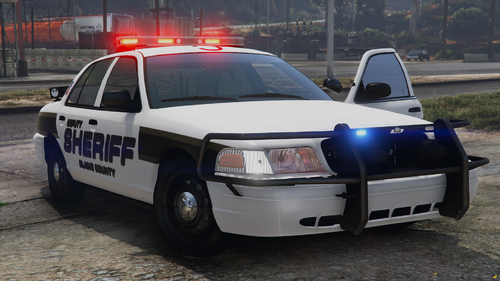 Good morning. These were some vehicles that I had made for my server. Included is a '14 Charger and an '11 CVPI with a RX-2700 along with a slicktop '11 CVPI. Threw in the slicktop cause it wouldn't make sense to sell with any other of the Code 3 stuff I'd be listing. Feel Free to convert to R/B, B/B, A/P. Just don't reupload it saying you made "Major Edits" to it No I will not make more vehicles like this. Join my Discord: https://discord.gg/wTuE3p3 Visit my Website: http://www.chriscatalog.shop/ If you want to complain about my music choice, don't download the vehicle. Also, I just realized I've been uploading to this site and involved with development for a little over 5 years, what a horrible experience.
 -
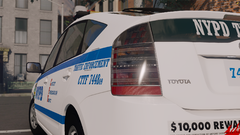
From the album: FiveM Adventures
-
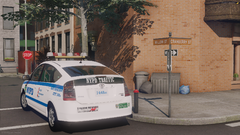
From the album: FiveM Adventures
-
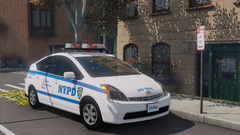
From the album: FiveM Adventures
-
-
-
-
-
-
-
-
-
-
-
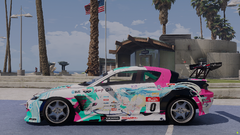
From the album: FiveM Adventures
-
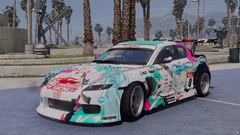
From the album: FiveM Adventures
-
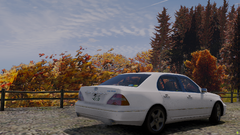
From the album: FiveM Adventures
-
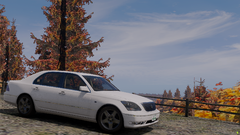
From the album: FiveM Adventures
-
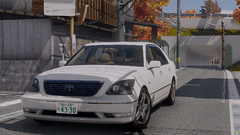
From the album: FiveM Adventures
-
-
-
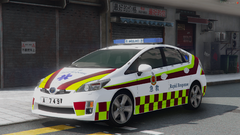
From the album: FiveM Adventures