
JakeyB
Members
-
Joined
-
Last visited
Everything posted by JakeyB
-
 Thanks man, much appreciated
 -
So, I have been looking into doing this for a pretty long time. I wanted to aim at removing audio from AI cops and my character as the megaphones are irritating and shouting 'LSPD' when playing as the LAPD or other departments ruins the feel. So, instead I removed all audio from the police peds, such as s_m_y_cop, s_f_y_cop, s_f_y_sheriff, s_f_y_cop, so on and so on... This removes megaphones, removes swearing when arresting someone (because they don't say anything) and removes that one infamous line from a sheriff deputy 'You wanna feel a nightstick up your a**'. Just an FYI, this isn't compatible with any other mods that include editing ped audio files as it removes all of them. What I recommend doing if you want to still have your ped talk install this mod first and then add whatever mods you want to on top. Installation Step 1) Open OpenIV Step 2) Simply drag and drop the .oiv file into OpenIV provided with this install. Step 3) Winner Winner Chicken Dinner! - Your all done. Disclaimer I've spent a considerable amount of time on this edit and would appreciate it if people didn't take it as their own work. If you do there's not really anything stopping you, except from your being considered a massive C**t. If you have any suggestions please feel free to send me them on Discord you can also just leave it in the Comments.
-
 When playing LSPDFR as a Sheriffs Deputy I noticed that you always default to s_m_y_cop voices and your ped will say nearly everything that has LSPD in the sentence. Literally, chasing after someone and ordering them to stop you would always say "LSPD Stop Right There". So, this edit removes characters from saying anything LSPD related. So no more "LSPD Get Down on the Ground!", "This is the LSPD stop your vehicle", so on and so on. This will work on AI too so they wont be in a chase and scream 'LSPD Get on the Ground' anymore, but will instead say something more generic such as 'Lets see some hands' or 'Don't Move!' The last partition of this edit will also remove megaphones from the Police so the AI or Ped (If you hit Shift when chasing someone) won't have a megaphone anymore. I don't know about IRL as I'm a Brit but we don't use megaphones during pursuits. I did a bit of research and its pretty rare for you over the pond. If I'm wrong let me know. As a bonus, you will also rather than saying 'Kifflom' when asking for ID on a Traffic Stop or in the middle of the street, you will now just say 'Hi' or 'Hey'. Installation Step 1) Open OpenIV Step 2) Simply drag and drop the .oiv file into OpenIV provided with this install. Step 3) Winner Winner Chicken Dinner! - Your all done. Disclaimer I've spent a considerable amount of time on this edit and would appreciate it if people didn't take it as their own work. If you do there's not really anything stopping you, except from your being considered a massive C**t. The Mod that replaces 'Kifflom' with GTA IV voices doesn't work with this as it will overwrite one another. I mean you can if you know what your doing but I respectfully won't be doing a tutorial. If you have any suggestions please feel free to send me them on Discord you can also just leave it in the Comments.
 -
Hey Peeps, So I have been troubleshooting this for about a week now as I have mostly given up or tried multiple times and at this point I have no other ideas. Basically, I will be driving around and all of a sudden the game crashes and throws that wonderful Rage Plugin Crash message that gives you the log (Linked it in this message). As you can see there was nothing really of noticeable that went wrong. I have done a couple of things that people have already suggested on the support forum. I have: - Renamed the mods folder to _mods and its fine so managed to locate the issue within the Mods folder. - I then ran the game with a modded gameconfig which was absolutely fine. - After nothing went wrong the first time I added my Addon Vehicles, (All Metas have been checked and look in working order) the addon cars in itself can be spawned I have ~30 addon cars. (The pack files and other recommended heap adjuster have also been added) Edit: I have since removed the addon vehicles and see if they were the source of the problem (Dodgy Vehicles.meta etc.) It still crashes even without the Cars in the game. From what you see so far does anyone have any more ideas of things to try? I honestly don't like giving up on stuff lol RagePluginHook_05072022_172320.log
-
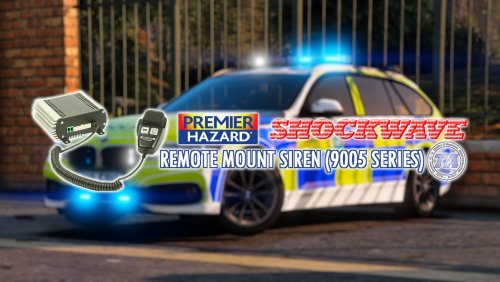 This siren is amazing! Great quality really gives you the Merpol feel when speeding round in a 330d with lights and sirens on. Really good work mate they are absolutely fantastic!
- 10 comments
- 3 reviews
-
-
 Great Callouts!
 -
Anytime 🙂
-
That top belongs to Law and Order EUP by Alex_ashfold: The name of the top in Open IV can be found here: EUP (FOLDER) -> DLC.RPF -> X64 ->eup_componentpeds.rpf -> mp_m_freemode_01_male_apt_01 -> jbib_011_u.ydd The file you need to edit will be the same name but .ytd instead. And as an extra the long top is jbib_010_u.ydd Hope you find what your looking for! 🙂
-
@Kingcorbin It is probably your visual settings, maybe try brighter lights for els: This is what I use personally and if you want to change it find the file using open IV and change car.defaultlighting to somthing you are comfortable with. I would say that if your performance drops maybe lower the number as it gets really bright and can use a lot of GPU with those bwight bloos! In order to get brighter lights it is recommended that in game change your graphics settings: Shader Quality - Must be higher or equivilent to high Particles Quality - Must be higher or equivilent to high Post FX - Must be higher or equivilent to high Hope this helps! 🙂
-
This is what I use because it kinda gets irritating when they all show up with Pistols and shoot people you chase after lol. As far as I know this removes weapons from AI cops and civilians so when out and about in gang areas such as grove they are either unarmed or equipped with a knife. LSPDFR with callouts as far as I am aware still allows people on traffic stops to jump out and shoot you with an Uzi but have not quite found a way to remove it. I would suggest aswell if you are using Ultimate Backup by Bejoljo you can go in the files and manually remove the firearms from the cars. The same with LSPDFR in the data folder called Inventory. Hope this helps 🙂
-
-
Thanks for your help
-
Hey peeps, So after watching live pd and following the video where they have a persuit with a vehicle I can't help but notice their nice sirens that they use. I was wondering does anyone know what sirens they use as I really wanna get them in my game as they sound super nice. The video if it helps is below, if anyone knows what they use please let me know as they sound absoloutely amazing. Thanks again happy holidays!
-
Hey peeps, So after watching live pd and following the video where they have a persuit with a vehicle I can't help but notice their nice sirens that they use. I was wondering does anyone know what sirens they use as I really wanna get them in my game as they sound super nice. The video if it helps is below, if anyone knows what they use please let me know as they sound absoloutely amazing. Thanks again happy holidays!
-
Wow right in front of me haha what a massive face palm thanks @Cyan
-
He has not yet updated the Plugins so therefore they will not run on startup you should have got a message such as "Stop the Ped has been disabled due to LSPDFR Update" on his new website you need to wait for the new update so that you can use the plugin. Hope this helps
-
Hey @Sam and everyone and Merry Christmas!! So, after doing this update I have seen that we have a new holster animation. I was wondering is there a way to disable it? I use the Cop Holster plugin and that allows me to take the pistol in and out of the holster but the one with lspdfr overwrites it. This is a real shame as it looks like a great animation but I really would like that realism with the pistol going in and out of the holster. Thank you for your time! - YoItzAJ
-
Is there a way to disable the new Holster animation? It no longer places the Pistol in the Holster 😞