filipicica
Members
-
Joined
-
Last visited
Everything posted by filipicica
-
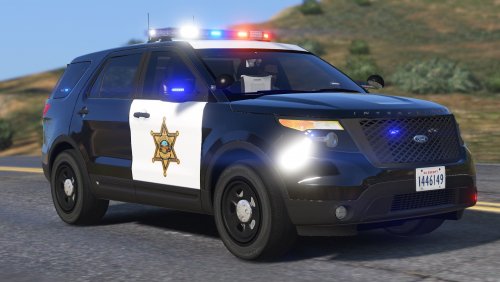 My emergency lights won't turn on. There's no ELS file in folder, so I don't know how to put emergency lights in game. Please someone reply fast
- 65 comments
- 19 reviews
-
Yesterday it was running just fine. But when in wanted to play some LSPDFR today, game will just crash when i try to load LSPDFR. Here's my crash log New Text Document.txt Edit: I've solved it. I don't know why, but whenever i install a new vehicle mod it just won't work.
-
Video isn't available 😕
-
I was playing LSPDFR, like 5 months ago, and I wanted to play it again, so i updated LSPDFR, Rage Plugin Hook and all that stuff, but when i launched Rage Plugin Hook it all started normally, but then GTA V Main Menu screen showed up. There was no RAGE Plugin Hook loading. When I exit out of the game, RAGE Plugin Hook says "Could not hook game process. Insufficient permissions or bad anti-virus. Please try again. If the problem persists, please restart your computer." I have literally tried everything that i could, but nothing has helped so far. Can someone help me? EDIT: I've solved it. Modded GTA V folder needs to be called Grand Theft Auto V