



jamwil420
Members
-
Joined
-
Last visited
Everything posted by jamwil420
-
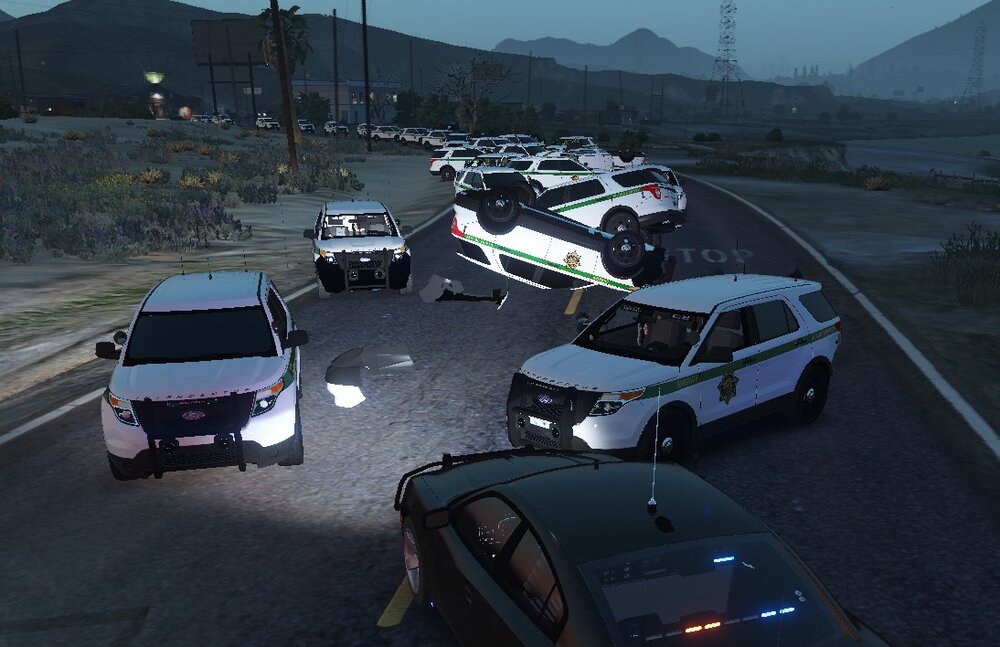
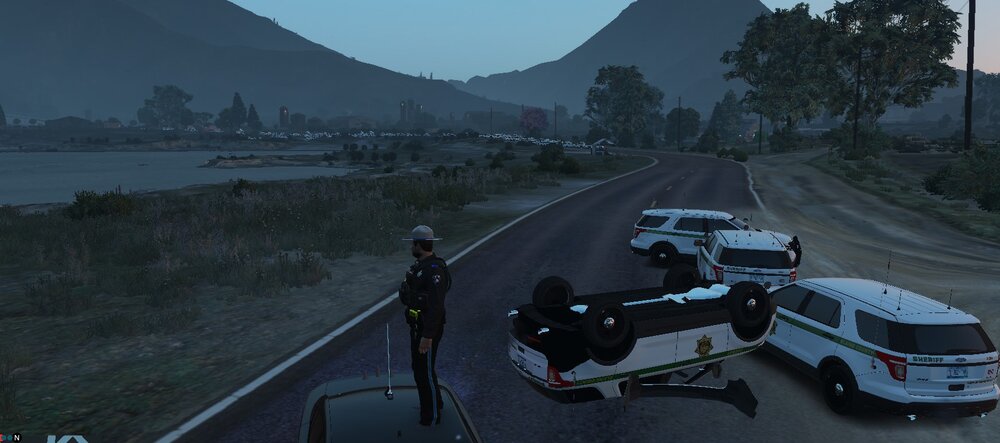
Ive been getting an issue and im not sure at what point it occurred how ever my game has become unplayable due to fps loss and eventual game crashing due to there being an issue in which the sheriff 2 vehicle spawns in en mass. Unsure if related but I cannot enter sheriff 2 or fbi 2 even if i spawn them in my self and if i try to enter them my game crashes. I wasnt sure if perhaps the handling line had been effected which has meant i cant get into them but didnt see why it would cause sheriff 2 to spawn in like this Attached is the rage log and some images showing the problem log.txt
-
 Im having an issue with 90% of the calls as in when i arrive on scene dispatch calls the job code 4. I can sometimes manage to play on as best i can but its not as it should be i dont think. Any help would be appreciated.
 -
Ah i did not think about doing that! Ill see if that works now.. Cheers! All sorted! Thanks
-
Hey all I downloaded free my controller a while back but did not realize it was not compatible with ELS. I also foolishly failed to back up my original controller config files before replacing them. I was hoping someone could provide me with the two vanilla files i have replaced as i am currently finding the current set up unplayable. Thanks
-
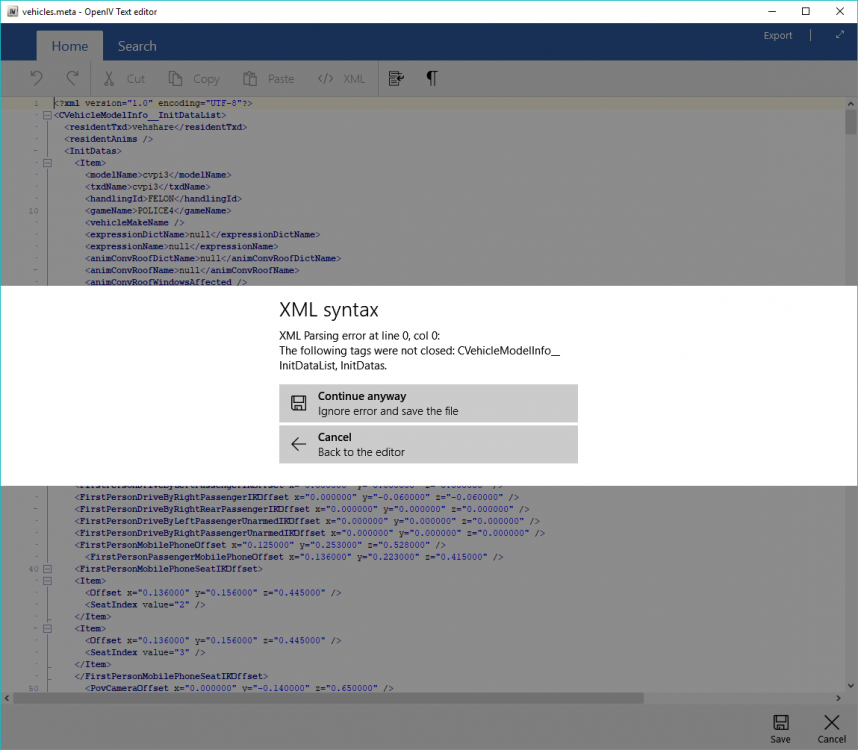
After installing several addon vehcles with no issues, i decided to add an unmarked cvpi pack the same way i did before. However i am encountering an xml issue in OpenIV which is throwing up the following error message upon hitting save. Carvariations just thoriwng up this one - ''The following tags were not closed CVehicleModelInfoVariation.'' Below is the message from the vehicles meta Ive replaced the files with other back ups and they save fine, but when i copy ant paste the top few lines from the working file i get the same error <?xml version="1.0" encoding="UTF-8"?> <CVehicleModelInfo__InitDataList> <residentTxd>vehshare</residentTxd> <residentAnims /> <InitDatas> <Item> <?xml version="1.0" encoding="UTF-8"?> <CVehicleModelInfoVariation> <variationData> <Item>
-
Okay i managed to get it all working again however im unsure which step exactly fixed it, though i dont care its now working lol First i went into the lspdfr folder in my gtav directory and reinstalled lspdfr automatically using the LSPDFR Config app, selecting all recommended options I then disabled the direct x hook in the RPH console as someone else suggested with a similar issue in an old post Launched the game and kapow! Back to normal.. I have since re-enabled the direct x hook and it still works so i suspect i was something to do with lspdfr its self but im still very confused as to why i was having a problem in the first place. Hope this helps anyone who might run into this problem in the future as i found near to nothing in terms of similar problems on lspdfr 4.0-4.2
-
Was an issue found for this other than reinstalling gta? My internet is just too whack to even think about that with out loosing some sanity. Ive been having the issue since my usb cable came out of the controller a couple nights back and now all of the lspdfr functions no longer work were as the gtav vanilla ones do. Never mind i have solved the issue
-
Out of no where my wired xbox controller now doesn't respond as expected to the lspdfr key bindings or els. The standard gta functions still work and i can use my controller to navigate some plugins such as simple trainer, interation+ and stop the ped when bought up using my keyboard shortcuts. A few of the functions that no longer work are: Stop the ped using the d pad Pursuit menu/backup menu using the thumb buttons Smart Police Radio (all functions) ELS (using sirenmastery) i can only get one siren and no horn - the other sirens and horn work whoever using the keyboard And others, but you get the idea I have no idea what has caused this as i havent installed any other files or plugins since the issue came about. The only thing relating to the controller was the usb became disconnected from my pc and i had to reconfigure it using the gtav menu in controller settings. Im currently unable to play lspdfr as its doing my head in
-
Post your RPH log and ill take a look after work if someone else doesnt before
-
-
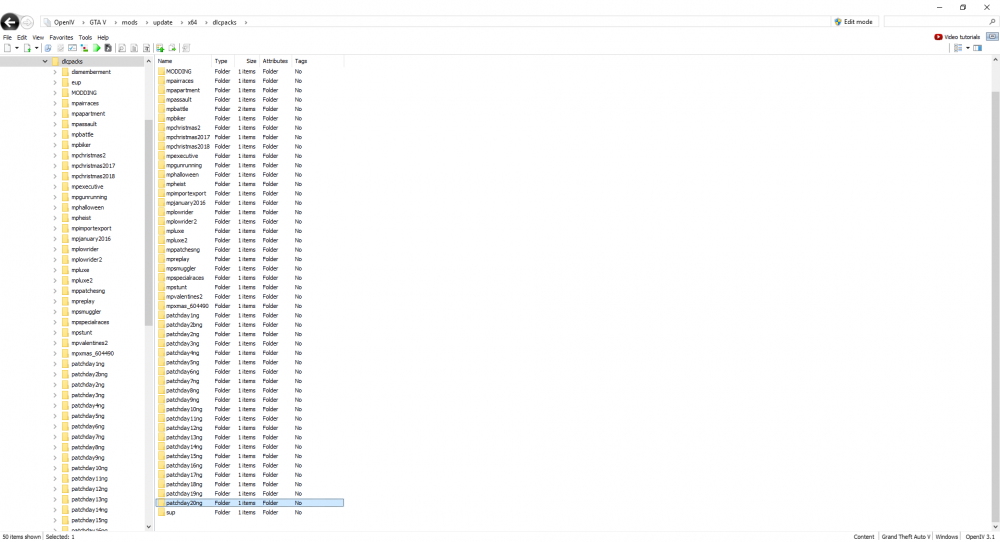
Where are you installing the models? If theyre not in the latest patchday folder try that and report back. Mine are all in patchday20
-
Amazing! 🙂 No problem.. Just for reference did you change the settings or update rage or both?
-
Have you got any other mods installed in a mods folder in the gtav directory?
-
Try launching rage with no plugins and then have a go loading each plug in separately in game using the f4 console and try isolate the problematic one assuming its a plugin issue
-
So i just loaded up lspdfr and my controller was not working at all.. Went into setting and fixed the issue with the controller config. Strange i thought but that got it working. Went down to the PD and got in my car ready for duty. The lights work as expected (DPadRight) as does the first wail siren, however i cannot ajust the other sirens, toggles or horn using the controller.. Works fine on the keyboard but ive never used that and dont really want to be trying to use both. The control er config is set up as i want. It was all working fine yesterday, infact its always worked as expected from installation.. HELP! Edit: okay it seems all the keybindings have been lost.. call out respond, police radio, stop the ped..
-
Im not sure what youre saying there. Windowed boarderless as set below? Also is your RAGENativeUI.dll the latest release? If not or unsure try updating with the most recent version, that is another fix for a similar problem.
-
Have a go launching gtav in borderless window mode and increase RHP timeout time from 10000 to 30000
-
You should be able to either remove the key bindings in the standard gtav settings menu or simply turn off both functions. I think there may also be a script available specificly for controllers which remove unnecessary bindings which interfere with lspdfr
-
Check to see if said call outs are compatible with 4.2, some will not be at this time, others may need updating
-
How are the packs put together? Individual .yft / .ytd files or dlc packs?
-
Post the full log, that last section says nothing of interest, what plug in if any are you using to get the ped out of the vehicle?
-
Try removing the call out plugin that creates that call out or just adjusting the config file so that specific job frequency is set to 0 so isnt used (if its just the one and not the whole pack)
-
What isnt working exactly? Like LSPDFR doesnt load up? A problem with rage? Crashing?? Best if you can do it your self with guidance otherwise you'll just get stuck again later on and have no clue
-
try installing these and see if that helps.. https://www.gta5-mods.com/tools/packfile-limit-adjuster https://www.gta5-mods.com/misc/gta-5-gameconfig-300-cars
-
https://pt.gta5-mods.com/paintjobs/eurocopter-as365-lspd-police-helicopter 🙂 real good model, the only problem is with the rural rescue call out thing. As there is no open doors on the side no one actually abseils down but i dont do many air rescue call outs so doesnt bother me too much


