


StillyStill
Members
-
Joined
-
Last visited
Everything posted by StillyStill
-
-
-
-
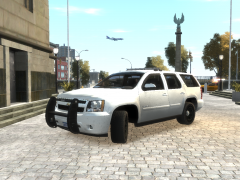 When are you going to release the tahoe? I know ill download it.
 -
The console looks great.
-
Yeah i do like the idea of making it a PPV.
-
Why in the third picture does the passenger look like he is getting sick? Again its the middle of the day.
-
I do like the weirdo guy staring at you in the second picture tho.
-
Its the middle of the day?!?!?!
-
From what it looks like in the picture, I think you are very close to a car wash.
-
Car wash?
-
i would love to see this in action
-
That'd be cool to have those bars.
-
I know there is a lot of topics already about issues and mine has been crashing but i finally got a code. [WARNING - 12:26:41 AM] [AudioDatabase] GetAudioFileForAction: No file found for: UNITS_REPORT [ERROR - 12:27:30 AM] [Main] CRITICAL ERROR DURING MAINLOOP! REPORT THIS ISSUE AT LCPDFR.COM BY INCLUDING THIS LOGFILE. [ERROR - 12:27:30 AM] [] GTA.NonExistingObjectException: Invalid call to an object that doesn't exist anymore! at GTA.Ped.set_BlockPermanentEvents(Boolean value) at freval_211.eval_fr35(Boolean A_0) at freval_81.fr0(freval_202 A_0, Boolean A_1) at freval_81.eval_fr15(freval_202 A_0) at freval_27.eval_fr0(freval_217 A_0, Boolean A_1) at freval_27.eval_fr2(freval_217 A_0) at freval_48.eval_fr1(freval_217 A_0) at freval_81.fr0(freval_202 A_0, Boolean A_1) at freval_81.eval_fr1(freval_202 A_0) at freval_81.fr1() at freval_257.fr1() at LCPD_First_Response.Engine.Main.fr2()
-
I'd say build your own. Its a nice machine but i perfer to build my own. It really doesnt take much knowledge to build your own.
-
I was going to start this forum........ But Happy Birthday Srgt.Scales.
-
That sounds like a really good idea. I wonder if anyone has something like this.
-
I would have loved to get that mega millions ticket. 636 million? Yes please.
-
Im ready for LCPDFR 1.0..........but then again i may just have a heartattack playing it.
-
First Skin ever and I decided to try a med-flight helicopter. Please comment even if it sucks and tell me what to change to make it better.
-
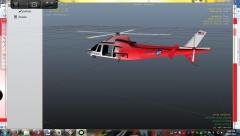 Red and white
-
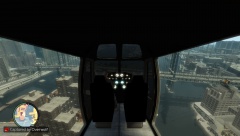 Grand Theft Auto IV 12 15 2013 15 57 01
-
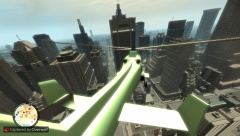 Grand Theft Auto IV 12 15 2013 15 55 06
-
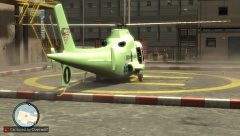 Grand Theft Auto IV 12 15 2013 15 54 28
-
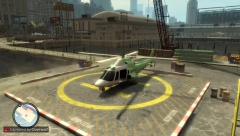 Grand Theft Auto IV 12 15 2013 15 53 54
-
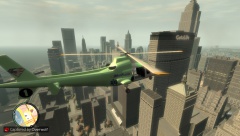 Grand Theft Auto IV 12 15 2013 15 52 04
-
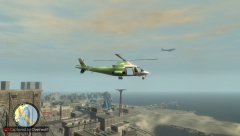 Grand Theft Auto IV 12 15 2013 15 47 40
-
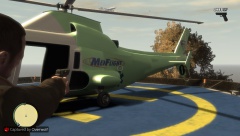 Grand Theft Auto IV 12 15 2013 15 46 24
-
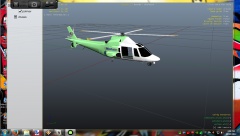 Desktop Capture 12 15 2013 15 08 13
-
-
From the album: Helicopter Livery
Red and white version of the Med-Flight. -
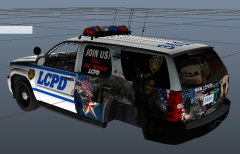 That is sharp.
 -
From the album: Helicopter Livery
Inside shot for personal checks. -
From the album: Helicopter Livery
In route to get fuel. -
From the album: Helicopter Livery
Preparing for takeoff.


