


Doidao
Members
-
Joined
-
Last visited
Everything posted by Doidao
-
-
it is not a very good computer. but gta v squeegee with everything at ultra at 70 fps. I5-3330 8GB RAM GTX 750TI OVERCLOCKED version I have enough mods of vehicles, uniforms etc ... I don't use graphics mod. I deleted all plugins and left only bejoljo and it improved a little.
-
Hi! I am putting up a uniform eup in my game. But I don't have a military boot or tactical pants for that. Any suggestions or links?
-
Hi everyone! How do I optimize my lspdfr? Without the mod loaded game at 70 fps, and loaded at 25-30 fps. Any solution? Note: gpu usage does not rise by 70%
-
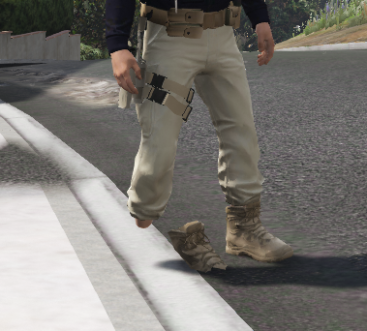
it's my first time making a mod on the zmodeler. I modeled a boot and made the rig, but only one of them got the right rig, the other was following the movement of the arms ... any solution?
-
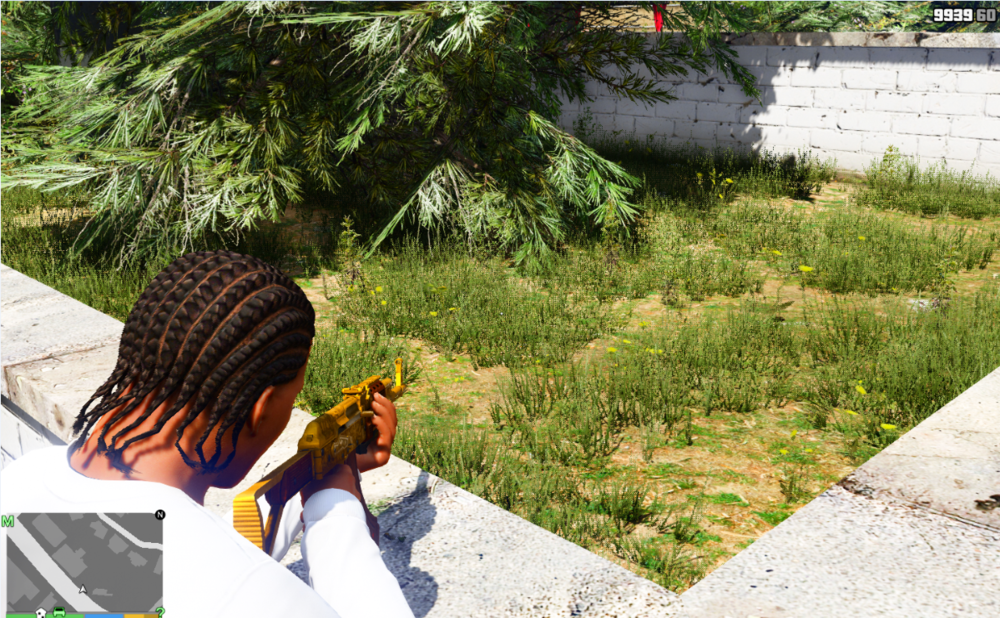
Hello guys! I was playing and I started to realize that the grass was kind of transparent ... I tried everything and I couldn't solve it. any suggestion?
-
Does anyone have any solution to increase the use of the video card? Without the lcpdfr loaded I get 70 fps. And with him on duty, I get 35. Any solution for this bad optimization?
-
-
 man, when I call some kind of support or even policemen on the street they wear totally random EUP clothes and not the right uniforms. could I fix this?
- 2,346 comments
- 236 reviews
-
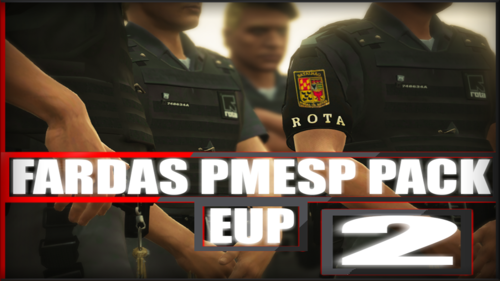 Parabéns irmão! trabalho sensacional. só uma dúvida, poderia lançar uma skin da prf? não acho nenhuma farda "nova"
 -
-
hello guys, i have a problem with lspdfr 0.4.4. usually i play gta v with 70 ~ 80 fps constantly. however when I open ragepluginhook and play lspdfr the game drops the use of gpu and increases the use of cpu, which doesn't happen in normal game. my configs: i5 - 3330 Gtx 750ti OC 8gb ram 1333mhz
-
Omg, it works! Thanks bro!
-
I installed a modified police motorcycle and I cannot make a traffic stop. I press lshift and nothing happens. Can someone help me?
.thumb.png.839d29f3093bfeb290dbe1e2ac49c804.png)


