


Foxxy Lestrange
Members
-
Joined
-
Last visited
Everything posted by Foxxy Lestrange
-
it seems to work. even if LSPDFR Crashs 2-3 times before i can go on duty. Is it possible to fix it? RagePluginHook.log
-
i unchecked all in the advanced tab. Seems to work after i reload all plugins 2-3 times. Where do i get d3d11.dll and do i have to delete startup.rphs?
-
unticked it. Now RPH has it's previous error RagePluginHook.log
-
Hello, i installed LSPDFR 0.4 and RPH 0.65.1237.15477 (latest Versions) on my pc. since my problem with the RPH hook is solved, i now have more problems. This time i can't go on Duty (, but can create a character somehow) and also can't open the console by pressing f4. Changing the Button also didn't work. i hope the RPH.log and DxDiag can help you solving my problem. Thanks in advance RagePluginHook.log DxDiag.txt
-
It finally works. Thank you @rabbit1988 and @Officer Joey Kuffman
-
ok, i remaned it. and now?
-
could be problematic since i just renamed this folder into this and had to download it again (bc Steam is dumb)
-
didn't found a file. maybe yousee it
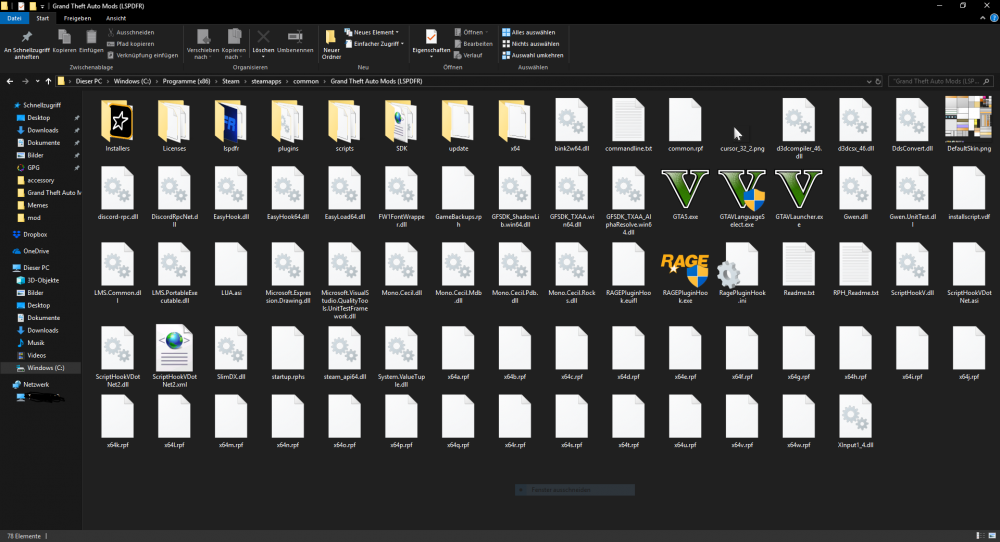
-
Where exactly is it located?
-
Have the same Problem. Hope it can be solved soon...

