Phantom1503
Members
-
Joined
-
Last visited
Everything posted by Phantom1503
-
I purchased the CD box
-
@exie i did everything exactly like you say'd but it crash again
-
@sEbi3Habe wie erklärt die Optionen installiert und meine Firewall ist auch nicht aktiv, mods habe ich auch keine. Das Problem besteht weiterhin
-
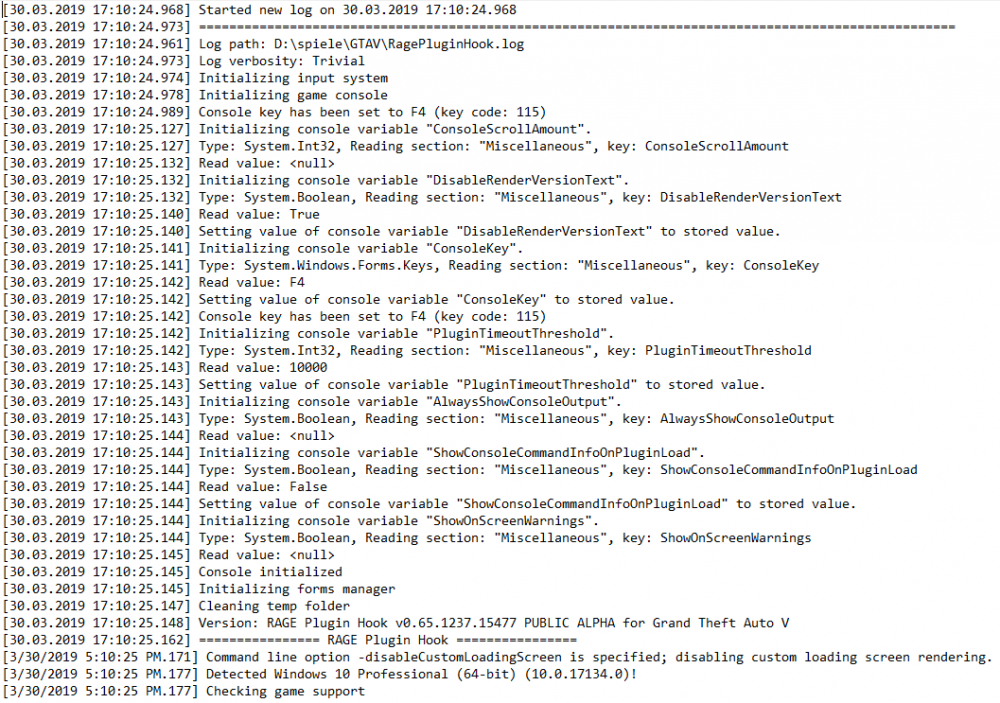
Thatis the whole log there isnt anything more...
-
@sEbi3 Ich kenne mich da nicht so aus wie komme ich zu diesem OpenIV ? @sEbi3 ich finde dieses OpenIV Programm nicht, was genau ist das?
-
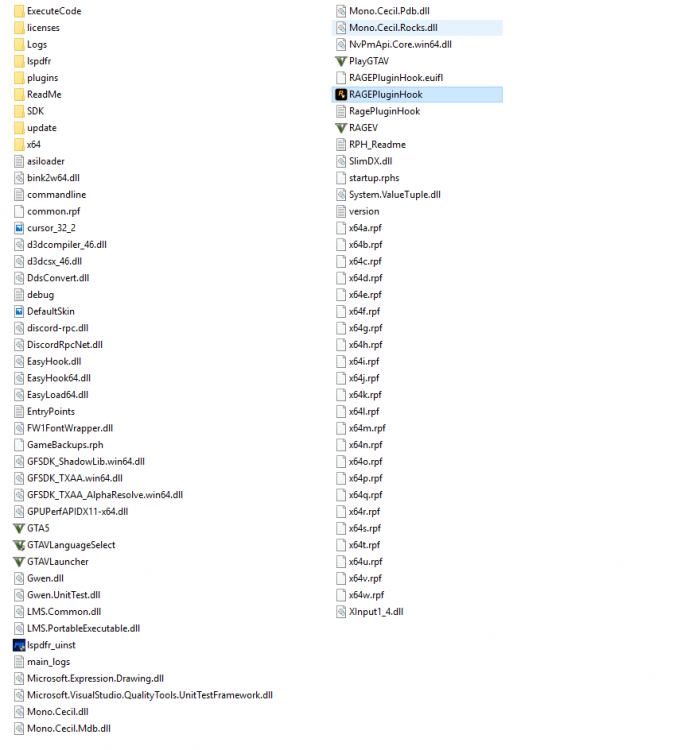
Thank you! Link to the Pictures: main Folder , crash report , plugin Folder , log file
-
These are my mainfolder, my Plugin folder and my log file:

-
Dieser Report kommt, nachdem ich den RAGEPlugin Launcher gestartet habe, was kann ich tun? https://www.pic-upload.de/view-36399987/Crash.png.html

-
Every time i want to start the RAGEPluging launcher, ist loading for 10 seconds and than it Show this report. What can i do?