


JediMasterKarumaas
Members
-
Joined
-
Last visited
Everything posted by JediMasterKarumaas
-
Hi all - new to the forums, but not to LSPDFR or GTA modding. I discovered, to my horror, that the forums on the other big GTA V modding site have mysteriously vanished, so I figured I'd come here for help. Plus you guys always seem a lot friendlier..... Anyhoo, I'm slowly getting in to 3D modelling and game design to pass the time and fight the daily depresso, and mocked up a derpy and not particularly good assault rifle and magazines in Blender and 3D Builder. However, texturing/UV mapping is not my strong suit, and I absolutely have no idea how to convert it into a .ydr file for GTA without spending money I don't have. It's not animated or anything so it should be fairly easy to do but as with all technology Long story short, I'm coming here to humbly request assistance in completing my project, both as a GTA V mod and as a standalone asset. Any help, tips, tricks, or collaboration would be most welcomed. (I'll attach the files if there's any interest in this/if anyone wants to help or collaborate.) Much love from PDX.
-
-
-
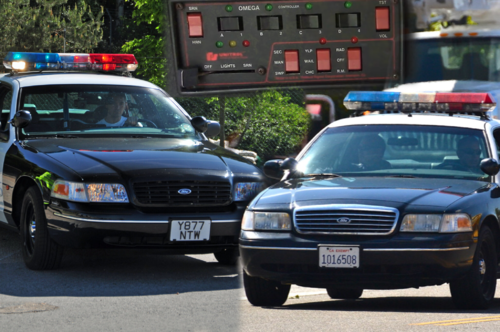 See exactly what Veraxify said. "Screeching or buzzing noises," otherwise known as Eeeeeeeee!
- 23 comments
- 1 review
-
 Wait. Seriously? This mod was literally the best there ever was on the site. If we, the community, worked just a little bit to make it compatible I would totally add this back to my game in a heartbeat. It's so sad the creator retired from the modding scene. I wonder if he truly realizes how beloved this plugin is.
- 1,743 comments
- 172 reviews
-
All the sirens sound amazing but... All the brakes on the cars go EEeeeEEEEeeeeEEEEEEEeeeeEE now and it's low key funny af. Still, from the part that does work, the sirens sound amazing and are honestly the best I've heard on the site!
- 23 comments
- 1 review
-
-

- 3
-
-
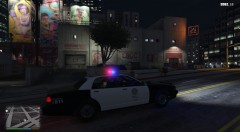
From the album: LSPDFR STUFF
I always had a weird feeling about him... -
I post things here, I guess?
-
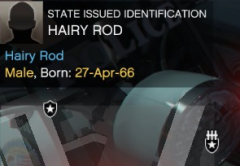
From the album: LSPDFR STUFF
Seriously?! -
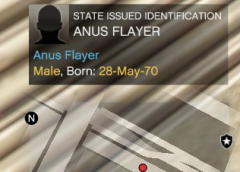
From the album: LSPDFR STUFF
Really?! Who comes up with a name like this? (I'm looking at you, LSPDFR devs.) -
Okay, so I'm REALLY liking what all this update is promising - however, I can't seem to be able to install it. I've downloaded the manual version and the automatic version, and every single time I try to get back into the game it tells me I'm still using 0.4.1. I've tried just installing into plugins, I've tried uninstalling and then reinstalling everything, I even removed all my beloved mods (no more cops flying TIE fighters around!) and did a fresh reinstall of GTAV, which took two whole days. I've even tried making a second character to see if it had something to do with my boy Matthew's file, but to no avail. EVERYTHING I've done would indicate that I've successfully installed/updated LSPDFR, but it doesn't seem to update. I'm likely overlooking the obvious, but I can't think of what it might be... I seriously love LSPDFR (it's honestly the reason I bought GTA V in the first place) and I don't feel like I'd be too happy without it. This update seems to fix some of the problems I've been having, but... I just can't figure out what I did/need to do... I'm three days into this now and would love some support from this wonderful community. ❤️
-
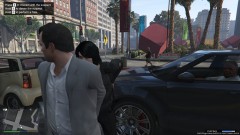
From the album: LSPDFR STUFF
He wasn't happy to have his minigun, AK-47, and rocket launcher confiscated. -
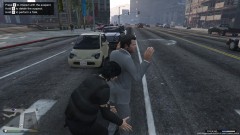
From the album: LSPDFR STUFF
Jemal Zalon, also known as Michael DeSanta. (This was the result of me using a trainer while saving. He'd been standing there holding up traffic, and all of his weapons, including a minigun, dropped when I frisked him, probably because I had them in my inventory when I logged out. Weird.) -
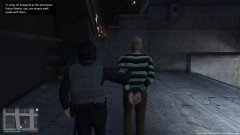
From the album: LSPDFR STUFF
This particular individual gave me a hard time and kept resisting all my attempts to take him into custody. (actually the real reason he was behaving oddly was because I was having trouble with the controls when I first started playing!) -
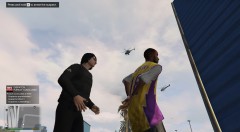
From the album: LSPDFR STUFF
This guy simply wouldn't give up. He took me on a literal tour of Los Santos while FOUR helicopters pursued him. All because I saw him jacking a car. Crime never pays, guys. -
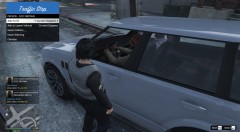
From the album: LSPDFR STUFF
Doc Brown is the driver. I pulled him over before he could hit 88mph. -


