


firedog
Members
-
Joined
-
Last visited
Everything posted by firedog
-
-
Once RPH loads my plugins, about 5-10 seconds after, my game crashes RagePluginHook.log
-
Once Rage Plugin Hook loads my plugins, about 10 seconds after, my game crashes RagePluginHook.log
-
Once RPH loads to the point that it loads my plugins, the game crashes RagePluginHook.log
-
-
-
-
RagePluginHook.log
-
-
RagePluginHook.log
.thumb.png.4bb8bf7eb29b323b250e5983761d7f11.png)
.thumb.png.1edd171c96618023283c821643681fb2.png)
-
I tried that, but it is not working
-
RagePluginHook.log
-
I tried to do that, but I couldn't get it to work
-
This may sound like a dumb question, but how do I restore the weapon?
-
yes
-
No
-
When I am in the loading screen for lspdfr, it crashes and I am stuck in the loading screen.
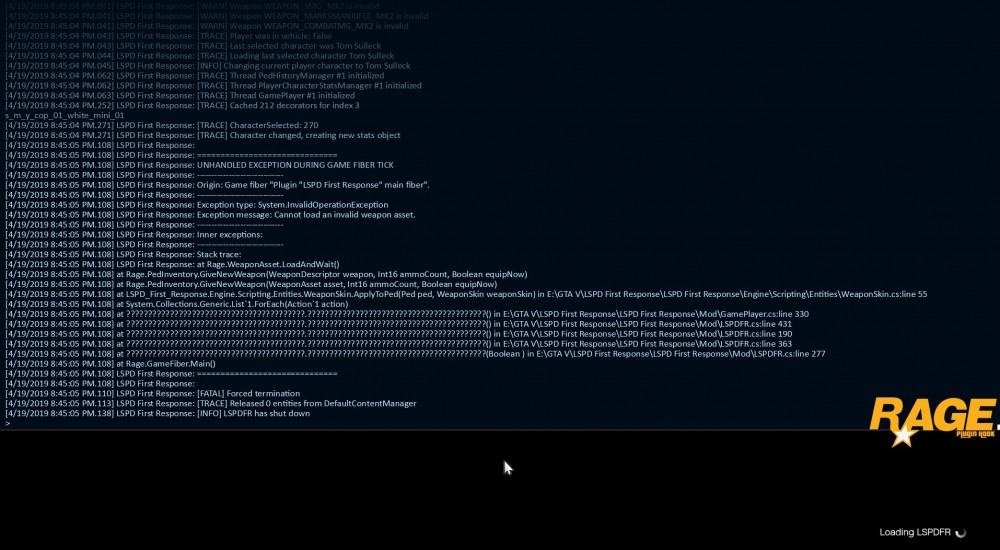
-
When I load RPH, everything loads. But once I get into the game, LSPDFR crashes and I am stuck in the black loading screen. Does anybody know what could be causing this?
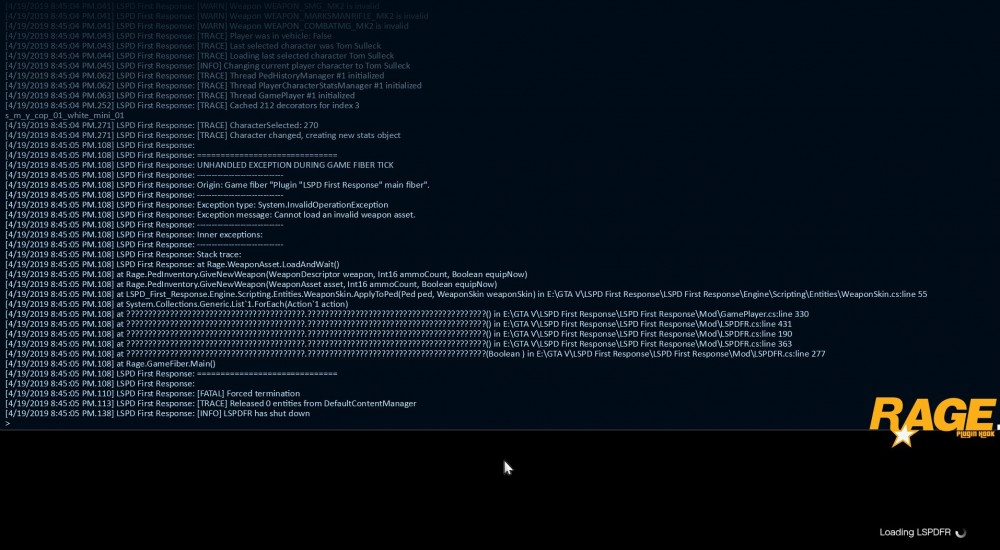
-
Rage Plugin Hook is crashing from the loading screen to desktop. Anybody have any ideas as to what is causing this? RPH Crash Log.txt
-
Any ideas as to what could be causing this?
.thumb.png.ef7ba16ad019dd8069be6b2b7d054e15.png)
-
Turns out the correct key is Right. The game worked for a little while until it LSPDFR crashed again.
.thumb.png.14f50956ab4b7fecb2f7192a391d5d7a.png)
-
Any ideas on why LSPDFR is crashing when I go on duty?
.thumb.png.bf17ed7729848b27ad539a9a199c1d29.png)
.png.c3785f7b14fbe79faf79c6dc6f625f58.png)
.png.14260bf44e92d99936e7936893b196da.png)


.png.ceda91c1fcc9d8aadee105052ff59741.png)
.png.c6b06bf18ab0afe049bd18f62f3c70e8.png)
.png.679e362abe3a50a4e9ad31078360db29.png)