Skip to content
View in the app

A better way to browse. Learn more.

LCPDFR.com

A full-screen app on your home screen with push notifications, badges and more.

To install this app on iOS and iPadOS
  1. Tap the Share icon in Safari
  2. Scroll the menu and tap Add to Home Screen.
  3. Tap Add in the top-right corner.
To install this app on Android
  1. Tap the 3-dot menu (⋮) in the top-right corner of the browser.
  2. Tap Add to Home screen or Install app.
  3. Confirm by tapping Install.
Due to overzealous filtering on Microsoft’s side, some emails to Outlook and Hotmail addresses may not be delivered. If you’re affected, please use a different email address or try again later.

steamlcpd

Members
  • Joined

  • Last visited

  1.    jdplay reacted to a file: NEW 1.0.7 ENB, Game4videos!
  2. steamlcpd started following Zacharyseeger1234
  3. Zacharyseeger1234 started following steamlcpd
  4. steamlcpd started following Ast.Taylor collin
  5. Ast.Taylor collin started following steamlcpd
  6. steamlcpd started following bubbajrmartinez7
  7. bubbajrmartinez7 started following steamlcpd
  8. i wanna see that on cops!! :D awesome video :)
  9. WATCH IN HDDDD!!................................................... :D WATCH IN HD!
  10. PenguinJr started following steamlcpd
  11. steamlcpd started following PenguinJr
  12. they do,, nice stuffs :) yes! its cool :)
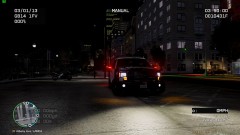
  13. the scanner is a youtube clip in the backround, and the ENB is a mix from my game4video enb and "enb-no conflict with lcpdrf 0.95" with some custom bloom and visual settings. =)
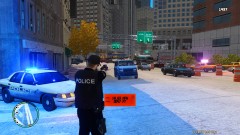
  14.    crosado reacted to a gallery image: GTAIV 2013 01 03 23 00 54 395
  15.    Kblackman reacted to a gallery image: GTAIV 2013 01 03 23 00 02 898
  16. http://existenz.se/out.php?id=71056 MODERATOR NOTICE !WARNING!, video presented in the article that is linked is graphic, shows blood and a animal being hurt/killed by a NYPD Police Officer shooting it, you have been warned. -JAM


Account

Navigation

Search

Search

Configure browser push notifications

Chrome (Android)
  1. Tap the lock icon next to the address bar.
  2. Tap Permissions → Notifications.
  3. Adjust your preference.
Chrome (Desktop)
  1. Click the padlock icon in the address bar.
  2. Select Site settings.
  3. Find Notifications and adjust your preference.