


Lukaz
Members
-
Joined
Everything posted by Lukaz
-
-
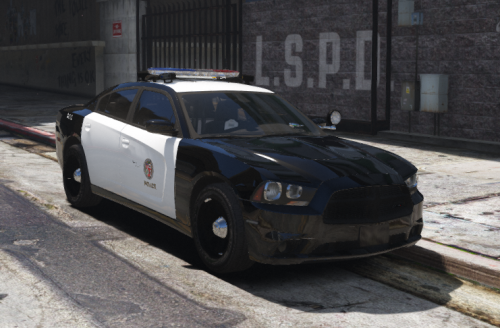 hi, im looking to make a youtube tutorial explaining how to install ELS vehicles, this is a perfect example of how to install, i would like to use this file for the video, of course a link to the file will be in the description of the video, i would like a reply asap thanks, lukaz
- 12 comments
- 1 review
-
ok it seems a plugin is blocked, try unblocking plugin in your plugins folder by right clicking/properties/unblock/apply/ok thanks, lukaz
-
it will not install if its in a zip file, try dragging to your desktop thanks, lukaz
-
please post your rph log sand ill look for the issue
-
please post rph log
-
please psot your rph log
-
its because your using forceduty and computerplus is crashing as a result, go to a station to go on duty!, also the other 2 crashes seem bad, i suggest reinstalling lspdfr and rph as they seem to be causing it
-
please post your rph log
-
i have a strong feeling its your antivirus, set your entire steam folder as an exception for the antivirus
-
dont worry about it , your game looks fine, you did one thing wrong, you must write 'startcallout true' , its not optional like other commands
-
do you have eup menu installed if not install it here
-
if you have a mods folder rename it to _mods and try again
-
please post your rph log and ill try to help you
-
that isnt a bug, the new lspdfr didnt include any more outfits, to get more install eup law and order and eup menu
-
please post your rph log and i will try my best!
-
to me its likely one of 2 things, a antivirus is blocking it, or a mods folder issue, try renaming your mods folder to _mods and come back to me and tell me if it works
-
try reinstalling whatever your using for it
-
hi @cree to me it looks like a maybe mods folder error, have you installed anything to the folder since it last worked? my suggestion is renaming your mods folder to _mods and trying again
-
it is impossible to patrol as swat with 1 partner , hopefully someone make this mod very soon, using trainerv bodyguards cause other cops to shoot them so you cant even call for back up
-
IF ANY OD THESE ALREADY EXIST PLEASE LINK THEM IN THE REPLIES callouts requested: shark attack. drowning person someone lost at sea pirates attacking boat sinking cargo ship/yacht missing boat
-
@Zenitae @Scaarus thank you very much it worked better than before actually thanks for your help
-
i have reinstalled scripthookv and the uk callouts twice, im i installing them wrong or inn the wrong place?
-
@Zenitae it worked, but it didnt last, when i force dutied it gave the error message you get when it crashes , but i was still sorta on duty, i tried all of my plugins but road management seemed to be the only one that responded, then i got in a cruiser and pulled someone over, instantly lspdfr crashed, i reloaded it to get the same force duty error message, i then tried to pull over the same car when it crash again. tnx for the help ill leave the log below for you RagePluginHook.log
-
@Zenitae here it is thank you for the help RagePluginHook.log

