


Lukaz
Members
-
Joined
Everything posted by Lukaz
-
Do you have enhanced vehicle actions?
-
Glad to help!
-
Try changing your plugin timeout threshold to 60000 and adding your entire GTA folder to your anti-virus exceptions list.
-
Iv'e seen it before, reinstall LSPDFR
-
It may be resolved, but to prevent further issue change your plugin timeout threshold to 60000.
-
No, Computer+ can still work.
-
OK that's a lot of stuff so i'll answer individually. Does the EUP menu and police locker provide the same function, provided the EUP outfits are correctly installed? Yes. Install EUP configs Below Does EUP the menu or the locker change only your outfit or the outfit for that entire agency? Basically when you select confirm for an outfit and change yours and move on to another agency does the outfit selection for the previous agency get saved and “distributed to the rest of the agency”? EUP configs again does that. if it only changes your outfit how do you change the outfits for the responding/back up units? How do you change the regular ambient ped officer outfits? Does the above question require you to just edit the agency/cop_preset/outfits xml files or make changes to the models in the rpf files in the EUP folder? I put the two of those together as they both are done for you by Jurisdictions + which i'll link. Is EUP basically overriding the Components and texture settings and xml files in the base lspdfr “data” file? No, EUP doesn't affect them, and juri+ will only touch Ultimate Backup. If I uninstall EUP will the game just base the spawned models for backup/ambient peds solely on the basic models (ie s_m_y_cop_01) with no extra components that are designated in the agency xml file and The model files “saved” in the mod folder In the game accessible via Open IV Yes, all you have to do is remove Eup Configs. But don't if you have juri+. Do I sound like a moronic lunatic? No lol.
-
Try doing it with a different car.
-
Reinstall computerplus
-
Install EUP configs
-
Yea, the positioning of something with that plugin overwrites stp
-
Change your plugin timeout threshold to 60000.
-
Please post the RagePluginHook.log here for me, it's 2nd from the bottom on in the 2nd row of files.
-
-
Change your plugin timeout threshold to 60000.
-
Change the plugin timeout threshold from 10000 to 60000 in the RagePluginHook.ini file and disable Main.PreloadAllModel in GTAV/LSPDFR -> LSPDFR.ini.
-
Yea, best to have everything's latest version.
-
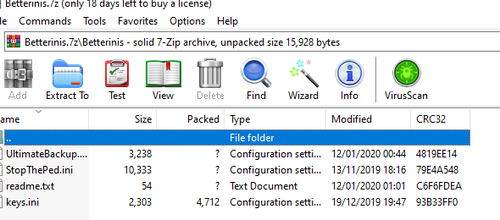 I was unsure where it went, so i guessed here, but if a mod want's i'll move it. Yea, I was meant to give more info but it was a more rushed upload.
 -
Not unless you get a better graphics card no, reduce until it is stable.Changez votre '' délai d'expiration du plugin thresho, d en 60000 ''Faites-le glisser dans le commentaireYou need to make sure you have a wifi connection when you're starting the game. This commonly causes that.C'est celui surligné dans ma capture d'écran, pas dans le dossier '' logs ''


