Knubster
Members
-
Joined
-
Last visited
Everything posted by Knubster
-
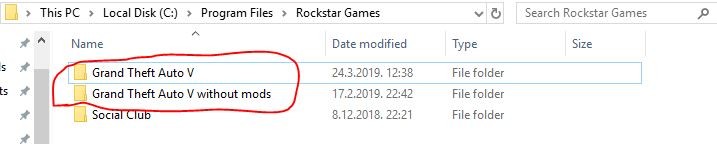
Just delete both modded and nonmodded GTA V files.
-
Deleted all GTA versions and installed everything from start.
-
I fixed it. I did something wrong when I was making a new clean copy.
-
Just did it and I have just installed LSPDFR and a trainer, nothing else. Still doesn't work.
-
I think it's outdated. I want to uninstall the mod and bring back the default sounds.
-
Hello, I tried installing Realistic Weapon Sounds mod but when I got in game and got a pistol out and shot once, the game crashed instantly with no error message. I tried verifying GTA V through GTA V Launcher (i have the retail version, not steam) and copying all the x64 and update files from the original GTA V to the modded one but it didn't work. Any help?
-
Try checking every plugin if it is updated. I had one extremely unupdated plugin and when I removed it worked. If it doesn't work try to remove all plugins and then add one by one and every time you add one go in-game and check if it works.