The Royal Workshop
Members
-
Joined
-
Last visited
Everything posted by The Royal Workshop
-
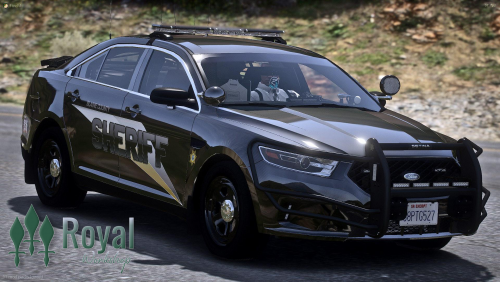 This livery pack is made for a 16 Explorer, 18 Charger, and 18 Taurus and support many individual developer models of these. Vehicles are NOT included. Please feel free to ask any questions or any comments. Royal Workshop my_nameisroyal#3618
 -
So when I try to load up my LSPDFR it just doesnt load and asks me to edit the LSPD First Response.dll but I cant because when I go to try that it is a just a bunch of special characters. Anyone know how to help?