
SKYNETRP
Members
-
Joined
-
Last visited
Everything posted by SKYNETRP
-
-
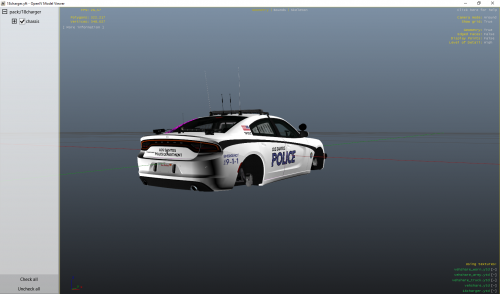 this is a Rochester police department look alike skin but changed to Los Santos Police Department for Redneck's 18 Charger (Will be taking pictures in-game later)
 -
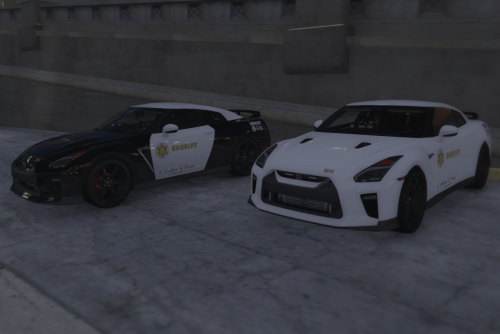 was bored so i decides to make this have fun vehicle model: just replace gtr_sign_1 and 2 with the skins from here in the police.ytd from the vehicle if you need any help just message me on discord: HUSKY #1674
 -
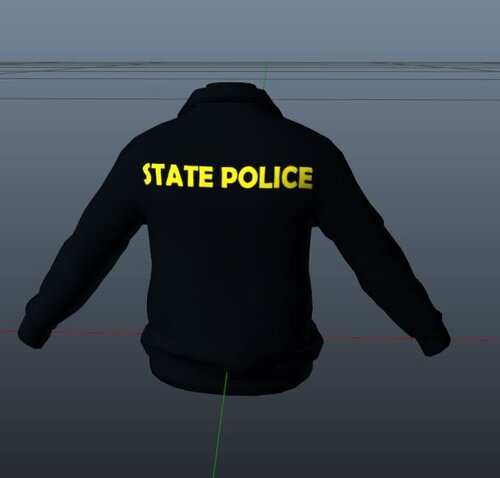 F:\Rockstar games\Grand Theft Auto V\mods\update\x64\dlcpacks\eup\dlc.rpf\x64\eup_componentpeds.rpf\mp_m_freemode_01_male_apt01 this is the install for yáll
 -
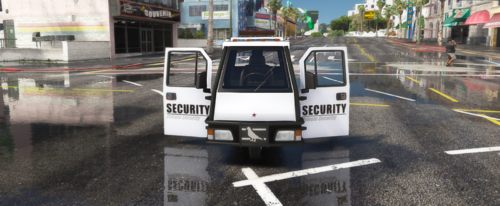 i made a Private Security livery for the Nagasaki Pigeon made by: Monkeypolice188 et al - https://www.gta5-mods.com/vehicles/nagasaki-pigeon-patrol-add-on-liveries-template-sound to install just follow the install steps on that are provided on the link above and then go into F:\Rockstar Games\Grand Theft Auto V\mods\update\x64\dlcpacks\pigeonp\dlc.rpf\x64\levels\gta5\vehicles.rpf\ enable edit mode and rightclick pigeonp.ytd and click edit then replace pigeonp_sign_1 with the livery provided and delete pigeonp_sign_2 (if you need help with anything hit me up on discord HUSKY#1674)
 -
-
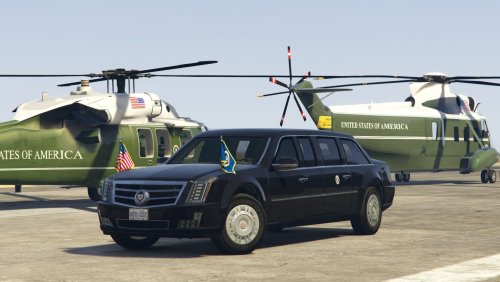 so i made a livery from the template but i don't know how to apply it can someone help me
- 6 comments
- 6 reviews
-
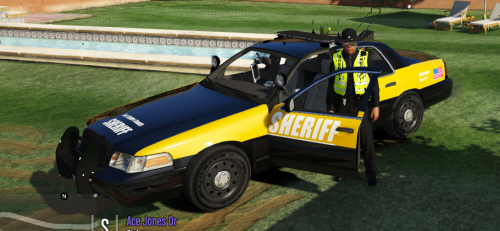 I made a Sheriff training car livery for the CVPI Original models: Installation: open OpenIV and put the car files in then open the .ytd file and replace cvpi_sign_1 with the picture provided click save and then convert the car files into a fiveM resource as usual(if you don't know how hit me up on discord HUSKY#1674)