xHDz Apex
Members
-
Joined
-
Last visited
Everything posted by xHDz Apex
-
 Loving this mod so far! Not had any issues with it yet. One question, how do I respond to dispatch to say I don't require backup? Suggestions: -Have the option to not trigger ODAS when firing the stun gun -Be able to request additional units and EMS would be nice to see
 -
Hi, cheers for the response! I have attached photos of my plugins and lspdfr folder. If there is anything I can do to help further do let me know; I'm not sure if I missed any logs out. Do you think it is worth removing all mods and placing them back one by one?
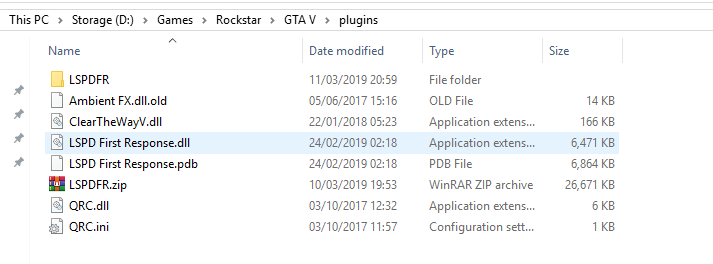
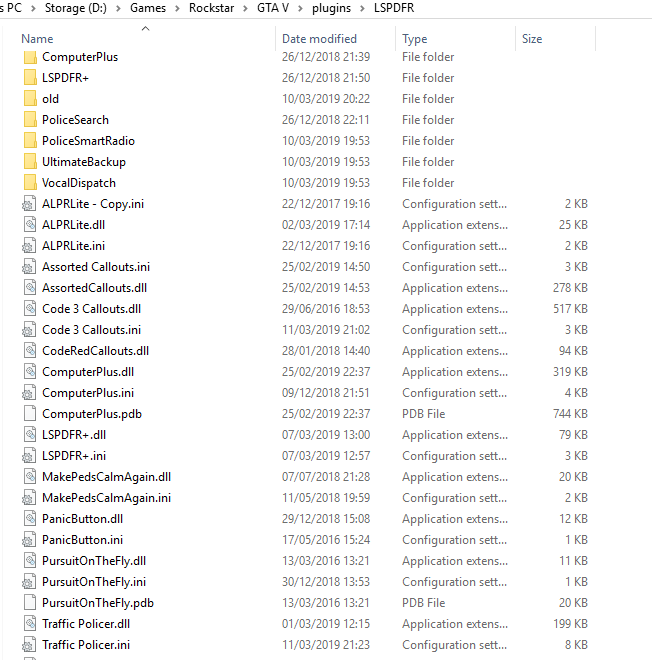
-
Just happened on a call Attached log RAGE Dump: RagePluginHook.log
-
Hi, on average 1/2 times an hour, rarely more. Do you want the log when it happens again?
-
I don't necessarily need to be doing anything. It is always when I am on duty but it isn't always on a call, I can be patrolling in the car or just walking.
-
Hi guys, first post here, so bear with me. I have been playing LSPDFR for a while on 0.3 and have moved to 0.4 recently; I have been experiencing random crashing in the game where either LSPDFR will crash or the whole game will bomb out. I did have the same issue before moving to 0.4. I have attached the detailed crash report from RAGE, the OpenIV.log and RagePluginHook.log. If anyone could help out it would be massively appreciated. Thanks in advance. CrashReport_636881061747053904.zip OpenIV.log RagePluginHook.log