




IvanOogle
Members
-
Joined
-
Last visited
Everything posted by IvanOogle
-
Your thinking of the Rage.ini but it wouldn't help in this case. Is there any error shown by rage or just a crash? Go to your commandline.txt and delete everything in it. Put -windowed . Then, if it still crashes, send a new log.
-
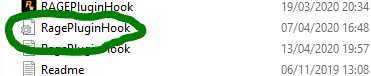
Go to Rage.ini (Picture below) and where it says PluginTimeoutThreshold=10000 change it to PluginTimeoutThreshold=60000. Rage.ini:
-
Turn off ambient events. Do this by going to your lspdfr.ini file (in the lspdfr folder), and put "Ambient.DisableEscapedSuspectEncounter = true" Then, go to a new line and put "Main.DisableGameBlipHiding = true" If this doesn't work, send a new log
-
Sorry for the late response, the PluginTimeoutThreshold if set to 10000 gives 10 seconds before it still terminate the plugin, which can cause your game to crash. Change it to 60000 and you get 60 seconds, and you won't notice it, it's like a background process.
-
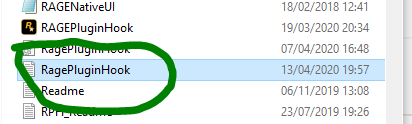
Update rage to the newest version. Then, go to your Rage.ini file (picture below), and where it says PluginTimeoutThreshold=10000, change it to PluginTimeoutThreshold=60000 . Then, reinstall ALPRLite . If you still crash, send another log. Rage.ini file:

-
You can clean your folder. To do this, look at these pictures of a clean folder and delete what isn't there. Clean steam folder: Clean Retail folder:
-
Send your log please.
-
If you did that, could you send a new log?
-
Renaming your mods folder disables it, you will have to clean it out, or delete thing one by one that you recently put in. It could be installed incorrectly, or corrupted. Unfortunately, there is no easier way to troubleshoot this.
-
Could you send screenshot of the error please?
-
Mhm, I wish there was an easier way to troubleshoot it.
-
Update rage to the newest version. You are one behind. Then, go to the Rage.ini file (you can find it in the picture below) and then where it says PluginTimeoutThreshold = 10000 change it to PluginTimeoutThreshold = 60000 . If it crashes after that, please send another log. Thanks! 🙂 Rage.ini :

-
Just to be aware, putting _ in front of a folder disables it, so the folders you did it to will not work. You will have to create new ones, or delete the contents one by one to spot the issue. Hope this helps.
-
Okay, you can go back to your plugins folder, and rename your lspdfr folder back to LSPDFR. Unfortunately, we don't know what could be the issue in your mods folder. You can either create a new one and start over, or delete things one by one. Please note: putting _ in front of a folder disables it, just for next time. I hope this helps.
-
You can go on duty. It will just stop your replaced or added cars, if they have something to do with the crash.
-
Rage and lspdfr will still work, your modded cars will not.
-
By all of them, do you mean the police vehicles or all vehicles in general? If it is just police vehicles, rename your mods folder to _mods to see if that makes any difference.
-
Is it any police car or just the one? If it's just the one, rename your mods folder to _mods and retry. If it is all of them, and it works without going on duty, go into plugins folder > and rename the LSPDFR folder in there to _LSPDFR, try again. Please come back with the results, and what you did.
-
Did you replace the sheriff vehicle? If so, delete the replaced sheriff vehicle and try again.
-
Go to commandline.txt and remove everything in it. Put -windowed inside. Then, rename your mods folder to _mods. If that doesn't work, rename your scripts folder to _scripts and/or ELS folder to _ELS (if you have them). Remove Menyoo if you have it.
-
Point a gun at them, hold E for the lspdfr vanilla version of the takedown, or if you have stop the ped, double click E.
-
Rename your mods folder to _mods. If this works: Something in your mods folder is causing the issue, delete the whole folder and try again, or delete things one by one and see what it is. If this doesn't work, go into Plugins and in that folder, rename LSPDFR to _LSPDFR. If that works, send a screenshot of your lspdfr plugins, if it doesn't, please tell us.
-
Can you drag and drop the whole log file?
-
Computer+ is out of date and can cause issues, I would delete it and use CompuLite instead
-
Albo's plugins do cause performance issues as they are out of date, you can try removing lspdfr+, arrest manger, Interaction+ as stop the ped has most of the things they do anyways.


