


Crunchyy
Members
-
Joined
-
Last visited
Everything posted by Crunchyy
-
 Since the latest update the 'large fight' call in Vinewood doesn't act as it should, prior to the update the crowd split and a foot pursuit was initiated - Now they just disperse and calmly walk off. For additional call outs - Maybe some knife related call-outs? There are a tonne of generic call-outs out there that include firearms and I think all that's missing to this is as stated by others more physical violence and some knife related crime call-outs.
 -
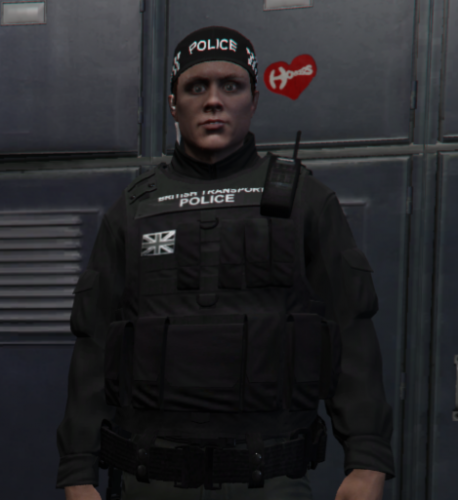 After installing this AI wear the correct uniforms, however I'm unable to select any of the clothing items in the duty selection menu for my own player. For example, when I select BTP as the agency I get a ballistic vest but nothing else. Any ideas on where I've gone wrong?
 -
 I'm struggling to get all of these vehicles in my game like a few others. Is there any chance we can get a .oiv version of this pack?
- 95 comments
- 32 reviews
