


TheHuskerFan
Members
-
Joined
-
Last visited
Everything posted by TheHuskerFan
-
Having some issues with a mod. The lights are working fine, but I'm getting no siren noises. Can anyone help? If it helps, this is on a FiveM server I have. Thanks!
-
2020-01-319_12_33PM.thumb.png.30c36f4f2ce846bab3e6a81112ff92bd.png) It seems that the sirens are not working for me. I'm assuming I need to fix something? Lights will come on, but no siren noise. Thanks!
It seems that the sirens are not working for me. I'm assuming I need to fix something? Lights will come on, but no siren noise. Thanks!- 8 comments
- 1 review
-
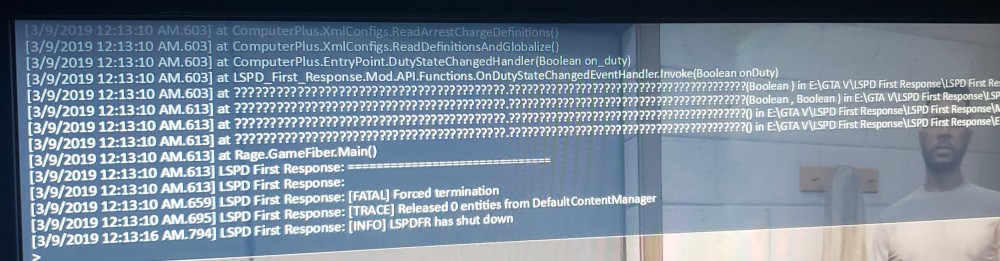
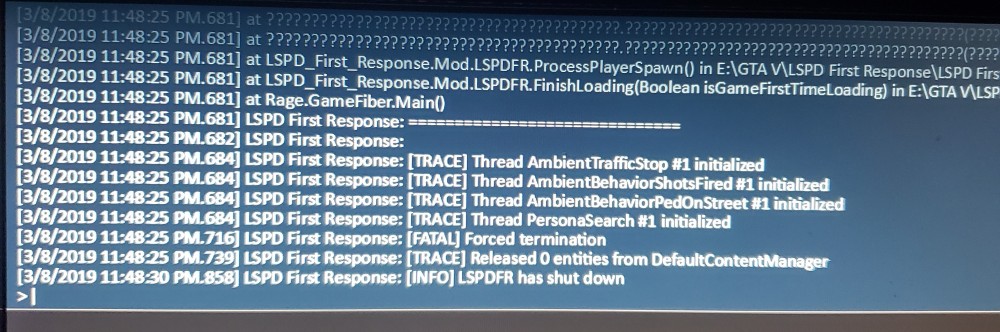
LSPDFR seems to crash before fully loading into the game. It goes to a black screen and I hear a ping. GTA doesn't crash itself, just LSPDFR. I tried administrator, windowed borderless, made sure enable counter measures is unchecked, and also upped plugin timeout to 30000. It occasionally will load in. When I try to go on duty it then crashes once again. The first photo is when it crashes going on duty which is rare if I can get there. Second picture is normal when it crashes before loading.
-
I would also appreciate that. Let us know!

2020-01-319_12_33PM.thumb.png.30c36f4f2ce846bab3e6a81112ff92bd.png)

