


Phoenix310
Members
-
Joined
-
Last visited
Everything posted by Phoenix310
-
Well, I've installed the new version of LSPDFR and RPH, now the game loads but the plugin doesn't. The log file is attached. BTW the plugins are now the same size. RagePluginHook.log
-
I'll update you on how that goes.
-
I have already tried all of those things :((( I've pretty much given up already... I still really want to play this mod but I guess I just can't.
-
Here it is: RagePluginHook.log And here is a quote of what I believe to be the problem: Thank you 🙂
-
I can't remember what I wrote, but I found it somewhere here on the forums. The problem now is that I can't even get to the console since the game crashes before it's done loading.
-
I don't have any addons.
-
Could be, but I tried running it on those modes and it still did not work. Sadly, that didn't help so far, ill keep trying that with each RPH version. Sorry for the slow response had a few rough days (got ran over and tea spilled over the keyboard 🙂 )
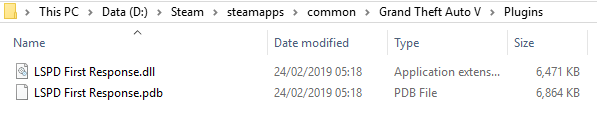
-
Thank you, ill try it now Edit - didn't work ;-; ;-; ;-; ;-;
-
Same thought I had yesterday, ill try excluding those, and yes I do have the requirements. Thanks, testing now. update - Anti Virus wasn't the problem ;-; (i wish it was, I just wanna play already...)
-
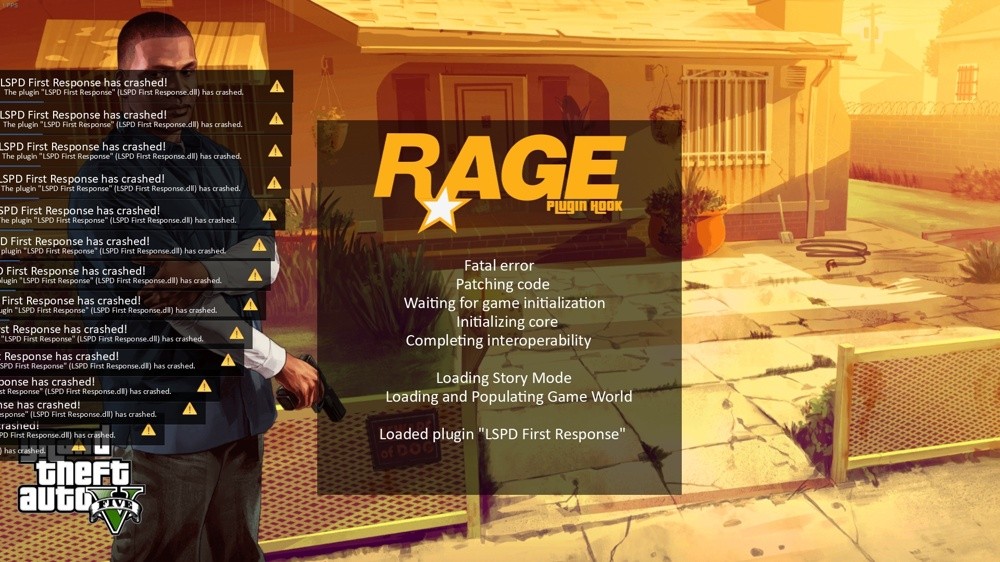
Ok, this time the game crashes on the RPH loading screen, as soon as it starts finishes loading the plugin. Picture attached. Log file attached + the error is in the spoiler. Can anyone somehow send me their lspdfr and plugins folders, might help? Gmail is " guymorad310@gmail.com " you can do it using google drive since Gmail doesn't allow sending zip files. RagePluginHook.log
-
Thanks, ill try it, and I fixed the plugins folder, I just thought that maybe placing LSPDFR in there would change anything, coz the log said it can't locate the file. Anyway, I reinstalled the game so maybe this will help, reinstalling RPH from their site, and placing the LSPDFR folder in the main directory, and placing the Plugins folder in the main directory (containing the 2 files only). update - still the same problem
-
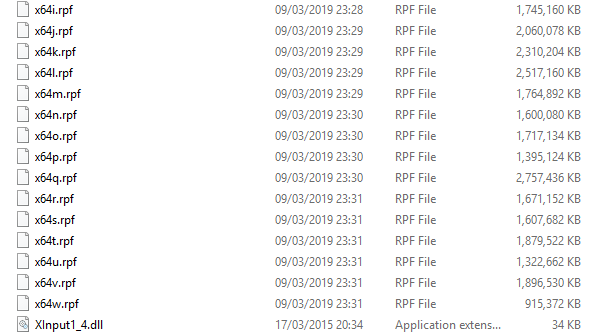
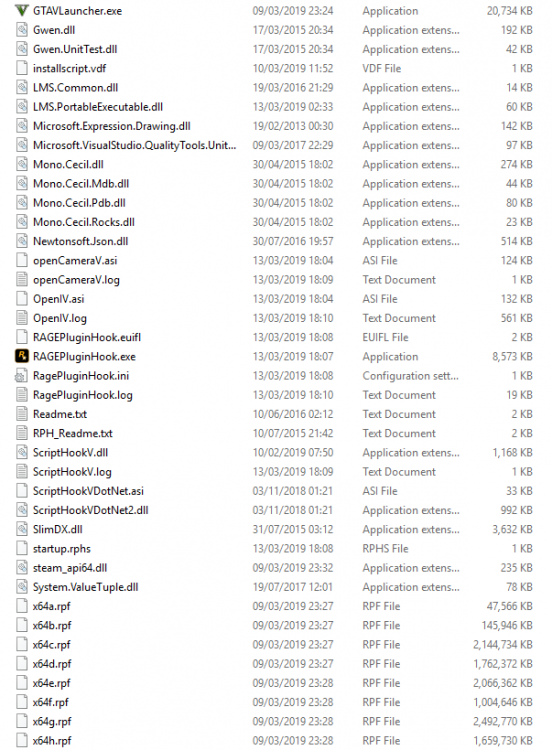
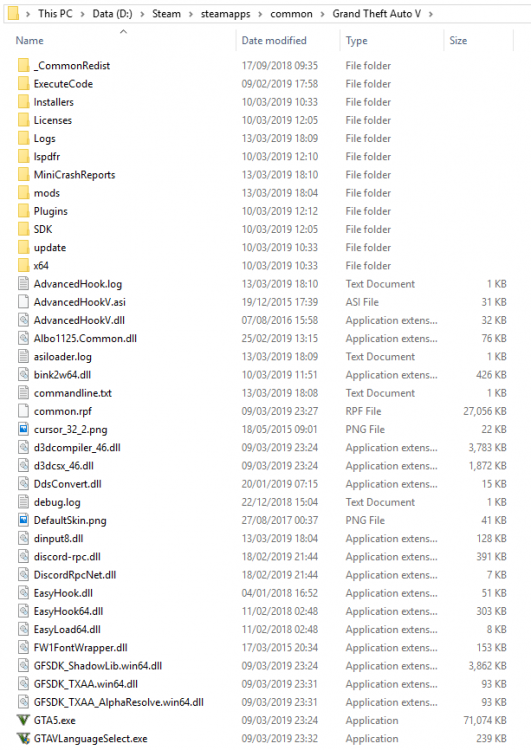
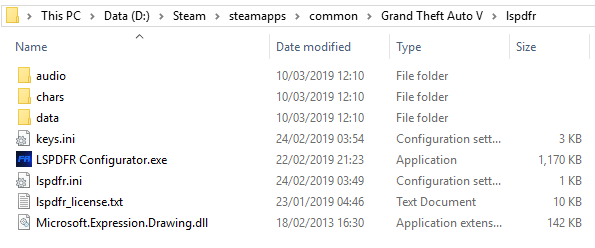
I had the same problem before the 0.4 update, maybe if you could take a picture of your folders I could compare the two and find the problem, (please).
-
It used to be in the main directory, then I moved it from the main folder into the plugins folder, it didn't work in both cases but ill try again anyway.
-
Yea it's the 2nd screenshot, ill attach it again. (Thank you for helping!)
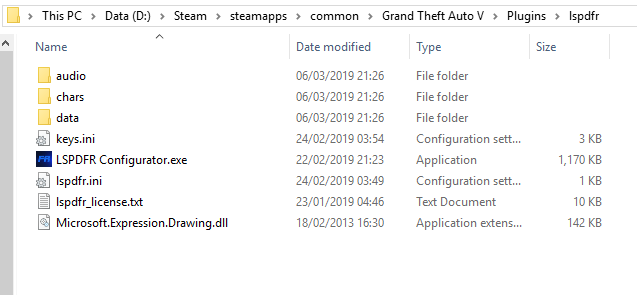
-
Wait. am I really that dumb? I placed the LSPDFR folder in the game folder, outside the plugin folder. I'm gonna try that right now and if it doesn't work ill take the screenshots. update - it didn't work, screenshots are attached.
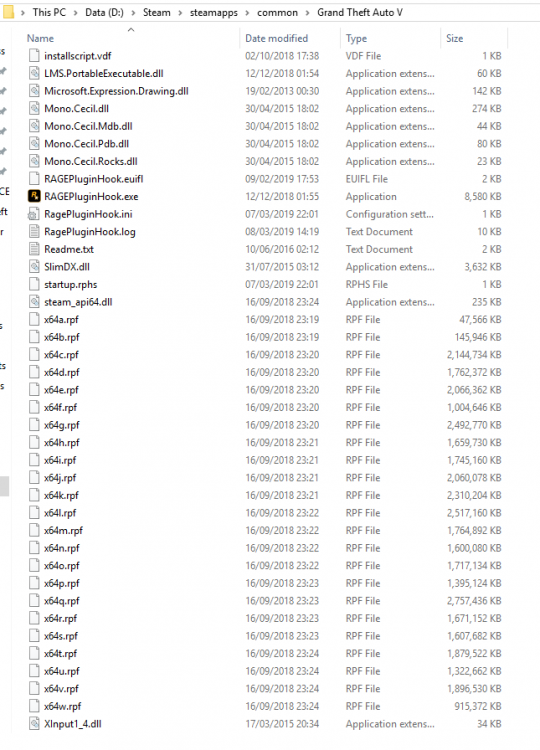
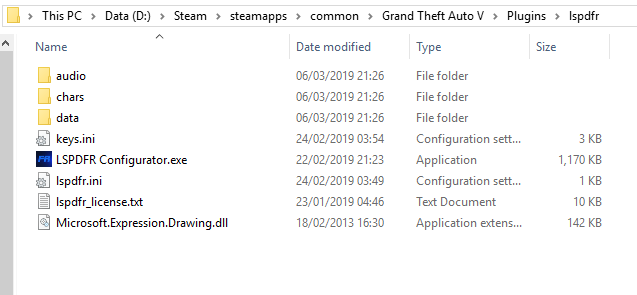
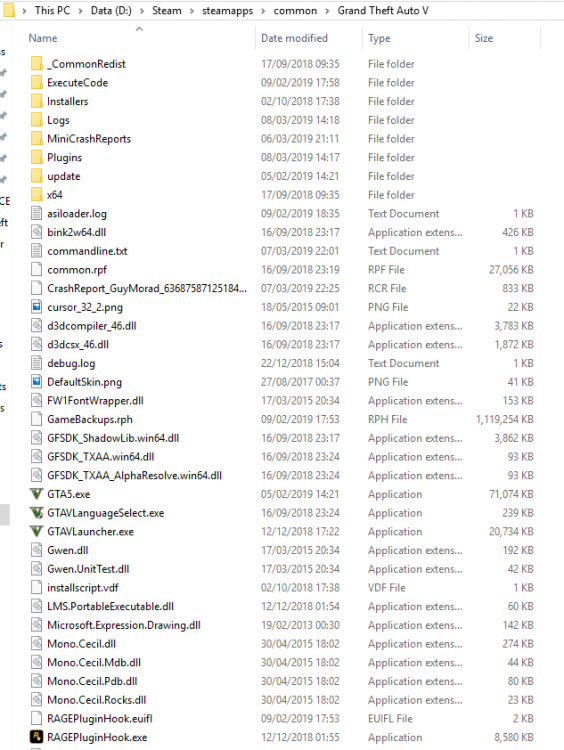
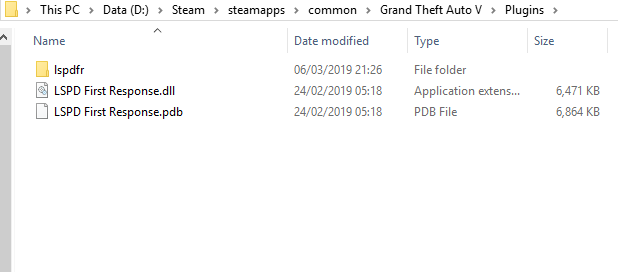
-
Thanks, but I have already tried doing that, and I am using an up-to-date version of RPH
-
I downloaded RPH first and then dragged the LSPDFR and plugins folders into the game folder. I tried using the LSPDFR installer aswell but that resulted in the same outcome.
-
I am using a legal copy of GTA V with the latest RPH installed from their site (https://ragepluginhook.net/Downloads.aspx?Category=1 version 0.64) The game works fine so far. I have downloaded the zip file containing the plugins and RPH and took out the plugins folder and lspdfr folder, placing them in my game folder. When I start the game it seems to load without the plugin (although all plugins should load according to RPH settings). I tried typing the load command in the console but it gave me an error message - Loading plugin from path: D:\Steam\steamapps\common\Grand Theft Auto V\Plugins\LSPD First Response.dll [06/03/2019 21:32:28.270] <UNLOADED PLUGIN>: Initializing input system [06/03/2019 21:32:28.270] <UNLOADED PLUGIN>: Initializing game console [06/03/2019 21:32:28.272] <UNLOADED PLUGIN>: Initializing forms manager [06/03/2019 21:32:28.385] ERROR: Could not load plugin from "D:\Steam\steamapps\common\Grand Theft Auto V\Plugins\LSPD First Response.dll". Could not load file or assembly 'LSPD First Response, Version=0.4.39.22580, Culture=neutral, PublicKeyToken=null' or one of its dependencies. The system cannot find the file specified. PRH logs are attached. +Windows 10 +.NET Framework 4.5 +Visual Studio c++ 2010 & 2015 RagePluginHook.log


