


C GRAVEDIGGER
Members
-
Joined
-
Last visited
Everything posted by C GRAVEDIGGER
-
PC Specs: CPU: AMD Ryzen 5 2600 GPU: Radeon RX 580 4GB Ram: 8GB DDR4 (single channel) GPU and CPU usage hover around 25%-40% and will drop to 5%-15% for a couple seconds causing stutters, Ram usage is always 80%-90%. No other game does this. Happens in SP and FiveM, lowering grapics settings helps but it's still pretty bad. Could it be the Ram even though it never hits 100%? Video:
-
I had fixed it yesterday by updating AMD software/driver but now its doing it again, here a video of it:https://youtu.be/FFmZkHCEH8g and here are all the mod I use: https://docs.google.com/document/d/15CUQL26XmF3lsi8Byn7y_5fB7gTNzPtvgI2pXLL_oo8/edit?usp=sharing, I'm using the amd software to cap fps at 30, its worse if I don't, and I've tried setting gta5.exe and playgtav.exe priority to realtime. Pc Specs: Ryzen 5 2600 six core RX 580 4gb 8gb ram
-
Its working now thanks
-
It started after I updated Bejoljos plugins Mods: https://docs.google.com/document/d/15CUQL26XmF3lsi8Byn7y_5fB7gTNzPtvgI2pXLL_oo8/edit?usp=sharing Crash report in spoiler
-
I fixed it, just had to update radeon software/driver, I tried this before but my pc would just crash, but this time it worked.
-
My game only runs smoothly with normal texture quality, turning it up to high causes constant stutters but when its not the framerate is ok, my pc has been able to handle this in the past, gpu usage goes between 30%-50%, reinstalling the game, and setting gta5.exe and PlayGTAV.exe to realtime priority didn't help. All other settings are normal or off, and no mods are installed PC Specs: Ryzen 5 2600 six core RX 580 4gb 8gb ram
-
Only OBS and Voicemeeter Banana, which didn't cause any problems before. I did get it fixed by setting GTA5.exe process priority to high which I thought I already did, Thanks for the help.
-
I updated the radeon drivers, no changes, turning down those settings it helped but I still get stutters especially when hitting things while driving, the last time I played a few weeks ago I was able to play with the settings the way I had them with very few stutters. Without the fps cap the stutters are way worse, and the highest my cpu gets is around 50% usually hovering around 25%
-
I get major stutters an the game looks bad no matter how high I turn up the graphics, I use Visual V, I had both Issues before I installed it, The stutters have gotten worse making the game unplayable. Gpu Usage will drop to 0% and usually doesn't go above 70% here are the mods I use: https://docs.google.com/document/d/15CUQL26XmF3lsi8Byn7y_5fB7gTNzPtvgI2pXLL_oo8/edit?usp=sharing I use every thing except whats under previously used. Here is video of the stutters and bad graphics: https://youtu.be/GgsR6TLMo0g PC specs GPU: RX 580 CPU: Ryzen 5 2600 RAM: 8GB DDR4 graphics settings Post FX: High Motion Blur: Off Depth Of Field Effects: Off Anisotropic Filtering: X4 Ambient Occlusion: High Tessellation: Off I also use the radeon software to limit the game to 30 fps
.thumb.png.fd99894e68ba2d01d7b493147ba2e00e.png)
.thumb.png.58770e88a1be98e6164e7ce5531949bc.png)
-
I figured it out, it was because I didn't have it in my mods folder
-
yes, and they were like this before i installed Visual V
-
yes they are
-
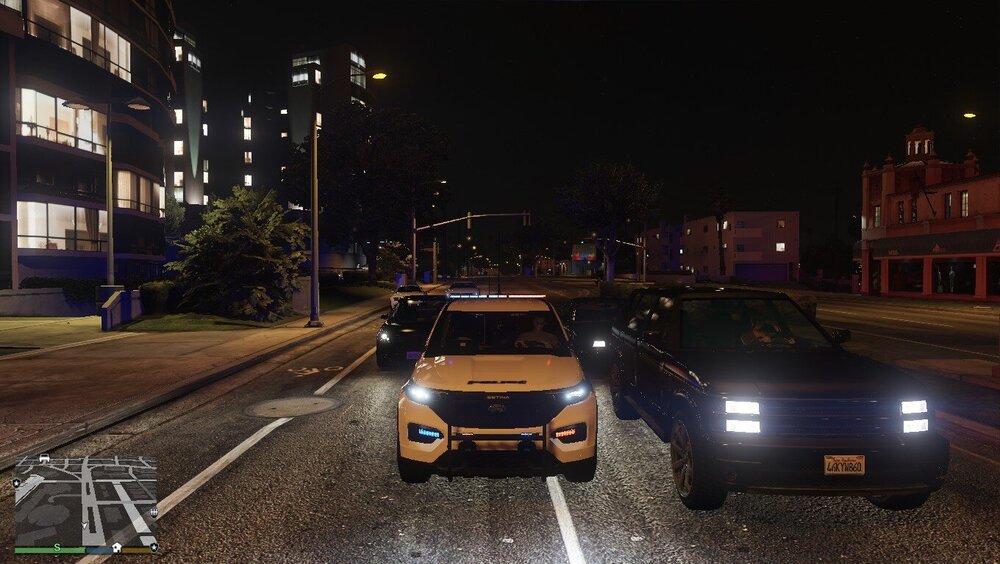
I have Radiance V and Visual V, lights are practically invisible during day time.
-
Thanks it was RivaTuner
-
It opens for a second and then immediately closes nothing pops up, all I can get it to do is open the settings. I have tried running it as administrator, reinstalling it, lspdfr, and script hook v.
.thumb.png.0a9ea2954c70ad28a60e187444038b53.png)
.thumb.png.895ad734e491ef28585879aa5a462da4.png)
.thumb.png.54f082c00ce842eaa9d55eae913f4000.png)
.thumb.png.9cd8755107a64a9012e2741e802480c6.png)

.png.14701efdb36fc6b4c9238f1879d0c982.png)
.png.6d3e047c2030fb752eef3767da15dc0f.png)

.png.3647807cf4d488da21b90e308a928305.png)
.png.923505b5ff1501bc74bd5276ade7bd10.png)
.png.e10db192784dcbeff6b416e66b9c1064.png)
.png.43211675213a2f2c3180ee2a15c024cc.png)