


HS96
Members
-
Joined
-
Last visited
Everything posted by HS96
-
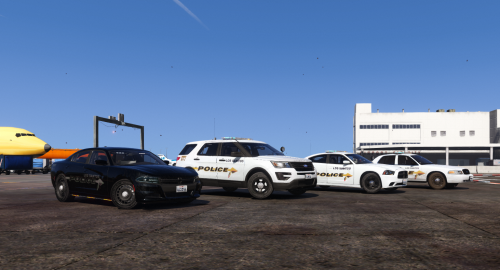 I just installed this pack and I can say my fleet is now complete but there is one minor bug, the headlights and taillights don't seem to turn on from the vehicles but I can see the reflection of them on the ground.
- 4 comments
- 7 reviews
-
Hope everyone is having a good week. I just have a question regarding how I can install sheriff only cars besides the LSPD? - as stated by title name. Any help would be much appreciated!
-
From what I've noticed, it may be one of the scripts or plugins installed that can be crashing LSPDFR. I reinstalled GTA V via Steam and installed LSPDFR 0.4 again with the latest plugins and scripts. Also, is there a way to revert back to the LSPDFR 0.3 version?
