


.jpg.2ee1731cfd7554061885181197443b19.jpg)
Thomas12345
Members
-
Joined
-
Last visited
Everything posted by Thomas12345
-
 Still, it won't affect people from trainer menu, however shooting peds from trainer menu will be affected.
- 682 comments
- 28 reviews
-
Send RPH log please.
-
Disable "Load Plugins on startup" in RPH settings to "Don't load any plugins". After your game is fully loaded, press F4 to open RPH console and type "LoadPlugin LSPD First Response". If you can't load the game without RPH, it's not LSPDFR or RPH issue.
-
Send RPH log please if you can run Story Mode without RPH. Located in main GTAV folder.
-
You're welcome.
-
I found a bug, when I spawn attacking ped thru Trainer menu (with non-lethal weapon) and cops will tase the ped, the ped won't stop attacking - cops will just stop tasing him and they will be aiming at him with taser. It was working in older versions. Also it would be nice if you add Call Police and Random Crime functions back to the menu.
- 682 comments
- 28 reviews
-
I still see Cheap Callouts plugin in your RPH log... Make sure you removed all callouts files (.ini files too ofc)
-
Hello, it looks that "Cheep Callous" is crashing your LSPDFR. Easily, the plugin is outdated. Remove Cheep Callouts plugin from Plugins/LSPDFR folder, then load LSPDFR again.
-
I need to say this in all-caps; AMAZING! Still a few bugs but still it's the best one.
- 682 comments
- 28 reviews
-
-

- 1
-
-
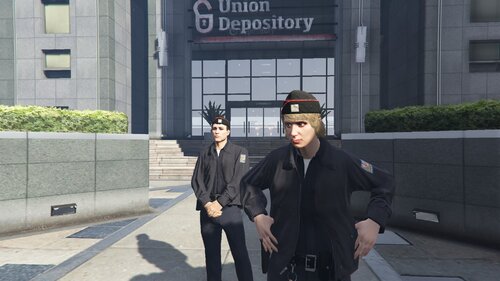 In new update, everything is fixed, good work.
 -
-
-
Yes.
-
I'm using PoliceSmartRadio and it's running without problems.
-
If you want to run LSPDFR configurator: Make sure you have legal copy of GTA V. Make sure you run LSPDFR Configurator.exe as an Administrator. If you can't still use or run configurator, there's a way how you can configure some things: Run lspdfr.ini config file in same directory where configurator is. Open him with WordPad or Notepad. There you can edit a lot of things. And about RPH, why you can't run and post a log?
-
It can cause Traffic Policer because is not longer supported. Try uninstalling Traffic Policer.
-
Do you meet all the requirements? A legal copy of Grand Theft Auto V or other supported game. Either of the following operating systems: Windows 7 with Service Pack 1 Windows 8 Windows 8.1 Windows 10 Microsoft .NET Framework 4.6, or higher. Microsoft Visual C++ 2010 SP1 Redistributable Package (x64) Visual C++ Redistributable for Visual Studio 2015 (x64)
-
 This plugin is outdated. It's working, but with a lot amount of bugs. EDIT: Sometimes this plugin will crash too.
- 1,915 comments
- 242 reviews
-
-
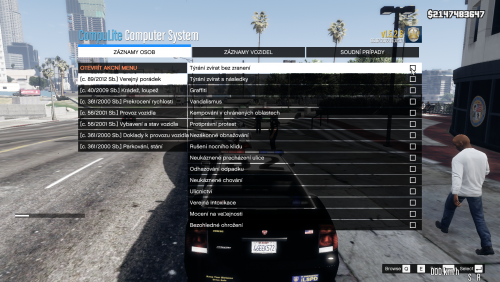 Klidně mi můžeš pomoct překládat, jestli máš zájem, napiš mi do PM na LCPDFR stránce nebo klidně na Discordu.
 -
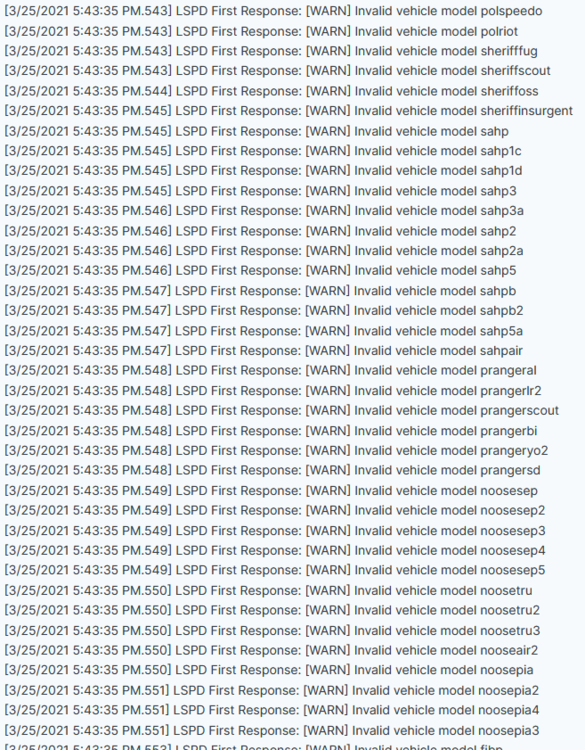
Alright, but will help uninstalling ENB? For the warn of picture, what XML file/s you mean? That crashing LSPDFR I mean, when I call backup from vanilla backup options. Thanks. EDIT: Do you know what is ENB doing with game/RPH? Oh and thanks, ENB uninstalling just fixed a lot of bugs!
-
Okay, here's the log: RagePluginHook.log And small question: What these warning messages means? Can I do something with that?
-
Thank you, but i forgot to add: it happends when i call State patrol backup. And small another problem: when i run Rage Plugin Hook, when my game run, it will Crash. I fixed it in this way: i Will load gta SP first, then i run RPH. Do you know how to fix it?
-
Hello, I have some problems with LSPDFR. When I play LSPDFR, game just crash randomly. Thank you for help. EDIT: It happens when I call backup from vanilla Backup options I'm using other plugins such as BackWeapon, EUP and CopHolster. RPH Log:
-
These textures are so buggy 😕
.thumb.jpg.f50602df1b3da2c0aaec12fd0b55e984.jpg)



.thumb.png.da31fac1cdbed476577a0aaf4ab60f16.png)

