


GorillaYRG
Members
-
Joined
Everything posted by GorillaYRG
-
i would like to see the ini changes as well
-
haha i feel u bro. this mod is a relief. Bro you've been very helpful letting people know of what's working, etc. I thank you.
-
Also, a small help for controller users. This mod can stop you from accidentally hitting or killing your suspect when trying to back out menus with B or O on whatever controller you're using. I can say this mod is working, i've been playing with it for at least 2 hours.
-
Try the A button on controller
-
Glad i helped!
-
no problem. here's the link as well: https://www.lcpdfr.com/files/file/18481-stop-the-ped-normal-and-gunpoint-stop-pat-down-ped-gun-permit/
-
for a dead ped walk up to it, and click the G key you will see the coroner option. Also, walk up to a vehicle and press the G key and the menu will pop up for the towing option as well. let me know how that works.
-
Stop The Ped uses coroner and tow truck, it's been updated for 0.4. I've been using it for several hours now. Try that out for yourself as well. Stop The Ped was updated for 0.4, try it out. I've been using it.
-
i call for prison transport for stop the ped, says may be incompatible issues and despawns, so they never show up. Anybody else have that issue?
-
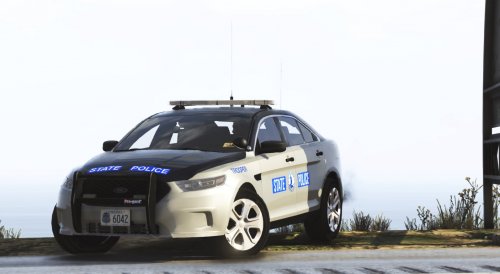 loving the way the pack looks. i don't have carcols.ymt meta in my file. it only came with carvariations, dlc text, vehicles meta files. am i missing something?
- 36 comments
- 4 reviews
-
-
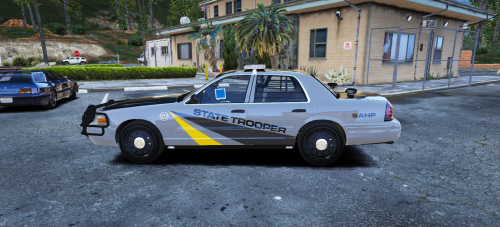 Love the look of the car, can this car replace a state patrol car, or do you have to spawn this one in?
- 16 comments
- 5 reviews
-
-

- 1
-
-
-
Think i missed that, where is that option?
